

Per Push: Screen Time Blocker
hussein abdul Health & Fitness iPhoneiPadiPod touch
Per Push: Screen Time Blocker is a free Health & Fitness app for iPhone and iPad by hussein abdul. Requires iOS 26.0. Updated August 15, 2026.
- Price
- Free
- on the App Store
- Size
- 44 MB
- Age 4+
- Updated
- Aug 15
- 2026 · v1.0
Screenshots
About Per Push: Screen Time Blocker
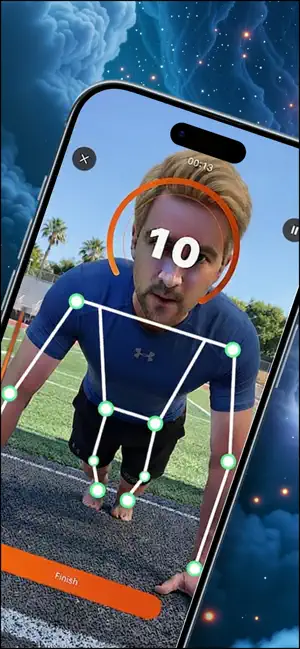
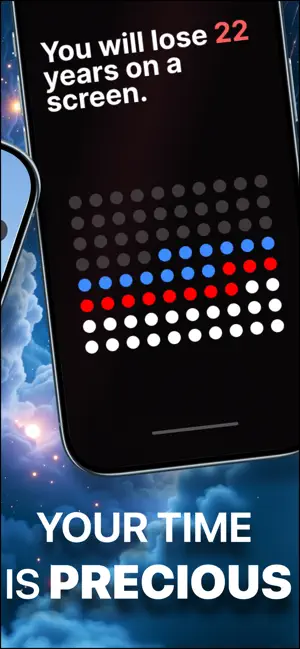
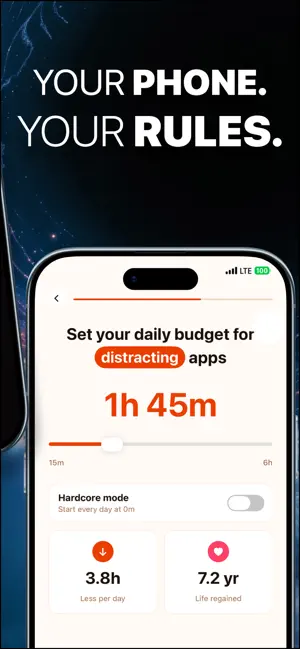
Years of your life go to your phone. Per Push puts a daily budget on the apps you pick. When it's spent, they lock. Do push-ups or squats to earn minutes back. You ignore the limit, uninstall, and reinstall a few days later. Most blockers don't last. Per Push is built to stick around longer. You set a daily budget. Apps lock with Apple's Screen Time shield when it runs out. Push-ups or squats earn more minutes. Your iPhone counts reps with Apple's Vision framework. Nothing is recorded or uploaded. How it works 1. Choose the apps that pull you in. 2. Set your daily screen-time budget. 3. Use those apps until the budget runs out, then they lock with Apple's Screen Time shield. 4. Do push-ups or squats to earn more minutes. Rep counting uses Apple's Vision framework on your iPhone. Camera frames are processed live and not stored. What you get Budget & blocking • Apps lock when your daily budget runs out, not the moment you install • Custom earn rate and optional Hard Mode (start each day at zero) • Earned time re-locks when minutes run out; notifications can remind you to earn more • Pause when you need a break (monthly streak passes) Exercise & progress • Push-ups and squats counted on-device with Apple's Vision framework • Reps, streaks, minutes earned, milestones, and personal records • App usage breakdown for your blocked apps Perspective & privacy • Life-years view shows how daily phone use fits against your whole life • No account, no cloud, no tracking Your time, in perspective During setup, Per Push maps your daily phone use against a lifetime view: years lived, time sleeping, time on screen. It is a personal insight tool, not a promise about results. You decide what that time is worth. Privacy All pose detection runs on your iPhone using Apple's Vision framework. Camera video is processed live for rep counting only. Nothing is recorded or leaves your device. Subscriptions Per Push is free to try. Full access requires a subscription after your trial. Available as a weekly or yearly auto-renewable subscription. New subscribers get a 3-day free trial. Payment is charged to your Apple ID at purchase confirmation or when the free trial ends. Subscriptions renew automatically unless canceled at least 24 hours before the end of the current period. Manage or cancel anytime in Settings → Apple ID → Subscriptions. Terms of Use: https://pixelloapps.com/perpush/terms Privacy Policy: https://pixelloapps.com/perpush/privacy
App privacy
The developer, hussein abdul, reported these privacy practices to Apple.
Data Not Collected
The developer does not collect any data from this app.
Alternatives to Per Push: Screen Time Blocker
Looking for apps like Per Push: Screen Time Blocker? Here are 6 similar apps on the App Store. The highest rated is Sleep Recorder: Talk & Snore (4.8/5), and all 6 are free to download.
-
 ScreenReps
4.0
-
 Push Up App Blocker Sweat Lock
4.7
-
 Pusher: App Blocker
1.0
-
 PushUp Time - App Blocker
4.0
-
 Sleep Recorder: Talk & Snore
4.8
-
 PushUpLock - Push Up Blocker
4.7
| App | Rating | Price | Last updated | Compare |
|---|---|---|---|---|
| Per Push: Screen Time Blocker | – | Free | August 15, 2026 | |
| ScreenReps | 4.0 / 5 (1) | Free | Oct 7, 2026 | Compare |
| Push Up App Blocker Sweat Lock | 4.7 / 5 (55) | Free | May 26, 2026 | Compare |
| Pusher: App Blocker | 1.0 / 5 (1) | Free | Jan 2, 2026 | Compare |
| PushUp Time - App Blocker | 4.0 / 5 (11) | Free | Sep 13, 2026 | Compare |
| Sleep Recorder: Talk & Snore | 4.8 / 5 (4) | Free | Oct 22, 2026 | Compare |
| PushUpLock - Push Up Blocker | 4.7 / 5 (1,213) | Free | Sep 21, 2026 | Compare |