

Vector Logo Maker : Design App
Takao Sunagawa Graphics & Design iPhoneiPadiPod touch
Vector Logo Maker : Design App is a free Graphics & Design app for iPhone and iPad by Takao Sunagawa. Requires iOS 17.0. Updated October 24, 2026.
- Price
- Free
- on the App Store
- Size
- 177 MB
- Age 12+
- Updated
- Oct 24
- 2026 · v2.2.1
Screenshots


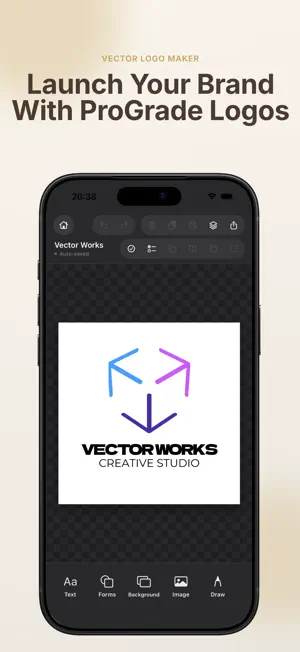
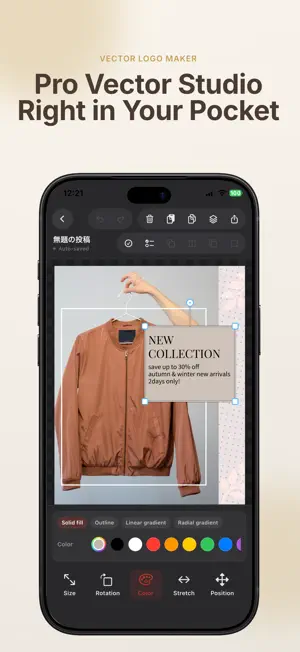
About Vector Logo Maker : Design App
From logo creation to precision vector editing and crisp SVG / transparent PNG export. "Vector Logo Maker" is a versatile design app built for shop and brand logos, social icons, and business card marks. Combine fonts, geometric shapes, vector assets, hand-drawn sketches, and images to craft your own unique identity. Use AI to spark logo concepts and explore balanced color palettes. Start right away with free basic editing—place text and shapes to bring your ideas to life. ■ Ideal For ・Cafe, shop, salon, and startup brand logos ・Personal brands and handmade craft marks ・Social media profile pictures, icons, and headers ・App icons, favicons, and website symbols ・Business cards, store tags, stickers, and physical signage ・Original designs pairing typography with geometric shapes ■ Combine Text, Shapes, and Assets Includes diverse typography, geometric shapes, and vector icons. Adjust font size, letter spacing, colors, and positioning to match your brand vibe. Full layer control: reordering, opacity, shadows, and grouping. Easily incorporate photos and transparent PNGs. ■ Direct Path & Anchor Point Editing Manipulate vector path nodes and Bézier handles to adjust contours and curves with precision. Ideal for fine-tuning shapes beyond presets. ■ Vectorize Images & Sketches Convert photos and hand-drawn sketches into editable vector paths with contour tracing. Inspect and refine paths directly in the editor. *Results vary by image resolution, contrast, and contour complexity. Manual adjustments may be needed. ■ AI-Powered Ideation & Color Palettes ・AI Logo Creator: Enter your industry and style to instantly generate fresh logo image concepts. ・AI Color Palettes: Receive curated color schemes tailored to your design's mood. *AI images are raster previews, not native vector paths. *Requires internet connection. For users 18 and older. ■ Export as SVG, PNG, PDF & More ・SVG: Infinitely scalable vector format for web, print, and design software ・Transparent PNG: Clean cutouts for websites, social media, and packaging ・PNG & JPEG: Standard raster images for sharing and saving ・PDF: Print-ready high-quality output ・MP4: Export animated logos as video clips ・Up to 4x ultra-high resolution for supported formats *Some photo/image layers in SVG/PDF remain raster. Check printer guidelines before printing. ■ 3D Tilt & Real-World Mockups Tilt designs in 3D perspective and preview them on realistic mockups like signage and T-shirts. ■ On-Device Storage & Offline Editing Projects are stored locally on your device. Core editing functions work offline. *AI features, ads, and in-app purchases require internet access. ■ Free Features Basic editing, standard 1x PNG export, and up to 2 active projects are completely free. Access select Pro assets and export options on demand via rewarded ads. ■ LogoMaker Pro Ad-free creation with full Pro capabilities: ・Unlimited project storage ・Full access to Pro templates, Pro fonts, and vector assets ・Unlimited SVG, PDF, and transparent PNG exports ・Up to 4x ultra-high resolution output ・Ad-free access to AI color palettes Available as Lifetime Purchase, Annual, or Monthly subscription. *AI Logo Creator image generation requires separate image credits. ■ Commercial Use Included fonts are licensed for commercial use. Please review terms for assets and AI imagery. The app does not guarantee trademark registration. Terms of Use (EULA): https://www.apple.com/legal/internet-services/itunes/dev/stdeula/
What’s new
Version 2.2.1 · Updated October 24, 2026
- Added support for Italian and Portuguese (Brazil). - Reorganized tool layout on iPhone Duo home and editing screens. - Fixed an issue where the menu closed after watching an ad, preventing continuation of the previous action. - Fixed an issue where Pro fonts were not applied correctly after watching an ad. - Improved stability so that selection state and undo history are retained after returning from an ad. - Improved clarity of certain guidance messages and error notices. - Removed the golden ratio layout feature.
App privacy
The developer, Takao Sunagawa, reported these privacy practices to Apple.
Data Used to Track You
The following data may be used to track you across apps and websites owned by other companies:
- Identifiers: Device ID
- Usage Data: Product Interaction, Advertising Data
Data Linked to You
The following data, which may be collected and linked to your identity, may be used for the following purposes:
- Identifiers: Device ID
- Usage Data: Advertising Data, Product Interaction
Used for: Third-Party Advertising, Analytics, App Functionality
Data Not Linked to You
The following data, which may be collected but is not linked to your identity, may be used for the following purposes:
- Diagnostics: Crash Data, Performance Data
- Purchases: Purchase History
Used for: Analytics, App Functionality
Alternatives to Vector Logo Maker : Design App
Looking for apps like Vector Logo Maker : Design App? Here are 6 similar apps on the App Store. The highest rated is ColorStudio: Palette Generator (5.0/5), and all 6 are free to download.
-
 LogoMate Pro
-
 AI Logo & Design Maker
-
 DropStudio – Launch Your Drop
-
 Horogium
-
 ColorStudio: Palette Generator
5.0
ColorStudio: Palette Generator
5.0
-
 深度AI改图-p图 无痕改字 智能修图 无水印
5.0
深度AI改图-p图 无痕改字 智能修图 无水印
5.0
| App | Rating | Price | Last updated | Compare |
|---|---|---|---|---|
| Vector Logo Maker : Design App | – | Free | October 24, 2026 | |
| LogoMate Pro | – | Free | May 8, 2026 | Compare |
| AI Logo & Design Maker | – | Free | Feb 5, 2026 | Compare |
| DropStudio – Launch Your Drop | – | Free | Sep 25, 2026 | Compare |
| Horogium | – | Free | Aug 25, 2026 | Compare |
| ColorStudio: Palette Generator | 5.0 / 5 (3) | Free | Oct 24, 2025 | Compare |
| 深度AI改图-p图 无痕改字 智能修图 无水印 | 5.0 / 5 (2) | Free | Oct 27, 2026 | Compare |