

yourclock - Clock Faces
KUN WON KIM Utilities iPhoneiPadiPod touch
yourclock - Clock Faces is a free Utilities app for iPhone and iPad by KUN WON KIM. Requires iOS 15.0. Updated September 10, 2026.
- Price
- Free
- on the App Store
- Size
- 17 MB
- Age 4+
- Updated
- Sep 10
- 2026 · v1.0.2
Screenshots


About yourclock - Clock Faces
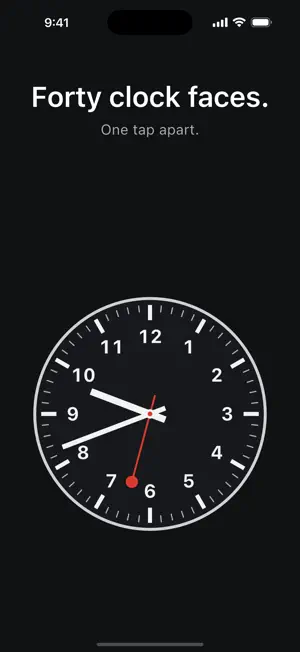
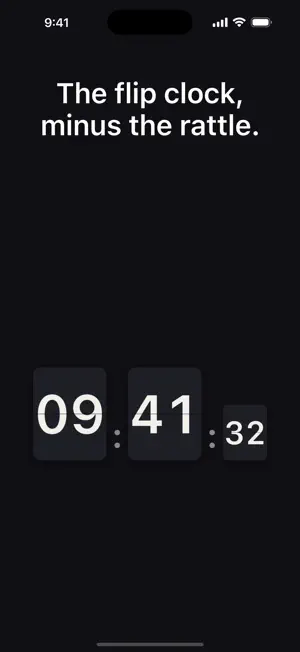
yourclock turns any spare screen into a clock worth looking at. Forty-three clock faces, each one a different idea about what a clock can be. A railway platform clock. A flip clock that never rattles. A terminal readout. A Mondrian. Every minute of the day as a single dot, filling up as the day goes on. Pick the one that suits the room, set the phone or iPad down, and let it run. TWENTY-FOUR FACES, FREE Classic and Roman analog, a minimal digital, a flip clock, a word clock that spells the time out, a terminal, a neon dial, an orbit, a horizon that tracks the light, constellations, an hourglass, a pendulum, lava, an aquarium, a screen that floods with colour as the minute passes, and more. No account, no ads — they're simply yours. NINETEEN PREMIUM FACES Railway, Aviator, Retro LCD, Halo, Wheels, Mondrian, Plain, Line, Tide, Hour, Week, Radar, Gauges, Metro, Vinyl, Cassette, Pulse, Mosaic and Iris. Each is a one-time purchase, bought individually, and yours forever on every device signed in to your Apple ID. Nothing is a subscription. SEE IT BEFORE YOU BUY Tap any locked face to preview it: it runs full screen, at full size, on your own screen, for as long as you care to look. No card, no sign-up, no clock running down. Previews carry a PREVIEW watermark until you buy the face. If it isn't for you, close it and try another. BUILT TO SIT THERE Keep the screen awake while the clock is showing, so it stays readable on a desk, a nightstand, or a kitchen counter. 12- or 24-hour time. Seconds on or off. Light, dark, or follow the system. Runs full screen on both iPhone and iPad. NOTHING IS COLLECTED No account. No analytics. No tracking. No ads. Your chosen face and your purchases are stored on your device, and there is no server on our end to send anything to.
What’s new
Version 1.0.2 · Updated September 10, 2026
Three new faces, all of them about the second hand. Flood — free. Colour rises from the bottom of the screen and reaches the top exactly as the minute turns over. The time is drawn through the water, so the digits change shade as the level passes them. Mosaic — sixty tiles, one arriving per second, in an order that reshuffles every minute. Iris — a disc opens from the centre and touches the corners on the last second of the minute, then the next colour blooms over it. All three fill the whole screen, and each has a slower version for anyone who keeps seconds hidden: Flood fills once an hour, Mosaic lights one tile a minute, Iris closes over the hour. Also fixed: - A face could paint a little past its own edge while you swiped between faces. - The app now reopens on the face you last chose, including a premium one.
App privacy
The developer, KUN WON KIM, reported these privacy practices to Apple.
Data Not Collected
The developer does not collect any data from this app.
Alternatives to yourclock - Clock Faces
Looking for apps like yourclock - Clock Faces? Here are 6 similar apps on the App Store. The highest rated is Pawiva: Pet Activity Timer (5.0/5), and 5 of the 6 are free to download.
-
 FlipTheClock
-
 Starlight Time Clock.
-
 HH:MM:SS
-
 Date & Time - Widgets
-
 toki — physics clock
-
 Pawiva: Pet Activity Timer
5.0
Pawiva: Pet Activity Timer
5.0
| App | Rating | Price | Last updated | Compare |
|---|---|---|---|---|
| yourclock - Clock Faces | – | Free | September 10, 2026 | |
| FlipTheClock | – | Free | Aug 31, 2026 | Compare |
| Starlight Time Clock. | – | Free | May 20, 2026 | Compare |
| HH:MM:SS | – | 0.99 USD | Oct 22, 2026 | Compare |
| Date & Time - Widgets | – | Free | Oct 8, 2026 | Compare |
| toki — physics clock | – | Free | Sep 21, 2026 | Compare |
| Pawiva: Pet Activity Timer | 5.0 / 5 (2) | Free | Aug 10, 2026 | Compare |