

Compose Studio Score Input
Naoki Chiba Music iPhoneiPadiPod touch
Compose Studio Score Input is a free Music app for iPhone and iPad by Naoki Chiba. Requires iOS 16.0. Updated November 8, 2026.
- Price
- Free
- on the App Store
- Size
- 21 MB
- Age 4+
- Updated
- Nov 8
- 2026 · v1.1.3
Screenshots
Save to Pinterest
About Compose Studio Score Input
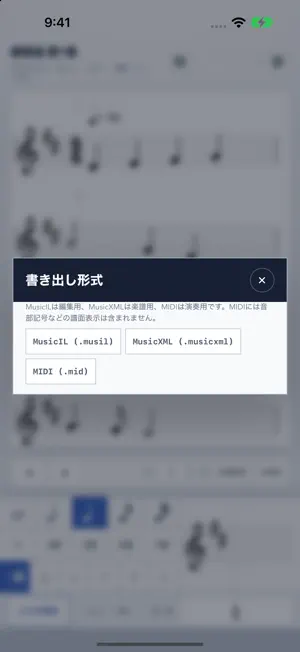
Copy an instrumental part into editable notation using touch controls. The app's controls and explanations are currently in Japanese. CHOOSE PITCH WITH A VERTICAL DRAG Move your finger up or down on the pitch pad, then release to enter the note at the score cursor. A preview note appears on the staff while you drag, and you can hear the pitch before committing it. ADJUST A NOTE WHILE HOLDING IT Keep one finger on the pitch pad while using another to change duration, dots or accidentals. Double-tap an accidental to lock it for repeated entry. You can also select an existing note and change its duration. ENTER TRANSPOSED PARTS AS WRITTEN Choose a transposing instrument, such as clarinet or alto saxophone, to enter the written pitches from its part. Saved pitches and playback use concert pitch. EDIT THE STRUCTURE OF THE PIECE Change the time signature, key signature, tempo and rehearsal mark from a selected measure. Add or remove measures in the same settings screen. ENTER TUPLETS Create groups of 3, 5, 6 or 7 equal notes. The selected note value sets the total duration of the group: selecting a quarter note before choosing triplets divides that quarter-note duration into three equal notes. Create the group, then enter its notes. SAVE AND SHARE Scores are saved on your device as .musil files, accessible in the Files app and shareable with other apps. Export as MusicIL, MusicXML or MIDI. MIDI does not preserve the visual notation, such as clefs. Import a file into Programmable Metronome to use its tempo, time signatures and rehearsal marks. An editing draft is saved automatically so you can resume work when you reopen the app. This is a tool for entering a single melodic part; chord and multiple-voice entry are outside its current scope. For MusicIL files with multiple parts or voices, you edit the first voice of the first part. Other parts and voices are retained when saving.
What’s new
Version 1.1.3 · Updated November 8, 2026
- Export as MusicXML or MIDI by choosing a format from Export in the song menu. - Open MusicIL files shared by Viewer 1.1. - Improved MusicIL compatibility, clefs, stem directions, dynamics and playback. - Keep navigation and clef-change positions aligned when adding or removing measures. - Open incoming MusicIL files after the editor finishes loading, including on a cold launch.
App privacy
The developer, Naoki Chiba, reported these privacy practices to Apple.
Data Not Collected
The developer does not collect any data from this app.
Alternatives to Compose Studio Score Input
Looking for apps like Compose Studio Score Input? Here are 6 similar apps on the App Store. The highest rated is KORG cortosia (4.2/5), and 5 of the 6 are free to download.
-
 指定音チューナー
-
 高速譜読み FUYO FLASH
-
 NoteTrace: Note Reading Coach
-
 ToneDex
-
 Ura Click - Offbeat Metronome
-
 KORG cortosia
4.2
| App | Rating | Price | Last updated | Compare |
|---|---|---|---|---|
| Compose Studio Score Input | – | Free | November 8, 2026 | |
| 指定音チューナー | – | Free | May 1, 2026 | Compare |
| 高速譜読み FUYO FLASH | – | Free | Jun 28, 2026 | Compare |
| NoteTrace: Note Reading Coach | – | Free | Sep 18, 2026 | Compare |
| ToneDex | – | Free | Jan 7, 2026 | Compare |
| Ura Click - Offbeat Metronome | – | Free | Oct 2, 2026 | Compare |
| KORG cortosia | 4.2 / 5 (6) | 4.99 USD | Apr 27, 2026 | Compare |