

MXa
Duy Pham Utilities iPhoneiPadiPod touch
MXa is a free Utilities app for iPhone and iPad by Duy Pham. Requires iOS 17.0. Updated September 1, 2026.
- Price
- Free
- on the App Store
- Size
- 3 MB
- Age 4+
- Updated
- Sep 1
- 2026 · v1.0.2
Screenshots

About MXa
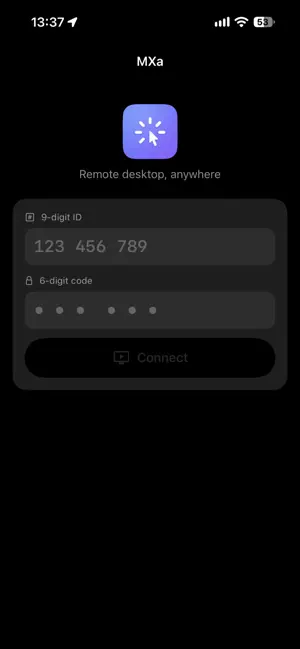
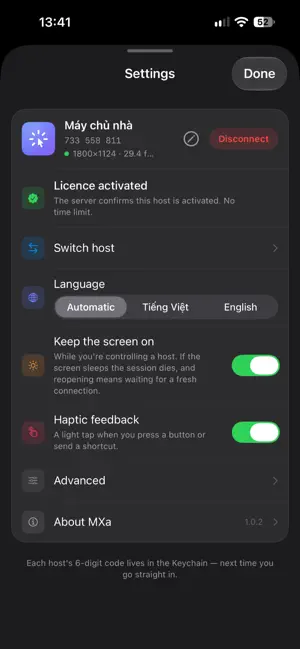
MXa turns your iPhone or iPad into a screen and a keyboard for a computer you own. You see the whole desktop, exactly as it is on the machine itself, and you drive all of it: move the pointer, click, scroll, type, send keyboard shortcuts, copy and paste between the two devices. Nothing is installed into the apps you work with over there. Getting in takes two numbers. The other machine shows a 9-digit ID and a 6-digit code; you type them here once. No account to create, no email to leave, no VPN to configure, no router port to open. On the same Wi-Fi the two devices talk directly and the picture never leaves your network. Over distance they meet at a relay that only moves bytes — the 6-digit code never crosses the wire, and the keys are derived at the two ends, so what passes through the middle cannot be read there. The picture is H.264 at 30 frames per second, encoded by the hardware at the far end. On a thin connection the bitrate drops instead of the picture freezing. Lose signal, switch Wi-Fi, lock the screen and come back: the session rebuilds itself. Made for a finger, not for a mouse pretending to be one. Tap where you want the pointer, drag to scroll, pinch to zoom into a corner of a large desktop. The shortcut row sits on the software keyboard, so Command-Tab and Command-Q are one tap away instead of a hunt. Also here: a clipboard shared both ways, several displays to switch between, and text in Vietnamese or any other Unicode script typed straight through. WHAT YOU NEED A computer you own, running macOS 14 Sonoma or later, with the free MXa desktop app on it — and this device. Both ends are the same connection: no server to rent, no ports to open. On your own network there is no time limit. Over the internet a session ends after a while unless the machine you are reaching has been activated.
App privacy
The developer, Duy Pham, reported these privacy practices to Apple.
Data Not Linked to You
The following data, which may be collected but is not linked to your identity, may be used for the following purposes:
- Identifiers: Device ID
- Usage Data: Other Usage Data
Used for: App Functionality
Alternatives to MXa
Looking for apps like MXa? Here are 6 similar apps on the App Store. The highest rated is CIDR Calc (5.0/5), and all 6 are free to download.
-
 PhoneMouse – Wireless Mouse
-
 ServerDoor - SSH Client
-
 CIDR Calc
5.0
-
 NailUP: Nail Art & Designs
4.2
-
 Lensit
-
 Subnet Mask Calc
2.4
| App | Rating | Price | Last updated | Compare |
|---|---|---|---|---|
| MXa | – | Free | September 1, 2026 | |
| PhoneMouse – Wireless Mouse | – | Free | Apr 1, 2026 | Compare |
| ServerDoor - SSH Client | – | Free | Sep 17, 2024 | Compare |
| CIDR Calc | 5.0 / 5 (1) | Free | Dec 12, 2025 | Compare |
| NailUP: Nail Art & Designs | 4.2 / 5 (5) | Free | Jul 19, 2026 | Compare |
| Lensit | – | Free | Sep 7, 2026 | Compare |
| Subnet Mask Calc | 2.4 / 5 (23) | Free | Jul 17, 2025 | Compare |
Compare MXa with the top alternatives: ratings, updates, ASO score and keyword gaps →