

Keeb: Codex Keyboard
蓓 许 Developer Tools iPhoneiPadiPod touch
Keeb: Codex Keyboard is a free Developer Tools app for iPhone and iPad by 蓓 许. Requires iOS 17.0. Updated September 5, 2026.
- Price
- Free
- on the App Store
- Size
- 6 MB
- Age 4+
- Updated
- Sep 5
- 2026 · v1.0.2
Screenshots


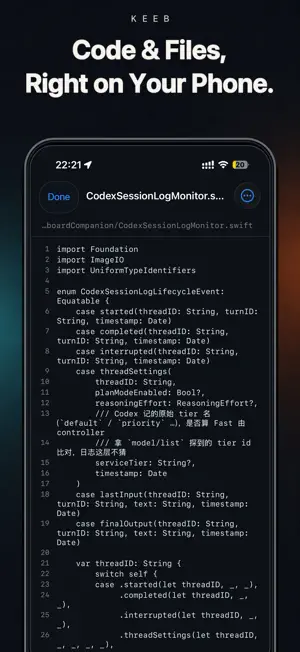
About Keeb: Codex Keyboard
Multiple coding tasks. One command deck. Keeb is an independently developed companion app for viewing, directing, and managing Codex tasks that run on your computer. It brings task switching, live status, approvals, follow-up instructions, and voice input into a focused, keyboard-inspired command deck. IMPORTANT Keeb requires: • A compatible device running iOS 17 or later • A computer running macOS, Windows, or Linux • Keeb CLI running on that computer • Compatible Codex software installed, signed in, and available on that computer • Both devices connected to the same local network WHAT YOU CAN DO • Switch between multiple Codex tasks from one dashboard • Review task history and live progress • Create tasks and send follow-up instructions • Handle command-execution and file-change approval requests • Answer structured questions from Codex • Start, steer, or interrupt active work • Use voice input, Skills, Plan mode, model selection, Fast mode, and reasoning controls when supported by your Codex setup HOW IT WORKS Run Keeb CLI on your computer, then scan the QR code displayed in the terminal. The devices connect through an encrypted local-network connection, and only a paired device can control Keeb CLI. Keeb does not ask you to enter your Codex credentials in the mobile app and does not copy your complete project repository to the mobile device. Your computer remains the host where Codex and your project files run. Keeb does not provide a cloud-hosted AI agent, a Codex subscription, or cross-internet remote access. Your computer must remain powered on, Keeb CLI must remain running, and both devices must stay on the same local network. Keeb is independently developed and is not affiliated with, sponsored by, or endorsed by OpenAI.
What’s new
Version 1.0.2 · Updated September 5, 2026
- View available reset credits and their expiry dates. - Refreshed dashboard display and model label colors. - Smoother task panel animations and keyboard transitions. - Fixed panel dismissal while the keyboard is open and Agent key movement during expansion. - Improved generated image previews and cleaner task messages. - Simplified connection instructions. Update Keeb CLI for reset credit details, generated image previews and conversation fixes.
App privacy
The developer, 蓓 许, reported these privacy practices to Apple.
Data Not Collected
The developer does not collect any data from this app.
Alternatives to Keeb: Codex Keyboard
Looking for apps like Keeb: Codex Keyboard? Here are 6 similar apps on the App Store. The highest rated is CodeMate: Code Editor & Viewer (5.0/5), and 5 of the 6 are free to download.
-
 CodeMate: Code Editor & Viewer
5.0
CodeMate: Code Editor & Viewer
5.0
-
 Code Workspace - IA Agent
-
 Echo - SSH + Mosh Client
3.8
Echo - SSH + Mosh Client
3.8
-
 Happy: Codex & Claude Code App
4.9
Happy: Codex & Claude Code App
4.9
-
 Moshi: herdr/tmux on SSH/MOSH
4.7
Moshi: herdr/tmux on SSH/MOSH
4.7
-
 Spider Proxy - HTTP(S) Catcher
3.8
Spider Proxy - HTTP(S) Catcher
3.8
| App | Rating | Price | Last updated | Compare |
|---|---|---|---|---|
| Keeb: Codex Keyboard | – | Free | September 5, 2026 | |
| CodeMate: Code Editor & Viewer | 5.0 / 5 (1) | Free | Oct 22, 2026 | Compare |
| Code Workspace - IA Agent | – | Free | Oct 27, 2026 | Compare |
| Echo - SSH + Mosh Client | 3.8 / 5 (40) | 2.99 USD | May 15, 2026 | Compare |
| Happy: Codex & Claude Code App | 4.9 / 5 (1,051) | Free | Oct 7, 2026 | Compare |
| Moshi: herdr/tmux on SSH/MOSH | 4.7 / 5 (589) | Free | Oct 29, 2026 | Compare |
| Spider Proxy - HTTP(S) Catcher | 3.8 / 5 (10) | Free | Aug 20, 2026 | Compare |