

PastePic: Clipboard to Photos
Nguyen Duoc Utilities iPhoneiPadiPod touch
PastePic: Clipboard to Photos is a paid Utilities app for iPhone and iPad by Nguyen Duoc. Requires iOS 18.0. Updated August 12, 2026.
- Price
- 4.99 USD
- on the App Store
- Size
- 7 MB
- Age 4+
- Updated
- Aug 12
- 2026 · v1.0
Screenshots
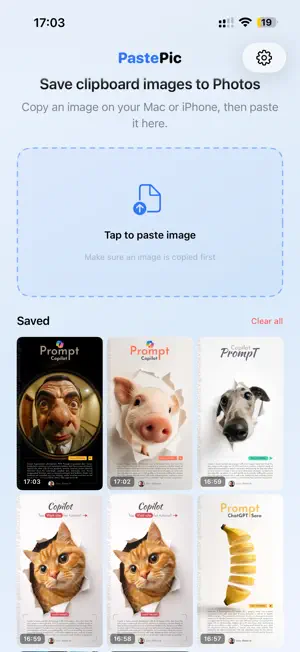
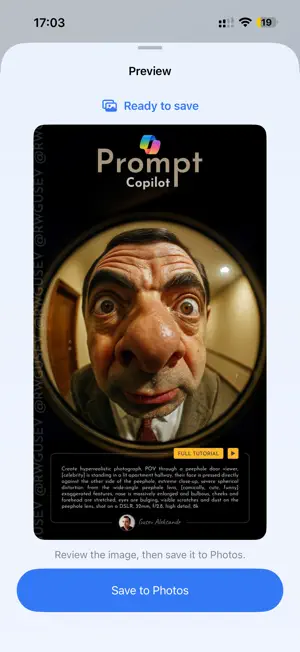


About PastePic: Clipboard to Photos
Copy on your Mac. Paste on your iPhone or iPad. Save directly to Photos. PastePic gives images in your clipboard a fast path into the Photos app. Copy a screenshot, design, QR code, AI-generated image, or any other picture on your Mac. Then open PastePic on your iPhone or iPad, tap Paste & Save, and the image is added to Photos. No email attachments. No cloud drive. No messages to yourself. No temporary files to clean up. HOW IT WORKS 1. Copy a screenshot or image on your Mac. 2. Open PastePic on your iPhone or iPad. 3. Tap Paste & Save. 4. Find the image in Photos. BUILT FOR YOUR APPLE DEVICES PastePic works with Universal Clipboard to access images copied on a nearby Mac. It is useful for screenshots, design mockups, social media assets, AI-generated images, QR codes, documents, and any visual you want available in your iPhone or iPad photo library. You can also use PastePic to save images copied directly on your iPhone or iPad. PRIVATE BY DESIGN • Images are handled on your device • No account or sign-in required • No cloud uploads • PastePic only requests permission to add new images to Photos • PastePic cannot view, edit, or delete your existing photo library • Clipboard content is accessed only when you choose to paste REQUIREMENTS Moving clipboard content from Mac requires Universal Clipboard. Your devices must support Handoff, use the same Apple Account, have Wi-Fi and Bluetooth enabled, and be near each other. Privacy Policy: https://duocnguyen.dev/privacy-policy
App privacy
The developer, Nguyen Duoc, reported these privacy practices to Apple.
Data Not Linked to You
The following data, which may be collected but is not linked to your identity, may be used for the following purposes:
- Diagnostics: Other Diagnostic Data
Used for: Analytics
Alternatives to PastePic: Clipboard to Photos
Looking for apps like PastePic: Clipboard to Photos? Here are 6 similar apps on the App Store. The highest rated is Coin Tester. (4.4/5), and all 6 are free to download.
-
 Paper Schmidt
-
 Color Test For Your Screen
1.0
-
 Coin Tester.
4.4
-
 Color Analyzer - Color Lookup
4.1
-
 Pixel Control
3.8
-
 Stud Finder Wall Detector Tool
4.1
| App | Rating | Price | Last updated | Compare |
|---|---|---|---|---|
| PastePic: Clipboard to Photos | – | 4.99 USD | August 12, 2026 | |
| Paper Schmidt | – | Free | Jun 16, 2026 | Compare |
| Color Test For Your Screen | 1.0 / 5 (1) | Free | Jan 7, 2026 | Compare |
| Coin Tester. | 4.4 / 5 (123) | Free | Aug 11, 2026 | Compare |
| Color Analyzer - Color Lookup | 4.1 / 5 (15) | Free | Oct 26, 2026 | Compare |
| Pixel Control | 3.8 / 5 (5) | Free | Jun 11, 2026 | Compare |
| Stud Finder Wall Detector Tool | 4.1 / 5 (256) | Free | Sep 5, 2026 | Compare |