

ShrinkReel: Video Compressor
丽佳 施 Photo & Video iPhoneiPadiPod touch
ShrinkReel: Video Compressor is a free Photo & Video app for iPhone and iPad by 丽佳 施. Requires iOS 17.0. Updated August 5, 2026.
- Price
- Free
- on the App Store
- Size
- 5 MB
- Age 4+
- Updated
- Aug 5
- 2026 · v1.0
Screenshots
About ShrinkReel: Video Compressor
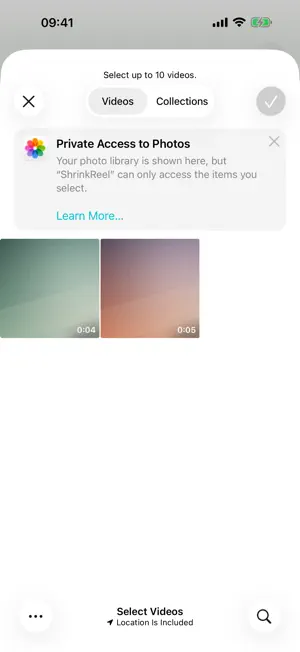
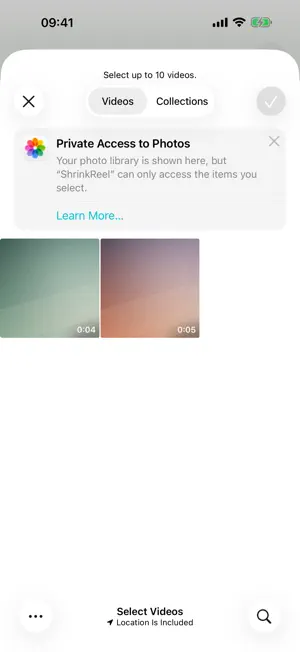
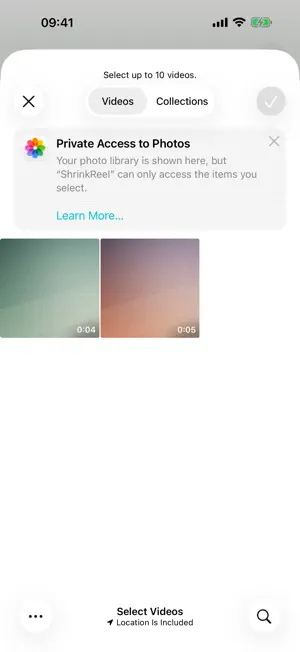
Tired of "file too large"? ShrinkReel works backwards: pick where you're sending the video, and it computes the bitrate needed to fit that platform's size limit — producing a file that fits, on the first try. HOW IT WORKS Pick a video → choose a platform preset (or set a custom size) → see the estimated result → compress → compare before/after → save or share. WHY SHRINKREEL • Limit-first compression: built-in size presets for popular chat, mail and community platforms; the bitrate is derived from the cap, so results stay under it. Every limit is editable, so rule changes never leave you stuck • Honest about limits: if a target is impossible, it tells you the smallest achievable size instead of producing an unwatchable file • Keeps your metadata: capture date and location are preserved, so compressed videos sort next to the originals in your library. Or strip location in one tap before sharing • On-device: hardware encoding, fast and power-efficient. Your videos are never uploaded to any server • Split-view before/after comparison player • Format conversion: MOV/MP4, modern/legacy codecs, audio extraction — with instant lossless remuxing when the source allows • No watermark EVERYTHING IS INCLUDED There is **no cap on how many videos you compress or convert**. Batch compression, custom presets, format conversion and metadata preservation are all open. No subscription, no daily quota, no "come back tomorrow". ABOUT ADS ShrinkReel is funded by a single banner at the bottom of the screen. If it gets in your way, the "Remove Ads" purchase takes it away for good — **it does not unlock any features, because every feature is already available**. Restore Purchases brings it back on a new device. PRIVACY Compression and conversion happen entirely on your device; your videos are never uploaded to any server. The app asks only for "add to photo library" permission to save results — picking videos goes through the system picker, so full library access is never required. It works normally in airplane mode — **only the banner at the bottom needs a connection**. ShrinkReel does not track you and never shows the "Allow tracking" prompt.
App privacy
The developer, 丽佳 施, reported these privacy practices to Apple.
Data Used to Track You
The following data may be used to track you across apps and websites owned by other companies:
- Identifiers: Device ID
Data Linked to You
The following data, which may be collected and linked to your identity, may be used for the following purposes:
- Identifiers: Device ID
Used for: Third-Party Advertising
Alternatives to ShrinkReel: Video Compressor
Looking for apps like ShrinkReel: Video Compressor? Here are 3 similar apps on the App Store. The highest rated is AI Video Generator: Text Video (4.4/5), and all 3 are free to download.


| App | Rating | Price | Last updated | Compare |
|---|---|---|---|---|
| ShrinkReel: Video Compressor | – | Free | August 5, 2026 | |
| Minimo Studio: Compress & Trim | – | Free | Sep 10, 2026 | Compare |
| Video to Photo - Frame Extract | – | Free | Apr 3, 2026 | Compare |
| AI Video Generator: Text Video | 4.4 / 5 (29) | Free | Oct 23, 2026 | Compare |