

Drive Diary: Dashcam
Kanata Tanaka Photo & Video iPhoneiPadiPod touch
Drive Diary: Dashcam is a free Photo & Video app for iPhone and iPad by Kanata Tanaka. Requires iOS 16.0. Updated October 21, 2026.
- Price
- Free
- on the App Store
- Size
- 10 MB
- Age 4+
- Updated
- Oct 21
- 2026 · v1.4
Screenshots
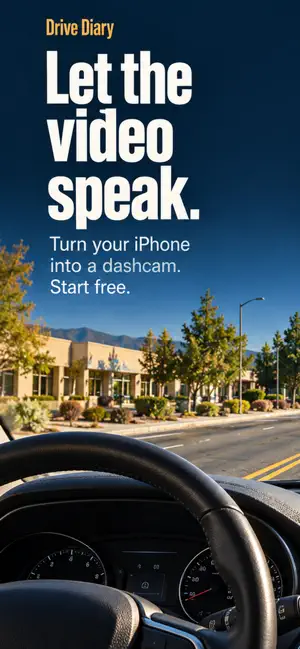


About Drive Diary: Dashcam
Your phone. Your dashcam. No installation, no wiring, no complicated setup. Just open the app and tap to record. Drive Diary makes it easy to record your drives on iPhone and iPad. Video is recorded only while Drive Diary is in the foreground. Recording is not available in the background or with the screen off. FEATURES • Stabilization Reduces shake from driving for easier-to-watch footage. • Auto Night Mode Detects low light and automatically adjusts exposure to make nighttime footage easier to see. • Save footage from before you tap Forgot to tap record? Save footage from up to a few minutes earlier, captured while the app was in the foreground. • Automatic segment saving Choose 5-, 10-, or 15-minute segments. Recordings are split automatically into manageable files that are easy to review. • Automatic storage management When your chosen retention period or maximum storage capacity is exceeded, older recordings are deleted automatically. Let the app handle recording management. • Resume after switching apps If you briefly switch to another app, recording resumes in the same file when you return to the foreground. No video is captured while you are away from the app. • Date, time, and speed overlays Date and time are stamped onto your recordings automatically. Pro also lets you display driving speed from GPS. • 20 color themes Personalize the record button and status bar with your choice of theme. DRIVE DIARY PRO — ONE-TIME IN-APP PURCHASE • Dual front/rear camera recording using your device's front and rear cameras • 1080p Full HD recording • Frame rate selection (15/20/24/30fps) • Customize bitrate and quality • GPS speed overlay display • Automatically protect recordings on collision detection • Manually protect recordings to keep them from auto-deletion Purchase once to use Pro on all devices signed in with the same Apple ID. PRIVACY All recordings are stored only on your device and are never sent to external servers. Privacy policy and support: https://kokuurei.github.io/drivcam-app/ SUPPORTED DEVICES iPhone and iPad. On iPad, review your drives on a larger screen, with landscape support and dual camera recording (Pro).
What’s new
Version 1.4 · Updated October 21, 2026
• Auto-save on impact in standby (Pro): even if you haven’t pressed Record, footage before and after an impact is saved. Works only while the app is open. • Dim the screen: darken the screen while recording continues.
App privacy
The developer, Kanata Tanaka, reported these privacy practices to Apple.
Data Not Collected
The developer does not collect any data from this app.
Alternatives to Drive Diary: Dashcam
Looking for apps like Drive Diary: Dashcam? Here are 6 similar apps on the App Store. The highest rated is PhotobySearch! (4.0/5), and all 6 are free to download.
-
 Cam Stamper - Dashcam Editor
-
 Memorygraph
-
 My_Dash_Cam
-
 PhotobySearch!
4.0
PhotobySearch!
4.0
-
 MyAniFrame
-
 Hyper Image Search
| App | Rating | Price | Last updated | Compare |
|---|---|---|---|---|
| Drive Diary: Dashcam | – | Free | October 21, 2026 | |
| Cam Stamper - Dashcam Editor | – | Free | Apr 17, 2025 | Compare |
| Memorygraph | – | Free | Aug 11, 2026 | Compare |
| My_Dash_Cam | – | Free | Mar 5, 2026 | Compare |
| PhotobySearch! | 4.0 / 5 (7) | Free | Aug 10, 2026 | Compare |
| MyAniFrame | – | Free | Apr 3, 2025 | Compare |
| Hyper Image Search | – | Free | Oct 29, 2026 | Compare |