

Kan Do: Project Management
Stephen Robles Productivity iPhoneiPadiPod touchMacApple Watch
Kan Do: Project Management is a paid Productivity app for iPhone and iPad by Stephen Robles. Rated 4.5/5 from 20 ratings. Requires iOS 26.0.
- Rating
- 4.5
- 20 ratings
- Price
- 2.99 USD
- on the App Store
- Size
- 64 MB
- Age 4+
- Updated
- Oct 29
- 2026 · v1.6.8
Screenshots



About Kan Do: Project Management
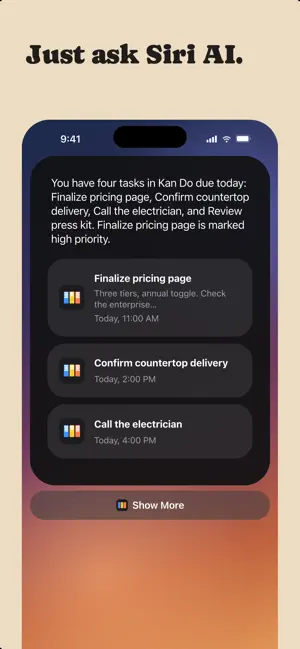
Organize your work into Spaces and Projects, then move tasks across the columns you define. Every card shows what matters at a glance: a cover image, subtitle, tags, priority, and due date. Open any task and you get a full markdown notes editor with headings, lists, checkboxes, images, and file attachments. ORGANIZE YOUR WAY • Kanban boards with drag-and-drop cards, columns, and dividers • A list view for every project, with drag to reorder • Spaces group your projects; tags cut across them • Smart lists for Inbox, Today, Upcoming, and Flagged • Archive completed work, or keep it crossed out on the board CAPTURE THE DETAILS • Rich notes on every task: headings, bold, lists, to-do checkboxes, quotes, and code • Attach images and files right in the note • Cover images, subtitles, priorities, flags, links, and due dates with reminders EVERYWHERE YOU WORK • Native on Mac, iPhone, iPad, and Apple Vision Pro • iCloud sync keeps every device up to date • Spotlight search and Shortcuts actions! • Multi-select to move, complete, or delete tasks in bulk • Light and Dark appearance, color themes, adjustable typography No accounts. No subscriptions to manage your own tasks. Your data lives in your iCloud.
Ratings & reviews
4.5
20 ratings
What’s new
Version 1.6.8 · Updated October 29, 2026
Pinch to zoom - Pinch anywhere on iPhone and iPad to zoom the whole interface in or out. A small "Zoom" pill shows the level with a Reset button, and Settings > Typography > Layout has a matching Zoom slider Export as JSON or PDF - Export a project, a column with its tasks, or a single task as a readable JSON file or a PDF. Right-click or press and hold a project (Export), a column header (Export Column), or a task (Export Task). The JSON is plain and easy for an AI assistant to read Fixes - Sidebar project, tag, and smart list icons keep their own color while selected on iPhone and iPad - Fixed a crash at launch on the Mac when sidebar pins arriving from iCloud differed from the ones on the device - Apple Watch: the Inbox no longer shows tasks that have a start or due date, matching the iPhone - AI assistants (MCP): completing a task now moves it to the Archive when Settings > Task Completion (or the project's own setting) says Move to Archive, just like completing it in the app
App privacy
The developer, Stephen Robles, reported these privacy practices to Apple.
Data Not Collected
The developer does not collect any data from this app.
Alternatives to Kan Do: Project Management
Looking for apps like Kan Do: Project Management? Here are 6 similar apps on the App Store. The highest rated is The No List (5.0/5), and 5 of the 6 are free to download.
-
 Contextly Notes
4.8
Contextly Notes
4.8
-
 Parchment: Agenda & Daily Note
4.8
Parchment: Agenda & Daily Note
4.8
-
 The No List
5.0
The No List
5.0
-
 ShortcutStudio - AI Shortcuts
4.1
ShortcutStudio - AI Shortcuts
4.1
-
 Memo AI - Voice Notes Taker
4.9
Memo AI - Voice Notes Taker
4.9
-
 Quick Notes (easy voice notes)
4.2
Quick Notes (easy voice notes)
4.2
| App | Rating | Price | Last updated | Compare |
|---|---|---|---|---|
| Kan Do: Project Management | 4.5 / 5 (20 ratings) | 2.99 USD | October 29, 2026 | |
| Contextly Notes | 4.8 / 5 (18) | Free | Sep 12, 2026 | Compare |
| Parchment: Agenda & Daily Note | 4.8 / 5 (310) | 4.99 USD | Sep 18, 2026 | Compare |
| The No List | 5.0 / 5 (7) | Free | Sep 5, 2025 | Compare |
| ShortcutStudio - AI Shortcuts | 4.1 / 5 (23) | Free | Jun 5, 2026 | Compare |
| Memo AI - Voice Notes Taker | 4.9 / 5 (70) | Free | Oct 23, 2026 | Compare |
| Quick Notes (easy voice notes) | 4.2 / 5 (22) | Free | Oct 10, 2026 | Compare |