

EasySign: Sign PDFs
Alberto Guerrero Martn Utilities iPhoneiPadiPod touchMac
EasySign: Sign PDFs is a free Utilities app for iPhone and iPad by Alberto Guerrero Martn. Requires iOS 26.0. Updated October 16, 2026.
- Price
- Free
- on the App Store
- Size
- 54 MB
- Age 17+
- Updated
- Oct 16
- 2026 · v1.3
Screenshots


About EasySign: Sign PDFs
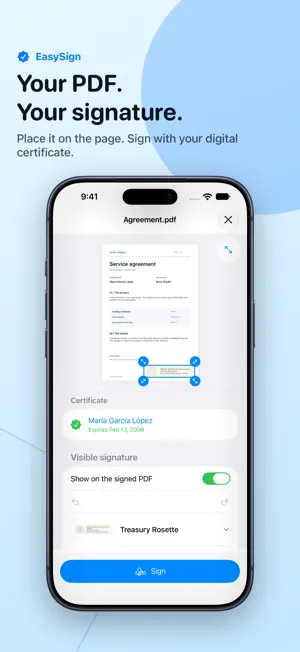
Your PDF. Your signature. Sign contracts, agreements and everyday documents with your own digital certificate, right on iPhone or iPad. PLACE IT. REVIEW IT. SIGN IT. Add a visible signature directly on the page. Choose a design, move and resize it, undo changes, and repeat supported decorations across pages. Expand the document on iPhone or work beside the signing controls on iPad. Prefer an unmarked page? The digital signature is still embedded in the PDF. ONE DOCUMENT OR A WHOLE BATCH Select several PDFs, choose your certificate and sign them together. Apply a signature appearance to all, then fine-tune each placement. When signing finishes, review the results and their signature status. Save or share one PDF, or all the signed copies at once. Interrupted batches can recover their documents and completed copies without automatically signing again. KNOW WHAT WAS SIGNED PDF signatures are checked automatically. Inspect signed content, document coverage, later changes and certificate trust. Checks use your device’s trust settings and do not include online revocation checks or a legal-validity assessment. YOUR CERTIFICATE, YOUR CONTROL Import a .p12 or .pfx file containing your digital certificate and private key. EasySign creates verifiable PAdES signatures and keeps your private key in the protected Keychain. No EasySign account is needed. Welbits does not receive your documents or private keys. ADD A TRUSTED TIMESTAMP Choose a timestamp provider for an individual PDF or a batch. Single-document signing also offers long-term validity options. These optional services may communicate directly with their providers; long-term validity is not available for batches. ONE PURCHASE. NO SUBSCRIPTION. Add certificates, review PDFs and check signatures for free. Try signing the app’s sample document with your certificate before buying. Signing your own documents requires a one-time purchase, shared across iPhone, iPad and Mac with the same App Store account. EasySign does not issue digital certificates. You need your own compatible certificate and private key. Check that your recipient accepts the certificate and PDF signature format.
What’s new
Version 1.3 · Updated October 16, 2026
A smoother PDF workspace on iPhone and iPad: • Place and adjust visible signatures directly on the page. • Apply an appearance across multiple PDFs and add optional trusted timestamps. • Review every signed result, with automatic signature checks. • Save or share one signed PDF or the whole batch. • Recover interrupted batches and retry unfinished documents. • Improved saving, sharing and PDF compatibility.
App privacy
The developer, Alberto Guerrero Martn, reported these privacy practices to Apple.
Data Not Collected
The developer does not collect any data from this app.