

Photo Blur: AI Censor
Mouad Bousbaa Utilities iPhoneiPadiPod touch
Photo Blur: AI Censor is a free Utilities app for iPhone and iPad by Mouad Bousbaa. Requires iOS 17.0. Updated October 7, 2026.
- Price
- Free
- on the App Store
- Size
- 16 MB
- Age 4+
- Updated
- Oct 7
- 2026 · v1.2.1
Screenshots



About Photo Blur: AI Censor
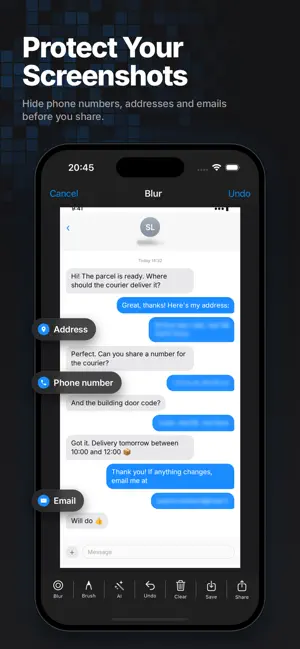
Protect your privacy before you share. Blur, censor and redact faces, text and personal information in photos and screenshots. AI automatically detects sensitive areas so you can hide them in seconds. No complicated editing. Select a photo, let AI find what you want to hide, review the detected areas, and censor them in seconds. AI Photo Privacy & Censoring: Automatically detect faces and text directly on your device and hide sensitive information with blur, mosaic or pixelation. Perfect for: • Faces in photos and group pictures • Text in screenshots and conversations • Phone numbers and addresses • Documents and IDs • License plates • Other personal or sensitive information Your Photos Stay on Your Device AI detection runs directly on your iPhone. Your photos don't need to be uploaded to a remote server for detection, giving you a more private way to edit and protect your images. Blur, Mosaic & Pixelate Choose the censoring style that works best for you: • Blur — subtly hide private details • Mosaic — create a classic censor effect • Pixelate — strongly obscure sensitive areas Automatic or Manual Let AI find faces and text automatically, or take complete control yourself. Manually select any area you want to hide and apply blur, mosaic, or pixelate exactly where you need it. Protect Before You Share Use Background Photo Effects to protect private information in: • Photos • Screenshots • Chats and conversations • Documents • IDs • License plates • Personal information Whether you're posting online, sending a screenshot, sharing a document, or simply keeping a photo private, make sure sensitive information stays hidden. AI-powered. On-device. Built for privacy. Protect your photos before you share them. Terms of Use: https://www.apple.com/legal/internet-services/itunes/dev/stdeula/
What’s new
Version 1.2.1 · Updated October 7, 2026
Improved the app experience and made it easier to protect your photos and personal information. Thanks for using the app!
App privacy
The developer, Mouad Bousbaa, reported these privacy practices to Apple.
Data Used to Track You
The following data may be used to track you across apps and websites owned by other companies:
- Identifiers: Device ID
Data Not Linked to You
The following data, which may be collected but is not linked to your identity, may be used for the following purposes:
- Identifiers: Device ID
- Usage Data: Advertising Data
Used for: Third-Party Advertising