

Tutorboard Whiteboard
SOLO BAY LTD Education iPhoneiPadiPod touchMac
Tutorboard Whiteboard is a free Education app for iPhone and iPad by SOLO BAY LTD. Requires iOS 16.0. Updated October 21, 2026.
- Price
- Free
- on the App Store
- Size
- 3 MB
- Age 4+
- Updated
- Oct 21
- 2026 · v1.2.1
Screenshots



About Tutorboard Whiteboard
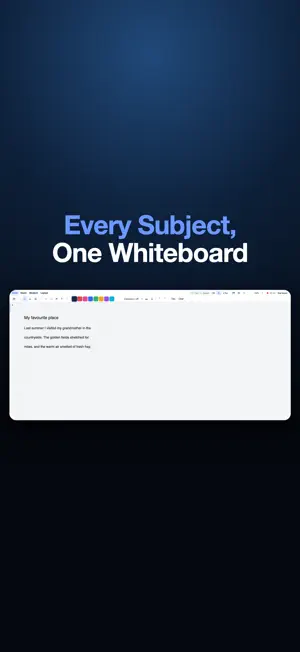
Tutorboard is the shared whiteboard, voice and video call built for one-to-one tutoring. Everything a lesson needs lives in one place, and it opens as the app for whoever you are: a tutor, a student, or a parent. FOR TUTORS A real whiteboard: pressure-sensitive pen, highlighter, text, arrows and shapes that snap tidy. Drop in an image or open a PDF and write straight over it. Every page is filed per student. Hand your student a GCSE or A-Level scientific or graphing calculator on screen, modelled on the ones they use in exams, and see every key they press. Switch to lined document mode for English, languages and humanities. Build vocabulary, practise sentences, and read text aloud. Every student gets a private, unguessable link and waits in your waiting room until you admit them. Decide whether they can draw, and mute or hide their microphone and camera when the room needs to settle. Record a lesson, export tidy PDFs, and keep the files on your own device. On Premium, boards back up to your private account, and a lesson can be turned into a written report and homework. FOR STUDENTS Tap the link your tutor sends and you are in: no account, nothing to install, on an iPad with Apple Pencil, an iPhone, a laptop or a Mac. Make an account only if you want your boards kept and waiting for you next week, along with your homework and the lessons you have already had. FOR PARENTS Sign in as a parent to follow what your child is actually doing. Lesson titles and dates are always free to see. A Parent access subscription opens the lessons themselves: watching one live as it happens, the boards they worked on, and the recordings where your tutor allows them. FACE TO FACE Voice and video are peer-to-peer and end-to-end encrypted, and we never record them. On locked-down school and office networks a relay keeps the call connected, and a student on school Wi-Fi connects first time. Tutorboard is by Solo Bay LTD. Terms of Use (EULA): https://tutorboard.tech/terms Privacy Policy: https://tutorboard.tech/privacy SUBSCRIPTION DETAILS Tutorboard tutor plans are auto-renewing monthly subscriptions: Base GBP 4.99 per month, or Premium GBP 9.99 per month, each after a 14-day free trial. Parent access is an auto-renewing monthly subscription at GBP 5.00 per month. Payment is charged to your Apple ID at confirmation of purchase, or when a free trial ends, and again at the start of each renewal period. A subscription renews automatically unless it is cancelled at least 24 hours before the end of the current period. Manage or cancel your subscription in your Apple ID settings. Any unused part of a free trial is forfeited if a subscription is purchased during the trial. Students never pay to join a lesson.
What’s new
Version 1.2.1 · Updated October 21, 2026
FILES ON IPAD • A Files menu in the lesson toolbar: save the whiteboard, open a saved whiteboard or a PDF, and export the whole document as a PDF. The same three in the same place as the Mac app. • Open a past paper or a worksheet straight from Files or iCloud Drive and write on it, as many as a lesson needs. • Exported PDFs are filed in the student's own folder, where the Files app can reach them. LESSONS • A lesson no longer ends itself after an hour. A quiet stretch is no longer mistaken for a tutor who has gone away. • If a lesson does reconnect, it comes back the way you left it: the same pen, your microphone, and your camera. • Starting a new whiteboard no longer shows writing from the last one. Nothing was ever carried across; the previous board's ink was simply left on screen. • Opening a student no longer reopens last week's notes as though that lesson had never ended. ELSEWHERE • Calculators can be set to the colour you prefer, black included. • The transcription warning appears once per whiteboard instead of over and over.
App privacy
The developer, SOLO BAY LTD, reported these privacy practices to Apple.
Data Linked to You
The following data, which may be collected and linked to your identity, may be used for the following purposes:
- Contact Info: Email Address, Name
- User Content: Other User Content
- Identifiers: User ID
Used for: App Functionality
Alternatives to Tutorboard Whiteboard
Looking for apps like Tutorboard Whiteboard? Here are 6 similar apps on the App Store. The highest rated is Iqra: Memorize Quran & Recite (5.0/5), and all 6 are free to download.
-
 Cambridge AICE & IGCSE Maths
-
 Marrify
-
 Iqra: Memorize Quran & Recite
5.0
-
 UptoSix Phonics PLUS
5.0
-
 Read with Phonics Games
4.2
-
 StudyPod: Flashcards app
4.8
| App | Rating | Price | Last updated | Compare |
|---|---|---|---|---|
| Tutorboard Whiteboard | – | Free | October 21, 2026 | |
| Cambridge AICE & IGCSE Maths | – | Free | Sep 12, 2026 | Compare |
| Marrify | – | Free | Sep 16, 2026 | Compare |
| Iqra: Memorize Quran & Recite | 5.0 / 5 (3) | Free | Oct 15, 2026 | Compare |
| UptoSix Phonics PLUS | 5.0 / 5 (2) | Free | Oct 30, 2025 | Compare |
| Read with Phonics Games | 4.2 / 5 (9) | Free | Jun 2, 2026 | Compare |
| StudyPod: Flashcards app | 4.8 / 5 (62) | Free | Feb 11, 2026 | Compare |