

Inkling: Riso Print
亚 张 Photo & Video iPhoneiPadiPod touch
Inkling: Riso Print is a free Photo & Video app for iPhone and iPad by 亚 张. Rated 3.7/5 from 3 ratings. Requires iOS 17.0. Updated October 13, 2026.
- Rating
- 3.7
- 3 ratings
- Price
- Free
- on the App Store
- Size
- 35 MB
- Age 4+
- Updated
- Oct 13
- 2026 · v3.5
Screenshots


About Inkling: Riso Print
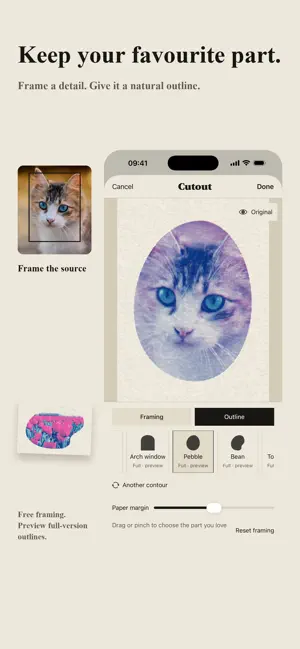
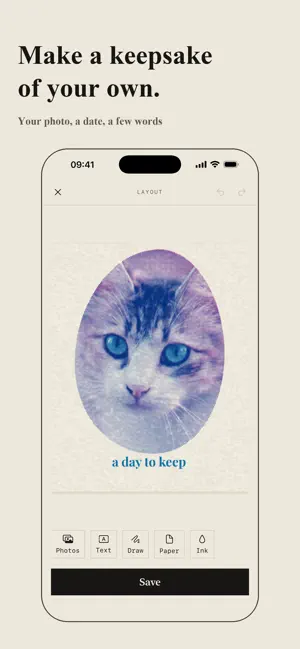
Turn your photos into spot-ink prints, and make a keepsake of your own. • Preview eight print styles on your photo, including Risograph, Line Cut and Curved Weave. Choose your inks and adjust the result from soft to bold. • Frame your favourite detail with Cutout. Drag and zoom, choose a natural outline, then carry the same crop and inks into a layout. • Make a card, photo strip or page of memories. Arrange up to four photos, add a date, a few words or a drawing, and print them together. • Add tactile paper, deboss or foil. Tilt your phone in the app to watch light move across the surface. Your saved prints stay in the Press Room, ready to share or edit as copies. START FOR FREE Use basic print styles, framing, circle and oval outlines, and save standard PNGs with a small stamp. Preview full-version styles, inks and special outlines on your photo before buying. ONE LIFETIME PURCHASE Unlock every print process and ink, all layouts and outlines, high-resolution saves without a stamp, separation PDFs and print animations. No subscription. High-resolution output follows your photo's resolution; it does not add detail to a small source image. Your photos are processed on your device. No account or analytics. Photo editing works offline; purchasing and restoring use the App Store.
What’s new
Version 3.5 · Updated October 13, 2026
A clearer way from photo to print. • Frame your favourite detail with Cutout, add a natural outline and carry it into a keepsake layout. • Compare styles and inks without closing the preview. Adjust strength, save favourite recipes and share your print directly. • The home screen now shows your last saved print when available. Layout editing, detail previews and save flows are easier to use.
App privacy
The developer, 亚 张, reported these privacy practices to Apple.
Data Not Collected
The developer does not collect any data from this app.