

Watermark Pro-Video Editing
Shenzhen ruiyue Network Technology Co., Ltd. Utilities iPhoneiPadiPod touch
Watermark Pro-Video Editing is a free Utilities app for iPhone and iPad by Shenzhen ruiyue Network Technology Co., Ltd. Requires iOS 17.0.
- Price
- Free
- on the App Store
- Size
- 32 MB
- Age 4+
- Updated
- Aug 24
- 2026 · v1.0.1
Screenshots



About Watermark Pro-Video Editing
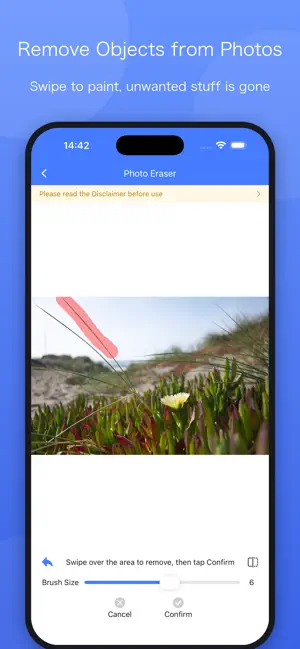
Watermark Pro-Video Editing is an easy-to-use video editing toolkit packed with the most commonly used processing features for daily content creation. You can edit and beautify your videos in just a few taps. Main Features • Add Watermarks: Supports three types of watermarks – images, text and hand-drawn doodles. Freely drag, scale and rotate watermarks. • Canvas Adjustment: Switch canvas ratios including 1:1, 4:5, 16:9, 9:16 with one tap. Background options: blur, solid color or custom images. • Video Editing: Duration trimming, free frame cropping, merging multiple video clips. • Effects: Speed adjustment, reverse playback, rotation and mirror effect. Generate desired effects instantly. • Video Compression: Custom resolution and quality settings to drastically reduce file size for easy sharing. • Change Cover: Select your preferred cover from video frames or local photos. • Background Music: Replace or add background audio. • Extract Audio: Save audio tracks from videos as standalone audio files. • Video to GIF: Quickly convert selected video clips into GIFs. • Photo Retouch: Erase unwanted content on images to restore clean visuals. Save finished works directly to your photo album. Simple operations, friendly for beginners. If you need support or have feature suggestions, feel free to contact us via Feedback inside the App. Subscription Terms • Subscription Plans: Monthly Auto-Renew (1 month), Quarterly Auto-Renew (3 months), Annual Auto-Renew (12 months) • Payment: Your Apple ID account will be charged upon purchase confirmation. • Auto-Renewal: Subscription will be automatically renewed and charged within 24 hours prior to the expiry date. • Cancel Subscription: To turn off auto-renewal, please go to Settings → Apple ID → Subscriptions for management at least 24 hours before expiration. • No partial refunds are available for active subscription periods. Privacy Policy: https://www.szshht.cn/info/UserService/qsy_ios_ys User Agreement: https://www.szshht.cn/info/UserService/qsy_ios_xy
What’s new
Version 1.0.1 · Updated August 24, 2026
Optimize video editing functions
App privacy
The developer, Shenzhen ruiyue Network Technology Co., Ltd., reported these privacy practices to Apple.
Data Not Linked to You
The following data, which may be collected but is not linked to your identity, may be used for the following purposes:
- Contact Info: Phone Number
- Identifiers: User ID
- Usage Data: Product Interaction
- Diagnostics: Crash Data
- User Content: Photos or Videos
Used for: Analytics, App Functionality
Alternatives to Watermark Pro-Video Editing
Looking for apps like Watermark Pro-Video Editing? Here are 6 similar apps on the App Store. The highest rated is ExtractoKit (5.0/5), and all 6 are free to download.


| App | Rating | Price | Last updated | Compare |
|---|---|---|---|---|
| Watermark Pro-Video Editing | – | Free | August 24, 2026 | |
| 水印大师 - 一键短视频解析下载 | – | Free | Oct 2, 2026 | Compare |
| 去水印提取 | 1.0 / 5 (1) | Free | May 13, 2026 | Compare |
| ExtractoKit | 5.0 / 5 (1) | Free | Jul 28, 2026 | Compare |
| Calculator N | – | Free | Oct 19, 2026 | Compare |
| Alpha Zulu Log | – | Free | Oct 21, 2026 | Compare |
| 元梦录音笔记 | – | Free | Oct 16, 2026 | Compare |