

WantHair - AI Hairstyle Try-On
JEONG JOON Lifestyle iPhoneiPadiPod touch
WantHair - AI Hairstyle Try-On is a free Lifestyle app for iPhone and iPad by JEONG JOON. Requires iOS 15.5. Updated October 12, 2026.
- Price
- Free
- on the App Store
- Size
- 275 MB
- Age 4+
- Updated
- Oct 12
- 2026 · v1.7.0
Screenshots
About WantHair - AI Hairstyle Try-On
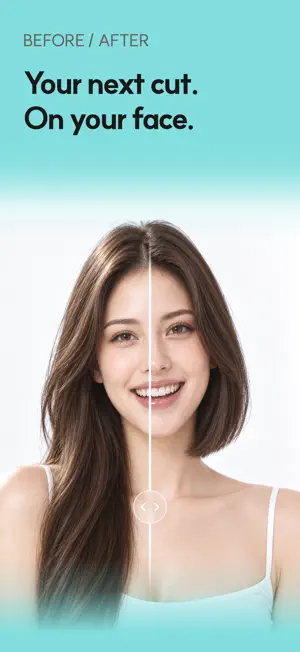
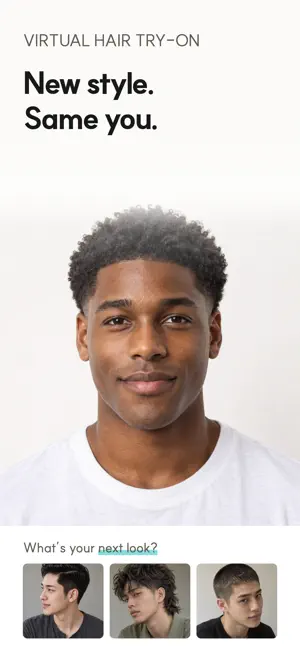
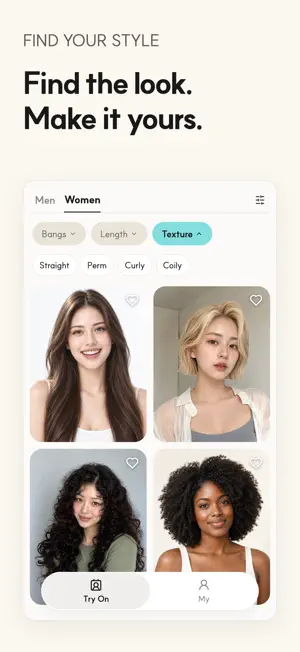
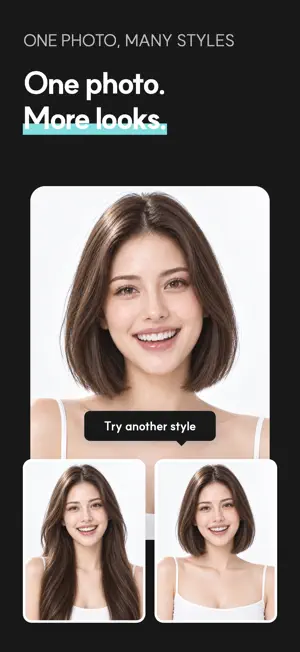
WantHair uses AI to put the hairstyle you want on your own face, so you can see whether it suits you. ■ How it works 1. Pick a hairstyle you'd like to try. Use our style catalog or a photo from your library. 2. Take a selfie or choose one from your photos. A front photo is all you need; a side photo is optional. 3. AI applies the hairstyle to your face. 4. Compare before and after with a slider, and save the ones you love to your photo album. ■ Features • AI hairstyle try-on: women's and men's style catalog, or any hairstyle photo from your library • Live capture guide: checks face position, angle, lighting, and whether your brows or ears are covered • Before & after: compare the original and the AI result with a slider • Filters: browse by bangs, length, and texture — straight, wavy, curly, and coily • Liked styles: save styles you like and come back to them anytime • Saved results: your try-ons are kept on your device for 7 days; save the keepers to your album • Photo reuse: take your selfie once and try as many styles as you like ■ FAQ Q. Do I need an account? A. No. Install and start right away. Q. Is it free? A. Yes. Each try-on uses scissors, and you get some free when you start. You can get more anytime with an in-app purchase. Q. Are there men's hairstyles? A. Yes. We have both women's and men's styles, from short cuts and fades to perms, waves, and long hair. ■ Your privacy • No sign-up needed. • Before your first try-on, we ask for your consent. Your photo is then sent to the OpenAI API for AI processing and may be processed outside your country. • Original photos and results are kept for 14 days only if you separately agree to it for troubleshooting. Try-ons work the same without it, and you can turn it off anytime in Profile → Privacy & AI. • Other results stay on your device, and you can delete them anytime. • You can also turn off usage analytics in Profile → Privacy & AI. See the hairstyle you want on your own face — try it with WantHair.
What’s new
Version 1.7.0 · Updated October 12, 2026
• Notification and marketing-consent prompts are now asked separately. • Pick the styles you want to see first when you start the app. • If a request that already finished is sent again, you can now go back to Home.
App privacy
The developer, JEONG JOON, reported these privacy practices to Apple.
Data Used to Track You
The following data may be used to track you across apps and websites owned by other companies:
- Purchases: Purchase History
- Identifiers: Device ID
- Usage Data: Product Interaction
Data Linked to You
The following data, which may be collected and linked to your identity, may be used for the following purposes:
- Identifiers: Device ID
- Usage Data: Product Interaction
- Contact Info: Email Address
- Location: Coarse Location
- User Content: Other User Content, Photos or Videos
- Purchases: Purchase History
Used for: Third-Party Advertising, Developer’s Advertising or Marketing, Analytics, App Functionality
Data Not Linked to You
The following data, which may be collected but is not linked to your identity, may be used for the following purposes:
- Purchases: Purchase History
- Other Data: Other Data Types
- Diagnostics: Crash Data
Used for: Third-Party Advertising, Analytics, App Functionality