

QuickScan QR & Barcode Scanner
Diep Ngoc Nguyen Utilities iPhoneiPadiPod touch
QuickScan QR & Barcode Scanner is a free Utilities app for iPhone and iPad by Diep Ngoc Nguyen. Requires iOS 17.0. Updated September 24, 2026.
- Price
- Free
- on the App Store
- Size
- 77 MB
- Age 4+
- Updated
- Sep 24
- 2026 · v1.0.1
Screenshots
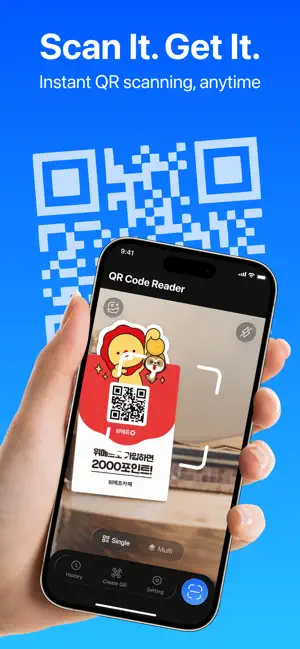


About QuickScan QR & Barcode Scanner
Scan any code, get instant answers. Fast, accurate QR and barcode scanning, right on your device. QR Code Reader provides functional camera-based scanning for QR codes and barcodes, alongside generation tools for supported data formats. KEY FEATURES • Camera Scanning Modes: Scan QR codes and barcodes in real time using single or batch scanning modes on compatible device cameras. • Photo Library Detection: Detect and read QR codes directly from image files stored in your device gallery. • Contextual Actions: Execute standard actions corresponding to detected content types, such as opening URLs or copying text. • Product Information Display: View available data for supported 1D product barcodes, including nutritional details and ingredients when accessible. • Code Generation: Create QR codes for personal details, text content, and supported social platforms, as well as 12 standard barcode formats. • History & Favorites Management: Organize scanned and generated entries using structured tabs for Scan, Create, and Favorites. WHY YOU NEED THIS APP • Scan QR codes and barcodes instantly using your camera, in single or batch mode • Already have a code saved as an image? Detect and read it straight from your photo library • Get the right action automatically, open a URL or copy text, based on what's in the code • Check product details before you buy, including nutritional info and ingredients where available • Create your own QR codes for contacts, text, or social platforms, plus 12 standard barcode formats • Keep everything organized with structured tabs for Scan, Create, and Favorites history Designed for objective utility and reliable scanning performance on supported devices. Additional content and functional updates may be added over time. Download QR Code Reader today and scan, create, and manage all your codes in one reliable app. LEGAL INFORMATION: Privacy Policy: https://mobocovietnam.com/Privacy-policy.html Terms of Use: https://mobocovietnam.com/Term-of-Use.html Apple Standard EULA: https://www.apple.com/legal/internet-services/itunes/dev/stdeula/
What’s new
Version 1.0.1 · Updated September 24, 2026
Performance optimizations and bug fixes.
App privacy
The developer, Diep Ngoc Nguyen, reported these privacy practices to Apple.
Data Used to Track You
The following data may be used to track you across apps and websites owned by other companies:
- Identifiers: Device ID
- Usage Data: Product Interaction, Advertising Data
Data Not Linked to You
The following data, which may be collected but is not linked to your identity, may be used for the following purposes:
- Identifiers: Device ID
- Usage Data: Advertising Data, Product Interaction
- Diagnostics: Crash Data
Used for: Third-Party Advertising, Analytics
Alternatives to QuickScan QR & Barcode Scanner
Looking for apps like QuickScan QR & Barcode Scanner? Here are 6 similar apps on the App Store. The highest rated is Clap Alarm to Find My Phone (5.0/5), and all 6 are free to download.
-
 Tire Scan DOT/TIN
-
 Fast QR Barcode Scanner
-
 Quét Mã QR & Đọc Mã Vạch
-
 Screen Recorder・V Record 4K
-
 Clap Alarm to Find My Phone
5.0
-
 Sweep: Easy Storage Cleaner
5.0
| App | Rating | Price | Last updated | Compare |
|---|---|---|---|---|
| QuickScan QR & Barcode Scanner | – | Free | September 24, 2026 | |
| Tire Scan DOT/TIN | – | Free | Aug 28, 2026 | Compare |
| Fast QR Barcode Scanner | – | Free | Oct 14, 2026 | Compare |
| Quét Mã QR & Đọc Mã Vạch | – | Free | May 27, 2026 | Compare |
| Screen Recorder・V Record 4K | – | Free | Sep 28, 2026 | Compare |
| Clap Alarm to Find My Phone | 5.0 / 5 (1) | Free | Sep 14, 2026 | Compare |
| Sweep: Easy Storage Cleaner | 5.0 / 5 (1) | Free | Sep 7, 2026 | Compare |