

Keeper: Photo Cleanup
Angus Feng Photo & Video iPhoneiPadiPod touch
Keeper: Photo Cleanup is a free Photo & Video app for iPhone and iPad by Angus Feng. Requires iOS 18.0. Updated August 4, 2026.
- Price
- Free
- on the App Store
- Size
- 3 MB
- Age 4+
- Updated
- Aug 4
- 2026 · v1.0
Screenshots



About Keeper: Photo Cleanup
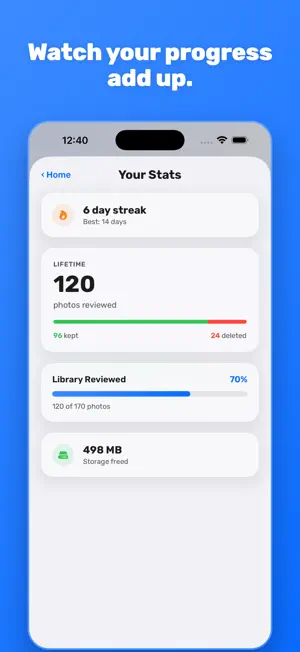
Your camera roll is full of near-duplicates, screenshots, and blurry shots you'll never look at again. Keeper makes clearing it out feel effortless: swipe right to keep a photo, swipe left to delete it, and watch your library get lighter one decision at a time. No folders to dig through, no bulk-select nightmares — just one photo at a time, full screen, until you're caught up. HOW IT WORKS • Swipe right to keep, swipe left to delete • Resume exactly where you left off • Filter your review to a single album • Choose to start from your oldest photos or your most recent WHY IT FEELS GOOD • Streaks and lifetime stats show your progress • See how much storage you've freed up Keeper works directly with your Photos library — nothing is uploaded anywhere, and there are no accounts to create. It's just you and your camera roll, one swipe at a time. Terms of Use: https://www.apple.com/legal/internet-services/itunes/dev/stdeula/ Privacy Policy: https://angusfng.github.io/keeperapp/privacy.html
App privacy
The developer, Angus Feng, reported these privacy practices to Apple.
Data Not Linked to You
The following data, which may be collected but is not linked to your identity, may be used for the following purposes:
- Purchases: Purchase History
- Usage Data: Product Interaction, Other Usage Data
Used for: Analytics, Product Personalization, App Functionality