

Roomora: AI Interior Design
EZTech Global Limited Lifestyle iPhoneiPadiPod touch
Roomora: AI Interior Design is a free Lifestyle app for iPhone and iPad by EZTech Global Limited. Requires iOS 17.0. Updated August 11, 2026.
- Price
- Free
- on the App Store
- Size
- 51 MB
- Age 4+
- Updated
- Aug 11
- 2026 · v1.0.1
Screenshots
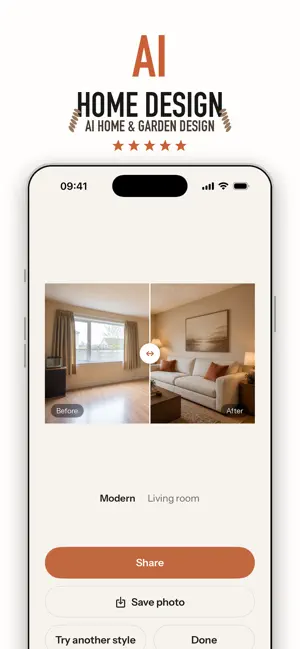
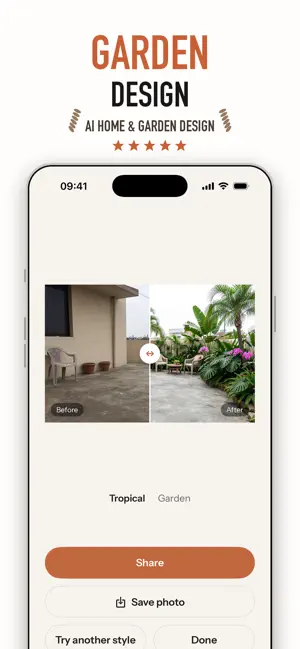
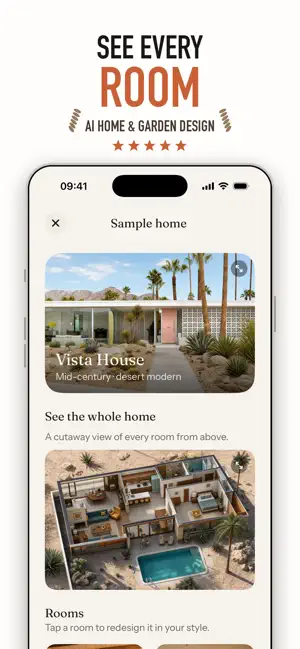

About Roomora: AI Interior Design
Roomora turns any room into a designer space — just from a photo. Point your camera at a room you want to change, pick a style, and watch Roomora’s AI redesign it in seconds. See your space reimagined as Modern, Scandinavian, Boho, Japandi, Coastal, Industrial, Mid-century and more — then slide between the before and after to see the full transformation. Planning a makeover, staging a home, or just curious what your living room could look like? Roomora gives you photorealistic interior design ideas instantly. No designer, no measuring, no guesswork. HOW IT WORKS 1. Snap or upload a photo of your room 2. Pick a room type and a design style 3. (Optional) Add your own details — “cozy reading nook, warm lighting” 4. Get a photorealistic redesign in seconds 5. Save, share, or try another style FEATURES • Designer styles — Modern, Scandinavian, Japandi, Boho, Coastal, Industrial, Mid-century and more • Works on any room — living room, bedroom, kitchen, bathroom, home office • Decorate mode — keep your walls and layout, just restyle the furniture and decor • Remodel mode — reimagine the whole space from the ground up • Creativity control — from a subtle refresh to a bold transformation • Before/after slider to compare instantly • Add your own prompt for custom results • Save to Photos and share your redesigns • Every redesign kept together in one place PERFECT FOR • Homeowners planning a renovation or makeover • Renters looking for decor ideas without permanent changes • Real estate agents and virtual staging • Interior design lovers and DIY decorators • Anyone who wants to picture furniture and colors before buying ROOMORA PRO Go unlimited with Pro: • Unlimited redesigns • Every designer style unlocked • 4K exports with no watermark • Remodel mode + fine controls • Priority generation Start free — redesign your first rooms today and fall in love with your space again. — Subscription details Roomora offers auto-renewing Weekly and Monthly subscriptions. Payment is charged to your Apple ID at confirmation of purchase. Your subscription renews automatically unless it is canceled at least 24 hours before the end of the current period. Manage or cancel anytime in your App Store account settings. Terms of Use: https://www.apple.com/legal/internet-services/itunes/dev/stdeula/ Privacy Policy: https://docs.google.com/document/d/1FZmafk69SrWpdb1aYAlYFuSiB3qnYMfya0kL5hLLldw/edit
What’s new
Version 1.0.1 · Updated August 11, 2026
Improve user experience
App privacy
The developer, EZTech Global Limited, reported these privacy practices to Apple.
Data Not Collected
The developer does not collect any data from this app.
Alternatives to Roomora: AI Interior Design
Looking for apps like Roomora: AI Interior Design? Here are 6 similar apps on the App Store. The highest rated is Curicle: Nail Art Editor (5.0/5), and all 6 are free to download.
-
 Lillian's Nails
3.0
-
 Curicle: Nail Art Editor
5.0
-
 WatchLens: Watch Identifier
5.0
-
 Flirtly: Rizz AI Dating Coach
5.0
-
 Manix: Virtual Nail Art Studio
2.0
-
 KamiCare
4.0
| App | Rating | Price | Last updated | Compare |
|---|---|---|---|---|
| Roomora: AI Interior Design | – | Free | August 11, 2026 | |
| Lillian's Nails | 3.0 / 5 (1) | Free | Dec 12, 2023 | Compare |
| Curicle: Nail Art Editor | 5.0 / 5 (1) | Free | Oct 9, 2026 | Compare |
| WatchLens: Watch Identifier | 5.0 / 5 (1) | Free | Jul 9, 2026 | Compare |
| Flirtly: Rizz AI Dating Coach | 5.0 / 5 (2) | Free | Oct 29, 2026 | Compare |
| Manix: Virtual Nail Art Studio | 2.0 / 5 (1) | Free | Jun 29, 2026 | Compare |
| KamiCare | 4.0 / 5 (4) | Free | Oct 21, 2026 | Compare |