

SafeVault - Password Manager
宏宇 郭 Utilities iPhoneiPadiPod touch
SafeVault - Password Manager is a free Utilities app for iPhone and iPad by 宏宇 郭. Rated 5.0/5 from 1 ratings. Requires iOS 15.0. Updated October 13, 2026.
- Rating
- 5.0
- 1 ratings
- Price
- Free
- on the App Store
- Size
- 6 MB
- Age 4+
- Updated
- Oct 13
- 2026 · v0.2.0
Screenshots


About SafeVault - Password Manager
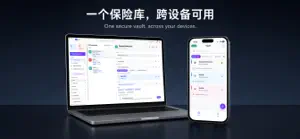
SafeVault is a privacy-focused password manager for iPhone and iPad. Securely store passwords, accounts, verification codes, and sensitive notes in one encrypted vault. Key features: - On-device encryption: vault data is encrypted on your device before cloud backup. Our servers do not store your passwords in plain text. - Device sync: sync encrypted vault data between your signed-in devices, with restore previews and manual sync controls. - Face ID and Touch ID: quickly unlock your local vault with your device's biometric authentication. - Password tools: generate strong passwords, review password strength, and identify weak or reused passwords. - One-time codes: store and generate time-based verification codes. - Categories and search: organize records and find the account you need quickly. - Privacy controls: auto-lock, screen protection, clipboard clearing, and local data controls. Please keep your master password safe. SafeVault cannot recover it for you.
What’s new
Version 0.2.0 · Updated October 13, 2026
This update adds card skins and screenshot/screen-recording protection, and continues to refine the interface: - New "Skins": give password cards a built-in texture (including a default with no texture), or upload your own image as a texture, then adjust position and zoom before applying. Skins can be applied per category. - New screenshot & screen-recording protection: the app warns you in-app after a screenshot and logs a security notice, and blurs password content automatically while screen recording or mirroring is detected. - New "Delete Account": permanently delete your account from the Account page's danger zone (account, cloud data and purchased entitlements are erased). - Fixed white vertical lines appearing while pressing password cards in dark mode. - Added a new "Coin leopard" texture; category selectors, filter chips and switches keep the flat design with a unified brand-blue accent.
App privacy
The developer, 宏宇 郭, reported these privacy practices to Apple.
Data Not Linked to You
The following data, which may be collected but is not linked to your identity, may be used for the following purposes:
- Contact Info: Email Address
- User Content: Other User Content
Used for: App Functionality
Alternatives to SafeVault - Password Manager
Looking for apps like SafeVault - Password Manager? Here are 6 similar apps on the App Store. The highest rated is DevBoxMobile (5.0/5), and all 6 are free to download.
-
 扫描奶臭王
扫描奶臭王
-
 HowLong: Time Left
-
 Contact Assistant:Easy Manage
-
 DevBoxMobile
5.0
DevBoxMobile
5.0
-
 RecalQuera
5.0
RecalQuera
5.0
-
 Run Custom JS on Background
| App | Rating | Price | Last updated | Compare |
|---|---|---|---|---|
| SafeVault - Password Manager | 5.0 / 5 (1 rating) | Free | October 13, 2026 | |
| 扫描奶臭王 | – | Free | Jun 17, 2026 | Compare |
| HowLong: Time Left | – | Free | Oct 18, 2026 | Compare |
| Contact Assistant:Easy Manage | – | Free | Jun 9, 2026 | Compare |
| DevBoxMobile | 5.0 / 5 (1) | Free | Oct 11, 2026 | Compare |
| RecalQuera | 5.0 / 5 (1) | Free | Sep 23, 2026 | Compare |
| Run Custom JS on Background | – | Free | Apr 27, 2026 | Compare |