

OneFolder – Receipt Scanner
julien cochard Productivity iPhoneiPadiPod touch
OneFolder – Receipt Scanner is a free Productivity app for iPhone and iPad by julien cochard. Rated 5.0/5 from 1 ratings. Requires iOS 15.1.
- Rating
- 5.0
- 1 ratings
- Price
- Free
- on the App Store
- Size
- 50 MB
- Age 4+
- Updated
- Oct 14
- 2026 · v1.13
Screenshots

About OneFolder – Receipt Scanner
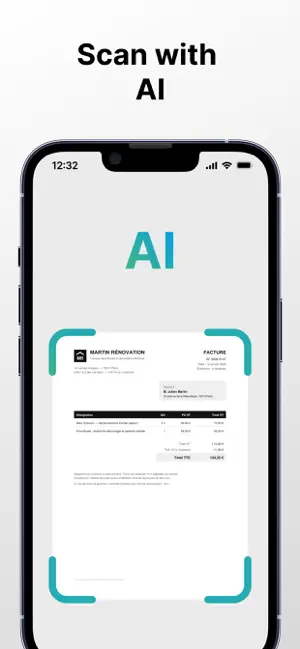
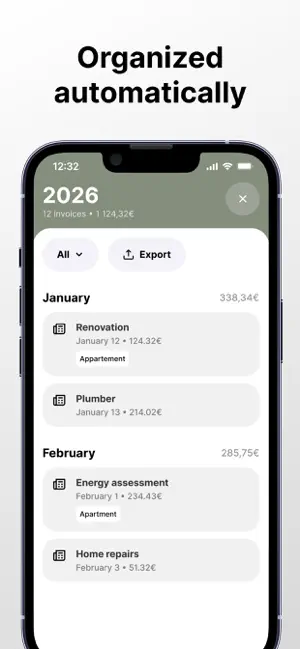
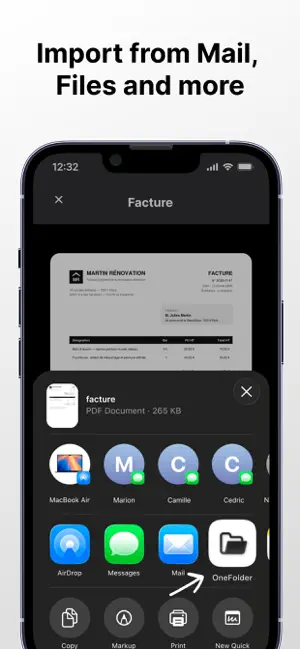
No more lost receipts and messy folders. Snap or import an invoice, and OneFolder automatically extracts the key information to file it in the right place. HOW IT WORKS Scan your invoices from the app, or import them from any app (Mail, Photos, Files) via Share > OneFolder Artificial intelligence reads the invoice and fills in everything: merchant, date, amount Your invoices are automatically organized by year and date Add labels to sort them your way (Home, Renovations, Expenses, Warranties…) Find any invoice in seconds with search Export your invoices as a PDF or an Excel spreadsheet, ready to share WHAT FOR? • WARRANTIES: find the proof of purchase the day a device breaks down • TAXES: keep your supporting documents at hand (donations, deductions, expenses) • INSURANCE: prove the value of your belongings in the event of a claim • RENOVATIONS: keep invoices for warranties and for when you sell your property • WORK: freelancers and expense reports — export everything for your accounting YOUR DATA, SAFE IN EUROPE Your invoices are stored on servers located in the European Union, in compliance with GDPR. No ads, no data selling. Your documents belong to you alone. OneFolder — scan, save, organize.
What’s new
Version 1.13 · Updated October 14, 2026
What's new in 1.13: Labels are easier to use. Minor fixes and improvements.
App privacy
The developer, julien cochard, reported these privacy practices to Apple.
Data Linked to You
The following data, which may be collected and linked to your identity, may be used for the following purposes:
- Contact Info: Email Address
- User Content: Photos or Videos, Other User Content
Used for: App Functionality
Data Not Linked to You
The following data, which may be collected but is not linked to your identity, may be used for the following purposes:
- Usage Data: Product Interaction
- Diagnostics: Crash Data, Other Diagnostic Data
Used for: Developer’s Advertising or Marketing, App Functionality