

Overscroll: One-Thumb Arcade
Riddim Software Corporation Games iPhoneiPadiPod touch
Overscroll: One-Thumb Arcade is a free Games app for iPhone and iPad by Riddim Software Corporation. Requires iOS 17.0. Updated August 26, 2026.
- Price
- Free
- on the App Store
- Size
- 6 MB
- Age 4+
- Updated
- Aug 26
- 2026 · v1.0.2
Screenshots


About Overscroll: One-Thumb Arcade
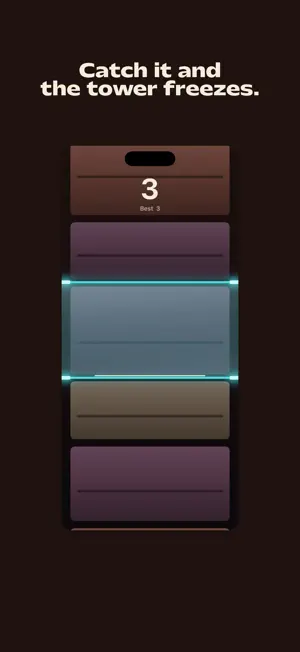
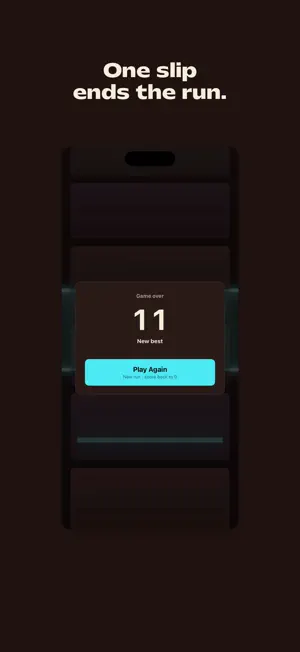
Scroll up. Catch the rung in the zone. Do it again, faster. Overscroll is an arcade game you play with one thumb. A tower of blocks flies past your screen. One of them has a glowing rung on it, climbing toward the blue zone. Press your thumb down the moment the rung is inside the zone and the whole tower stops dead. Miss, and the run is over. Catching it is only half the move. Keep your thumb down, scroll up again, and let go before the grip timer runs out. Every catch makes that timer shorter and puts the next rung further away. The game keeps getting faster until you slip. HOW A RUN ENDS Four ways, and you will hit all of them: - You miss the zone, too high or too low. - You let the tower slow down and stop. - You scroll too softly to launch again. - You hold too long and the grip timer runs out. WHAT MAKES IT FUN - The tower has real weight. Scroll hard and it flies. Scroll soft and it drifts. It always moves the way you push it, so a miss is on you. - One thumb, one move. Scroll, catch, scroll. You can play standing on a bus with your other hand full. - The zone never gets smaller. What gets harder is how fast you have to be and how far you have to go. - A perfect catch gets its own sound and its own buzz. You can feel the difference between good and lucky. - Every run builds a brand new tower. There is nothing to memorize. - Your best score is saved on your phone and shown every time a run ends. - Works offline. No account, no sign up, no waiting. SCORING Your score is how many rungs you catch in one run. Each clean catch is one point. Your best score is saved, and the game tells you the moment you beat it. NO TRICKS Overscroll is free. When a run ends you can watch a short ad once to keep going and keep your score. Some runs end with a full screen ad. You can buy Remove Ads one time to turn those off for good. You can still watch an ad to keep going if you want to. There is no energy bar, no waiting between runs, and nothing you can buy that makes you better at the game. Scroll up to begin.
What’s new
Version 1.0.2 · Updated August 26, 2026
Overscroll now speaks 18 languages. Menus, the HUD, and prompts follow your device language. This update also brings a refreshed App Store presentation and minor fixes and improvements.
App privacy
The developer, Riddim Software Corporation, reported these privacy practices to Apple.
Data Used to Track You
The following data may be used to track you across apps and websites owned by other companies:
- Identifiers: Device ID
- Usage Data: Product Interaction, Advertising Data
Data Not Linked to You
The following data, which may be collected but is not linked to your identity, may be used for the following purposes:
- Location: Coarse Location
- Identifiers: Device ID
- Usage Data: Product Interaction, Advertising Data
- Diagnostics: Crash Data, Performance Data, Other Diagnostic Data
Used for: Third-Party Advertising, Analytics
Alternatives to Overscroll: One-Thumb Arcade
Looking for apps like Overscroll: One-Thumb Arcade? Here are 3 similar apps on the App Store. The highest rated is Pawpile: Cute Dog Merge Drop (5.0/5), and all 3 are free to download.


| App | Rating | Price | Last updated | Compare |
|---|---|---|---|---|
| Overscroll: One-Thumb Arcade | – | Free | August 26, 2026 | |
| Pawpile: Cute Dog Merge Drop | 5.0 / 5 (3) | Free | Oct 16, 2026 | Compare |
| GridBurst | 5.0 / 5 (9) | Free | Aug 27, 2026 | Compare |
| Nextbots Online: Sandbox | 4.2 / 5 (771) | Free | Oct 7, 2026 | Compare |