

AccountGo
Kate Erasmus Finance iPhoneiPadiPod touch
AccountGo is a free Finance app for iPhone and iPad by Kate Erasmus. Requires iOS 16.4. Updated October 23, 2026.
- Price
- Free
- on the App Store
- Size
- 48 MB
- Age 4+
- Updated
- Oct 23
- 2026 · v2.5.0
Screenshots


About AccountGo
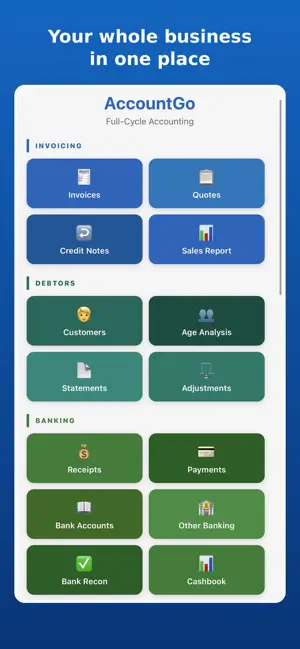
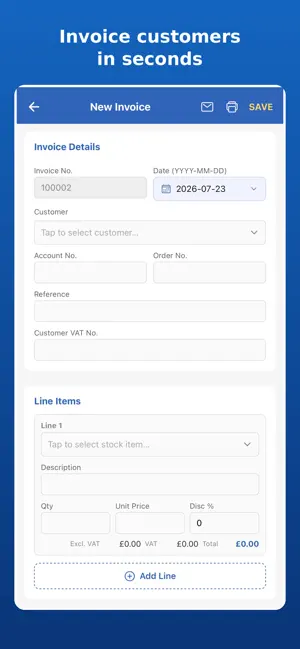
AccountGo brings powerful, secure offline accounting right to your fingertips, ensuring your small business finances are always under your control, no internet needed. It's built for hands-on business owners who value data privacy and freedom from subscriptions, letting you manage everything from quotes to financial reports directly on your device. Customer & Supplier Management • Create quotes, convert to invoices, and issue credit notes to streamline sales and improve your current period cash flow. • Track and allocate customer payments, simplifying receivables and improving overall cash flow management. • Process purchase orders and capture supplier invoices for efficient procurement, keeping your account settings clear. • Manage supplier payments and send remittances for clear communication and updated records. Your Data, Your Privacy • Store all business data locally on your device, ensuring complete privacy with no cloud dependence. • Protect financial information from marketing profiles and potential data breaches, offering peace of mind. • Operate anywhere, anytime, without internet connection, guaranteeing constant access to your records. • Maintain exclusive control over customer details, safeguarding their privacy and your reputation. • Easily export data to AccountGo files or Excel for flexible backups and seamless device transfers. • Import databases for multi-device management and quick data restoration, simplifying your workflow. Lifetime Access, One Payment • Use the full AccountGo app free for 30 days—experience every feature with your real books, no card details upfront. • Unlock permanent access with a single, one-time payment, eliminating all monthly fees and subscription worries. • Enjoy every feature without "pro plan" restrictions, owning the entire solution for ultimate value. • Keep all existing data accessible even if you don't purchase; your records are never held hostage. • Restore your purchase instantly on any device, ensuring consistent offline accounting across your ecosystem. Inventory & Cash Flow Essentials • Create and manage stock items (physical/non-physical) for clear inventory visibility and better financial oversight. • Adjust stock quantities and revalue stock on hand for accurate asset tracking, reflecting real-time values. • Process journal entries and capture non-customer/non-supplier transactions in your cashbook. • Reconcile banking statements effortlessly, preventing discrepancies and ensuring financial accuracy. • View your cash on hand at a glance, providing immediate insights into business liquidity and helping you stay connected to your finances. Effortless Financial Insights • Generate essential reports like trial balance, income statement, balance sheet, and cashflow automatically. • Gain clear financial understanding without advanced accounting expertise, saving valuable time and effort. • Let AccountGo translate transactions into professional statements for banks and stakeholders. • Export any report to Excel for easy sharing with advisors and deeper analysis, boosting your insights. Your Business, Empowered AccountGo is the ideal partner for independent entrepreneurs and small business owners who demand reliable, private, and subscription-free tools. This intuitive offline accounting solution empowers you to save money, stay organized, and take full control of your financial future, all from your own device, ensuring a stress-free experience. Simplify your business finances with AccountGo today.
What’s new
Version 2.5.0 · Updated October 23, 2026
aBANK STATEMENT IMPORT Download the CSV from your bank, tell AccountGo which column holds the date, the description and the amount, and it remembers that layout for next month. The transactions are listed for you to work through, and each one has a Capture button that opens the ordinary Receipt, Payment or Other Banking screen with the date, description and amount already filled in. Nothing posts from that screen. Choosing the customer, the supplier, the account and the saving all stay with you, because AccountGo will not guess who paid you or what an expense was for. Import a period twice and the same transaction is not listed twice. Print the list or export it to CSV to check it off against the bank's own statement first. ALLOCATE OLDEST FIRST Open invoices and goods received vouchers now list oldest first, and one button spreads what was received across them until it runs out. Every figure stays editable, so if the customer told you the money was for a particular invoice, change it. SETTLEMENT DISCOUNTS, WORKED OUT FOR YOU Put the percentage in the box beside that button. AccountGo applies it only to the documents the cash settles in full, because a discount is earned by clearing an invoice and not by paying something towards it. It closes each one, and puts the total discount on the receipt. COPY AN INVOICE Copy to New on an open invoice, or Copy on any row of the invoice list. The new invoice carries the customer, addresses, reference, notes and lines, dated today, with tax worked out again at your current rate. The original is untouched. YOUR OWN ACCOUNT NAMES ON YOUR REPORTS Where you have given a GL account a Display Name, the Trial Balance, Income Statement, Balance Sheet, Cash Flow and GL Detail Report now print your name for it. OPEN THE DOCUMENT BEHIND ANY LINE Every line on a Customer Statement and a Creditor Remittance now opens the invoice, credit note, receipt or adjustment it came from. CLEAR DATA For a book you have been practising in, or one set up wrongly at the start. It empties the transactions and keeps your company details, your chart of accounts and your document numbering. It asks twice, and there is a backup button on the same screen. A FULLER HELP SECTION Written up for all of the above, including what to do when a customer pays more or less than they owe.
App privacy
The developer, Kate Erasmus, reported these privacy practices to Apple.
Data Not Linked to You
The following data, which may be collected but is not linked to your identity, may be used for the following purposes:
- Purchases: Purchase History
- Identifiers: Device ID
Used for: App Functionality
Alternatives to AccountGo
Looking for apps like AccountGo? Here are 6 similar apps on the App Store. The highest rated is Barsmiko PapayMoni (5.0/5), and all 6 are free to download.
-
 Spendro Expense Manager
-
 Barsmiko PapayMoni
5.0
-
 Cash & Expense Management
-
 Collegiate Peaks Home Loans
-
 AfriConvert
5.0
-
 Mobikhata: Ledger Book Udaar
5.0
| App | Rating | Price | Last updated | Compare |
|---|---|---|---|---|
| AccountGo | – | Free | October 23, 2026 | |
| Spendro Expense Manager | – | Free | Mar 11, 2026 | Compare |
| Barsmiko PapayMoni | 5.0 / 5 (2) | Free | Jun 18, 2026 | Compare |
| Cash & Expense Management | – | Free | Jul 27, 2026 | Compare |
| Collegiate Peaks Home Loans | – | Free | May 15, 2026 | Compare |
| AfriConvert | 5.0 / 5 (5) | Free | Oct 24, 2026 | Compare |
| Mobikhata: Ledger Book Udaar | 5.0 / 5 (2) | Free | Oct 22, 2026 | Compare |
Compare AccountGo with the top alternatives: ratings, updates, ASO score and keyword gaps →