

Screen Mirroring・TV Smart View
Ali Raza Utilities iPhoneiPadiPod touchApple Watch
Screen Mirroring・TV Smart View is a free Utilities app for iPhone and iPad by Ali Raza. Requires iOS 18.6. Updated October 4, 2026.
- Price
- Free
- on the App Store
- Size
- 57 MB
- Age 17+
- Updated
- Oct 4
- 2026 · v1.1
Screenshots

About Screen Mirroring・TV Smart View
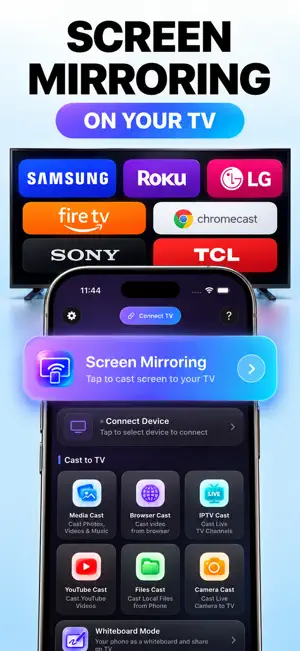
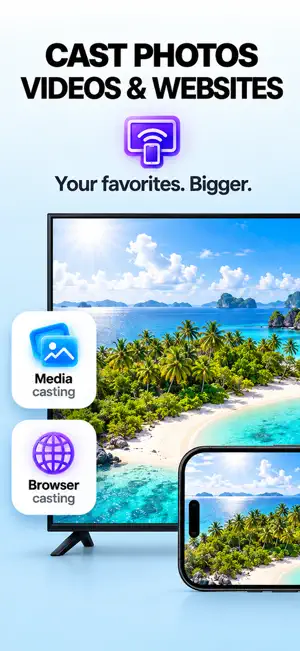
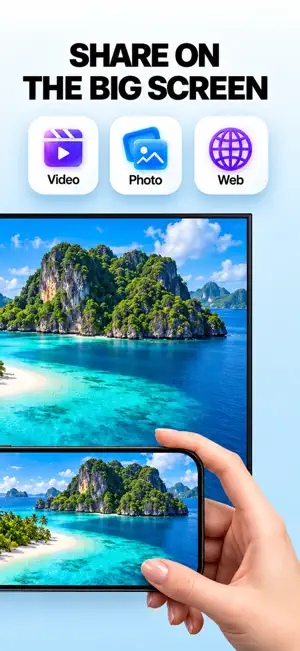
Smart Mirror turns your TV into a second screen for your iPhone — and it starts where most mirroring apps stop. WHITEBOARD ON YOUR TV Draw, write and drop in photos on your phone, and the board appears on the TV as you work. It is the fastest way to explain something to a room: a lesson, a plan, a sketch of an idea. Add pages, undo, change colours, and save the board when you are done. LIVE CAMERA ON YOUR TV Point your camera and the picture is on the big screen — for a demonstration, a recipe on the kitchen TV, or showing the room to family on a video call. MIRROR YOUR WHOLE SCREEN Everything on your iPhone, on the TV, with sound. Games, apps, presentations, anything. SEND JUST ONE THING Photos and videos from your library. A web page and the video playing on it. A file from your phone. YouTube, handed to the TV's own app. Or your own IPTV playlist. CONTROL IT FROM YOUR WRIST The Apple Watch app plays, pauses, skips, changes the volume and turns whiteboard pages, so the phone can stay on the table. WORKS WITH Chromecast and Chromecast built-in TVs, Android TV and Google TV, Samsung, LG, Roku, Fire TV, and AirPlay 2 sets including Apple TV. Your iPhone and your TV need to be on the same Wi-Fi. Nothing is uploaded: what you cast travels across your own network, and no account is needed. Payment is charged to your Apple Account at confirmation of purchase. A subscription renews automatically unless cancelled at least 24 hours before the current period ends; manage or cancel it any time in your Apple Account settings. A free trial ends when a subscription begins. Privacy Policy: https://blueorbit-website.vercel.app/privacy-policy.html Terms of Use: https://blueorbit-website.vercel.app/terms-and-conditions.html Questions: [email protected]
What’s new
Version 1.1 · Updated October 4, 2026
• Full screen mirroring with sound — your whole iPhone on the TV • Live camera cast to the big screen • Faster TV scanning, and each TV now shows its real brand and name • Whiteboard, Watch remote and connect-flow fixes
App privacy
The developer, Ali Raza, reported these privacy practices to Apple.
Data Not Collected
The developer does not collect any data from this app.
Alternatives to Screen Mirroring・TV Smart View
Looking for apps like Screen Mirroring・TV Smart View? Here are 6 similar apps on the App Store.
-
 Screen Mirror | Cast to TV
-
 Hubbox M2M
-
 Aqua: Virtual Aquarium
-
 Lose Control: PC Controller
-
 Sticker Maker AI - Sticky
-
 Screen Mirroring: iPhone to TV
| App | Rating | Price | Last updated | Compare |
|---|---|---|---|---|
| Screen Mirroring・TV Smart View | – | Free | October 4, 2026 | |
| Screen Mirror | Cast to TV | – | Free | Oct 15, 2026 | Compare |
| Hubbox M2M | – | Free | Aug 12, 2026 | Compare |
| Aqua: Virtual Aquarium | – | Free | Apr 17, 2026 | Compare |
| Lose Control: PC Controller | – | Free | Oct 22, 2026 | Compare |
| Sticker Maker AI - Sticky | – | Free | Aug 4, 2024 | Compare |
| Screen Mirroring: iPhone to TV | – | Free | Oct 13, 2026 | Compare |