

PlaySat TV
ALEXANDER WAEL MIRO Entertainment iPhoneiPadiPod touch
PlaySat TV is a free Entertainment app for iPhone and iPad by ALEXANDER WAEL MIRO. Rated 5.0/5 from 1 ratings. Requires iOS 17.0. Updated October 11, 2026.
- Rating
- 5.0
- 1 ratings
- Price
- Free
- on the App Store
- Size
- 48 MB
- Age 4+
- Updated
- Oct 11
- 2026 · v1.0.1
Screenshots
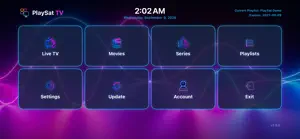
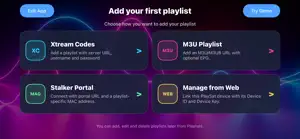

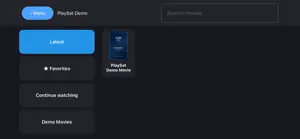
About PlaySat TV
PlaySat TV is a media player for organizing and playing your own legally obtained IPTV playlists on iPhone and iPad. Key features: • Live TV, movies, and series in one app • Support for Xtream Codes, M3U/M3U8 playlists, and Stalker portals • Manage multiple playlists • Save favorites and continue watching • Search and browse by category • View electronic program guide information when available from your provider • Select available audio tracks and subtitles • Parental controls to hide adult categories with PIN protection • Multiple interface languages Device activation: A one-year activation for the current device is available as a one-time in-app purchase through the App Store. Activation lasts 365 days and does not renew automatically. A separate activation is required for each device. Content information: PlaySat TV does not sell or provide access to television channels, movies, series, or IPTV subscriptions. Except for the included demonstration material, all playlists and media content must be supplied by the user. Users must have the legal right to access and view their content. The included demo playlist contains only demonstration material to showcase the app’s interface and functionality. Device activation does not include any IPTV service or media subscription.
What’s new
Version 1.0.1 · Updated October 11, 2026
• Improved 4K and Ultra HD playback. • Improved subtitle display, language support, and timing adjustments. • Added Fit, Fill, and Stretch picture modes. • Expanded the interface to 25 languages. • Improved movie and series descriptions for Stalker playlists. • Added instant MAC address formatting. • Added automatic playlist refresh every 12 hours. • Long-press a Live TV, movie, or series group to move or hide it. • Improved license status display when less than one day remains. • Updated the startup screen and trailer controls. • Fixed a playback crash on Mac.
App privacy
The developer, ALEXANDER WAEL MIRO, reported these privacy practices to Apple.
Data Linked to You
The following data, which may be collected and linked to your identity, may be used for the following purposes:
- Purchases: Purchase History
- Identifiers: Device ID
- Usage Data: Product Interaction
- Diagnostics: Other Diagnostic Data
Used for: App Functionality