

Waddle: WAD Player
Tyler Vick Games iPhoneiPadiPod touch
Waddle: WAD Player is a free Games app for iPhone and iPad by Tyler Vick. Rated 5.0/5 from 1 ratings. Requires iOS 26.0. Updated October 3, 2026.
- Rating
- 5.0
- 1 ratings
- Price
- Free
- on the App Store
- Size
- 67 MB
- Age 12+
- Updated
- Oct 3
- 2026 · v1.3
Screenshots



About Waddle: WAD Player
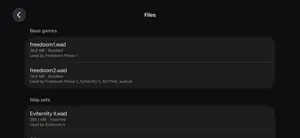
Play the classic-Doom-engine games you own, anywhere. Waddle is a WAD player for iPhone and iPad: a game library and touch controls built around Woof! - the modern continuation of the Boom and MBF ports that faithfully preserves original gameplay while supporting today's mods, up through the MBF21 standard. Ready to play out of the box. Waddle bundles Freedoom Phase 1 and Phase 2: two complete, freely licensed games built by the Freedoom project for this engine family. Tap and play - nothing to configure. Bring your own WADs. Import WAD files you own from the Files app, iCloud Drive, or the share sheet - commercial IWADs you've purchased, or any of thousands of community-made maps and megawads. Zip archives and DeHackEd patches are supported. Every map set is a game. Import a megawad and it lands on your shelf as its own game, already paired with the right base game. Add-ons and DeHackEd patches attach to any game from its page, where you also set the load order and compatibility level (vanilla, Boom, MBF, MBF21 - or auto) and find its saves, which are kept per game. Play your way. Touch controls with two schemes (classic twin-stick and modern drag-to-turn), adjustable feel, and buttons you can drag wherever your thumbs want them - plus full support for game controllers and hardware keyboards. Walk into doors and switches to use them, and pan and zoom the automap by touch. Open source. Waddle is free software under the GPL-3.0; the engine it descends from is GPL-2.0-or-later. Source code for the entire app is available on GitHub. Waddle includes no copyrighted commercial game content. Only the freely licensed Freedoom data is bundled; commercial WADs must be imported by you, from copies you own. This app is not affiliated with or endorsed by id Software or Bethesda.
What’s new
Version 1.3 · Updated October 3, 2026
A new look, and more ways to play. - Fresh design throughout: the shelf and every game page are built around each game's own title art, and lay out properly in landscape on iPhone and iPad. - Move the on-screen buttons where your thumbs want them: Settings › Control Feel › Edit Layout. - Walk into doors and switches to use them. Auto-use is on for touch play and steps aside when a controller or keyboard is connected. - Pan the automap with a drag and zoom it with a pinch. - Swipe home mid-level and the game pauses and saves itself, so the shelf can offer to continue it later. - VoiceOver can operate the game controls directly. - Fixes: cheats no longer carry into the next game, Quit Game works every time, and an error after a failed launch can be dismissed.
Play today's Frostfire puzzle
Balance fire and ice: half of each in every row and column. A free daily puzzle from Fiplay, same board for everyone. It plays right here, no download.
App privacy
The developer, Tyler Vick, reported these privacy practices to Apple.
Data Not Collected
The developer does not collect any data from this app.
Alternatives to Waddle: WAD Player
Looking for apps like Waddle: WAD Player? Here are 6 similar apps on the App Store. The highest rated is Labyrinth of Doom: Multiplayer (5.0/5), and all 6 are free to download.
-
 WOOM - WAD Player
-
 Labyrinth of Doom: Multiplayer
5.0
-
 Scary cats Lite
5.0
-
 Daisys Revenge
4.2
-
 Fliperama: Retro Emulator
5.0
-
 UBEK
4.2
| App | Rating | Price | Last updated | Compare |
|---|---|---|---|---|
| Waddle: WAD Player | 5.0 / 5 (1 rating) | Free | October 3, 2026 | |
| WOOM - WAD Player | – | Free | Oct 1, 2025 | Compare |
| Labyrinth of Doom: Multiplayer | 5.0 / 5 (1) | Free | Oct 6, 2026 | Compare |
| Scary cats Lite | 5.0 / 5 (2) | Free | Nov 9, 2024 | Compare |
| Daisys Revenge | 4.2 / 5 (22) | Free | Feb 13, 2025 | Compare |
| Fliperama: Retro Emulator | 5.0 / 5 (1) | Free | Sep 11, 2026 | Compare |
| UBEK | 4.2 / 5 (6) | Free | Apr 23, 2026 | Compare |
Compare Waddle: WAD Player with the top alternatives: ratings, updates, ASO score and keyword gaps →