

Done Bear: GTD Task Manager
Matthew Blode Productivity iPhoneiPadiPod touchApple Watch
Done Bear: GTD Task Manager is a free Productivity app for iPhone and iPad by Matthew Blode. Requires iOS 18.0. Updated October 24, 2026.
- Price
- Free
- on the App Store
- Size
- 25 MB
- Age 4+
- Updated
- Oct 24
- 2026 · v1.1.16
Screenshots


About Done Bear: GTD Task Manager
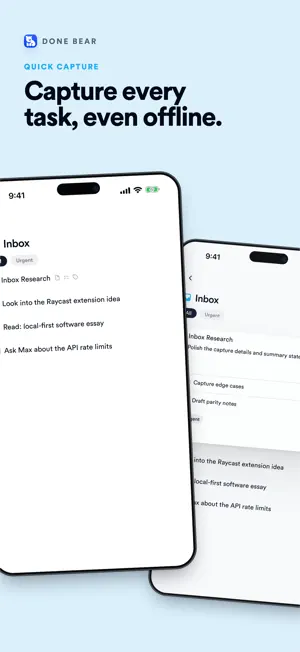
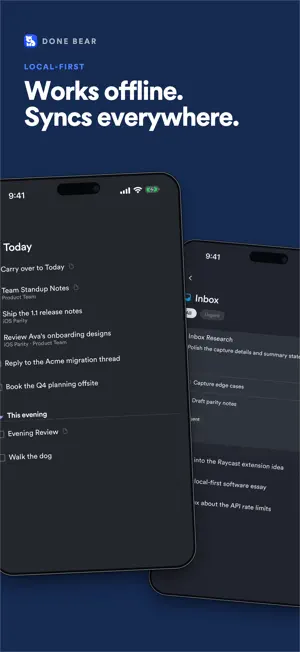
Done Bear is task management built for focus. Capture everything into your Inbox, choose a short Today list, and trust the system with the rest. It's local-first: your tasks live on your device, every view opens instantly — on a plane, in a basement, anywhere — and everything syncs in real time when you're back online. And it doesn't stop at your phone. The same workspace runs on the web, macOS, Windows, and Linux, so your system is wherever your day is. THE GTD SYSTEM, BUILT IN • Inbox: capture in seconds, decide later • Today: the short list you committed to • Upcoming: scheduled work, quiet until it's due • Anytime: available when Today runs dry • Someday: parked ideas, guilt-free • Logbook: everything you've finished MADE FOR MODERN WORK • Real-time shared projects: collaborate without turning your list into project-management software • Full offline support with automatic sync • Ramble: speak a brain dump and have it captured as tasks • Siri and Shortcuts support for hands-free capture • Moving from Things 3? One command imports projects, areas, and schedules • Power tools when you want them: CLI, API, Raycast extension, and a hosted MCP server so AI assistants like Claude can help triage your list FAIR, SIMPLE PRICING Free for up to 250 tasks with unlimited workspace members. No trial clock, no credit card. Paid plans from $7/month per member (billed yearly) add unlimited tasks and more teams. Plans are managed on the web at donebear.com. Privacy: your data syncs through your workspace and is never sold. Details at donebear.com/privacy.
What’s new
Version 1.1.16 · Updated October 24, 2026
Entering your sign-in code works properly on iOS 18: the keyboard stays open while you type, and the digits land in the order you enter them. Assigning a task shows your agents again, instead of an error. With a hardware keyboard, pressing the down arrow on a task's title moves into its description.
App privacy
The developer, Matthew Blode, reported these privacy practices to Apple.
Data Linked to You
The following data, which may be collected and linked to your identity, may be used for the following purposes:
- Identifiers: User ID
- Usage Data: Product Interaction
- Contact Info: Email Address, Name
- User Content: Other User Content
Used for: Analytics, App Functionality
Data Not Linked to You
The following data, which may be collected but is not linked to your identity, may be used for the following purposes:
- Diagnostics: Crash Data
Used for: App Functionality