

Remote Control (TV)
Tap Node S.A.L (Offshore) Utilities iPhoneiPadiPod touch
Remote Control (TV) is a free Utilities app for iPhone and iPad by Tap Node S.A.L (Offshore). Rated 5.0/5 from 2 ratings. Requires iOS 15.6.
- Rating
- 5.0
- 2 ratings
- Price
- Free
- on the App Store
- Size
- 60 MB
- Age 4+
- Updated
- Sep 29
- 2026 · v2.0.3
Screenshots

About Remote Control (TV)
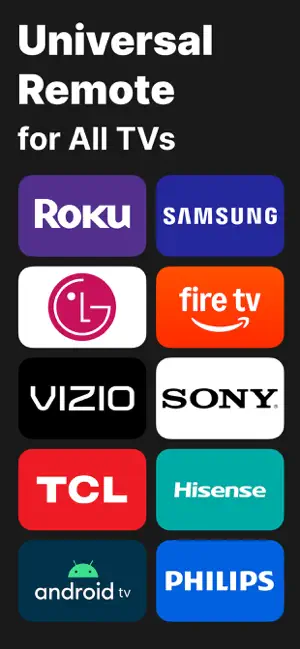
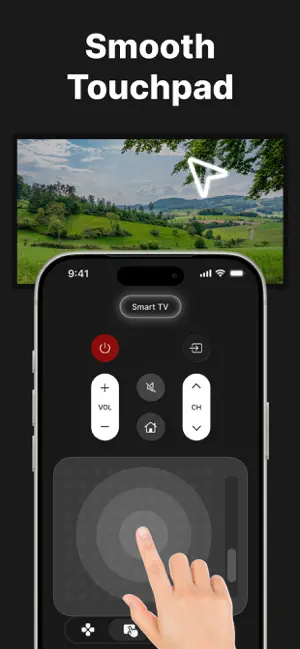
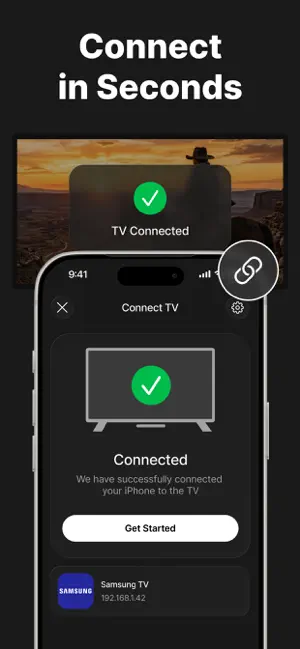
Lost your remote? Turn your phone into a universal TV remote control in seconds. TV EVO is a universal remote control app for compatible smart TVs and media devices. Connect over Wi-Fi and use your phone for volume, channels, navigation, apps, inputs, playback, and more. Your Remote, Always Within Reach Forget searching between couch cushions, replacing batteries, or keeping a different remote for every screen. TV EVO puts useful controls on the phone already in your hand. Quick Wi-Fi Setup Getting connected is simple: - Connect your phone or tablet and TV to the same Wi-Fi network - Open TV EVO and select a discovered device - Confirm the connection on your TV or enter a pairing code when required - Start using your phone as a remote The app can remember supported connection details and reconnect automatically when your devices and network allow it. Complete Remote Control Use a familiar remote layout with the controls you expect: - Turn the TV on or off when supported - Adjust volume and mute sound - Change channels or enter channel numbers directly - Open Home and Settings, go Back, and navigate menus - Switch between available inputs - Play, pause, rewind, and fast-forward content Available controls depend on the connected device and its supported features. Navigate, Type, and Search Faster Choose classic directional buttons for precise navigation, or use the touchpad to swipe, tap, and scroll through compatible interfaces. When supported, it can also move the on-screen cursor. On compatible devices, TV EVO lets you use your phone keyboard to search and enter text more quickly. Additional search and input features depend on the connected device. Open Apps with Fewer Steps Access supported apps directly from your remote screen. When a device provides its installed-app list, TV EVO can display available apps and open supported ones without navigating through multiple menus. Designed for Everyday Use TV EVO includes clear, responsive controls adapted to the connected device, automatic reconnection when available, easy switching between discovered devices, connection status checks, guided troubleshooting, and support for multiple compatible devices. Helpful Connection Guidance Some TVs become unavailable in standby or when network settings are disabled. TV EVO provides guidance for local-network access, pairing, network standby, remote startup, quick startup, and network wake features when relevant to your device. One Remote for Compatible TVs and Media Devices TV EVO works with a wide range of compatible smart TVs and media devices. Control supported devices from one app instead of keeping separate remote apps for different screens. Compatibility and available features vary by model, firmware, region, network configuration, and device settings. Your phone or tablet and the controlled device normally need the same Wi-Fi network. Some devices require a pairing code or confirmation on the TV screen. Power control, touchpad navigation, keyboard input, search, input selection, app launching, and network wake may not be available on every device. TV EVO is an independent application and is not affiliated with, sponsored by, or endorsed by any of the manufacturers, platform providers, or streaming services referenced in the app. Third-party names and trademarks are used to identify the respective devices, platforms, and services and belong to their respective owners. Some features require an active subscription. Available options are shown in the app before purchase. Privacy Policy: https://remoteforanytv.com/privacy Terms of Use: https://remoteforanytv.com/terms
What’s new
Version 2.0.3 · Updated September 29, 2026
Added support for the latest TV models released this month.
App privacy
The developer, Tap Node S.A.L (Offshore), reported these privacy practices to Apple.
Data Used to Track You
The following data may be used to track you across apps and websites owned by other companies:
- Usage Data: Product Interaction
Data Linked to You
The following data, which may be collected and linked to your identity, may be used for the following purposes:
- Usage Data: Product Interaction
Used for: Analytics, App Functionality
Data Not Linked to You
The following data, which may be collected but is not linked to your identity, may be used for the following purposes:
- Diagnostics: Crash Data
Used for: App Functionality
Alternatives to Remote Control (TV)
Looking for apps like Remote Control (TV)? Here are 6 similar apps on the App Store. The highest rated is Smart TV Remote Samsung (5.0/5), and all 6 are free to download.
-
 Universal: TV Remote Control
-
 OmniRemote TV
-
 TV Remote Control | Universal
-
 Smart TV Remote Samsung
5.0
Smart TV Remote Samsung
5.0
-
 Universal - TV Remote Control
4.3
Universal - TV Remote Control
4.3
-
 Tv remote : Universa
4.4
Tv remote : Universa
4.4
| App | Rating | Price | Last updated | Compare |
|---|---|---|---|---|
| Remote Control (TV) | 5.0 / 5 (2 ratings) | Free | September 29, 2026 | |
| Universal: TV Remote Control | – | Free | Oct 8, 2026 | Compare |
| OmniRemote TV | – | Free | Jul 4, 2026 | Compare |
| TV Remote Control | Universal | – | Free | Aug 30, 2026 | Compare |
| Smart TV Remote Samsung | 5.0 / 5 (3) | Free | May 9, 2026 | Compare |
| Universal - TV Remote Control | 4.3 / 5 (36) | Free | Jul 7, 2026 | Compare |
| Tv remote : Universa | 4.4 / 5 (7) | Free | Apr 10, 2026 | Compare |