

TV Remote Control:All Smart TV
Venish Rakholia Utilities iPhoneiPadiPod touch
TV Remote Control:All Smart TV is a free Utilities app for iPhone and iPad by Venish Rakholia. Rated 2.0/5 from 4 ratings. Requires iOS 17.0.
- Rating
- 2.0
- 4 ratings
- Price
- Free
- on the App Store
- Size
- 36 MB
- Age 4+
- Updated
- Sep 23
- 2026 · v1.0.2
Screenshots
About TV Remote Control:All Smart TV
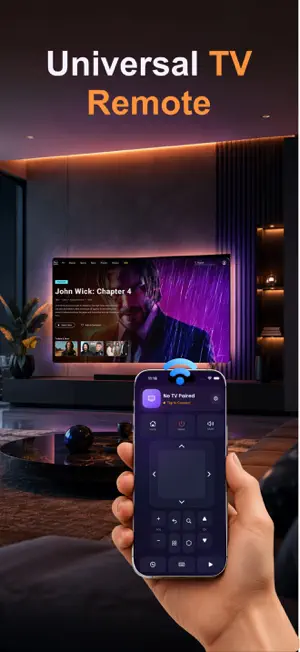
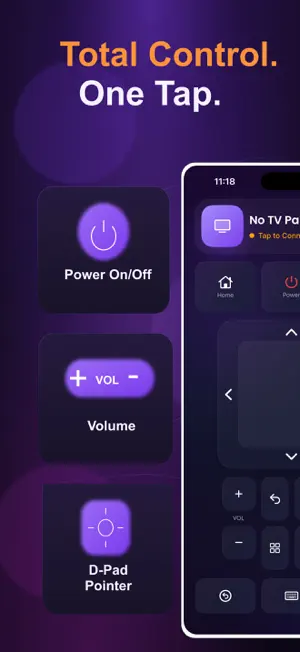
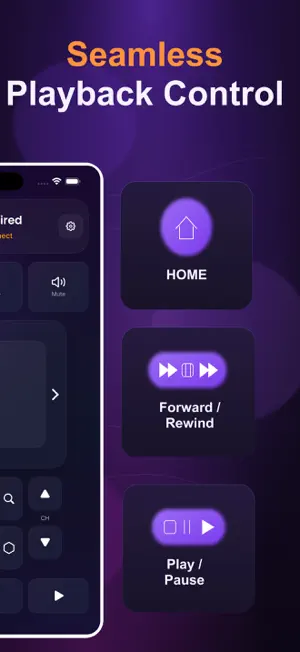
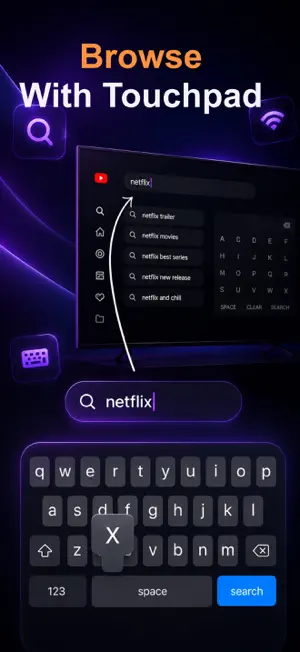
Universal Smart TV Remote Your phone just became the only remote you'll ever need. No batteries. No searching under couch cushions. No fumbling with a tiny D-pad in the dark. Just your phone, your Wi-Fi, and full control of your TV in seconds. RemoTV turns your phone into a fast, reliable universal remote for almost any smart TV — Samsung, LG, Sony, Vizio, Hisense, Roku (and Roku-powered TVs like TCL), Android TV, and Fire TV. Connect once over Wi-Fi, and you're in control from anywhere in the room. Key Features 1) Works With Almost Any TV One app, every major smart TV platform. RemoTV automatically detects your brand and connects using the right protocol — no guessing, no generic "universal codes" that only half-work. 2) Manage Every TV in the House Pair multiple TVs across different rooms and switch between them instantly. RemoTV remembers each one, so reconnecting is a single tap — no re-pairing every time you walk into a different room. 3) A Real Keyboard, Not Letter-by-Letter Torture Search, sign in, and type directly on your TV using your phone's actual keyboard. Skip the painful up-down-up-down of a D-pad just to enter a password. 4) Launch Any App Instantly See the exact apps installed on your TV and open them in one tap — no digging through your TV's home screen with a laggy remote. 5) Full Playback & Navigation Control Power, volume, mute, channels, D-pad navigation, home, back, play, pause, rewind, fast-forward — every control you'd expect from a physical remote, redesigned to feel better on a touchscreen. 6) Smart Reconnect RemoTV keeps a history of your paired TVs and reconnects automatically when it finds them back on the network — set up once, done forever. How It Works 1. Connect your phone to the same Wi-Fi network as your TV 2. Open RemoTV — your TV is detected automatically 3. Tap to pair, and start controlling instantly Why RemoTV - Covers nearly every major smart TV brand, not just one - Built for households with more than one TV - Real keyboard input and a live app launcher, not a stripped-down remote - Clean, fast setup — no accounts, no clutter Whether you're switching inputs, searching for a show, or jumping between the living room and bedroom TV, RemoTV keeps control exactly where it belongs — in your hand. --- This app offers optional premium features (including unlimited saved devices, voice control, and an ad-free experience) available via auto-renewing subscription. Free features remain available without a subscription. RemoTV is an independent app and is not affiliated with, endorsed by, or sponsored by Samsung, LG, Sony, Vizio, Hisense, Roku, Google, Amazon, or any other TV manufacturer or platform. All trademarks belong to their respective owners. Privacy Policy: https://tv-remote-privacypolicy.blogspot.com/p/privacy-policy-last-updated-july-19.html Terms of Use: https://sites.google.com/view/terms-of-use-00/home
What’s new
Version 1.0.2 · Updated September 23, 2026
-New Feature added as Voice Control -Perfromance Improvement -Bug Fixes -More Brand Pairing
App privacy
The developer, Venish Rakholia, reported these privacy practices to Apple.
Data Used to Track You
The following data may be used to track you across apps and websites owned by other companies:
- Identifiers: Device ID
- Usage Data: Advertising Data
Data Linked to You
The following data, which may be collected and linked to your identity, may be used for the following purposes:
- Identifiers: Device ID, User ID
- Usage Data: Advertising Data, Product Interaction
- Purchases: Purchase History
Used for: Third-Party Advertising, Analytics, App Functionality
Data Not Linked to You
The following data, which may be collected but is not linked to your identity, may be used for the following purposes:
- Diagnostics: Crash Data
Used for: App Functionality
Alternatives to TV Remote Control:All Smart TV
Looking for apps like TV Remote Control:All Smart TV? Here are 6 similar apps on the App Store. The highest rated is Universal TV Remote - Cast TV (4.9/5), and all 6 are free to download.
-
 Smart TV - Universal Remote
3.3
Smart TV - Universal Remote
3.3
-
 Universal TV Remote All Screen
3.7
Universal TV Remote All Screen
3.7
-
 Universal TV Remote - Cast TV
4.9
Universal TV Remote - Cast TV
4.9
-
 Universal TV Remote. Smart TV
4.3
Universal TV Remote. Smart TV
4.3
-
 TV Remote – Smart Control
4.8
TV Remote – Smart Control
4.8
-
 TV Remote Control Plus
4.3
TV Remote Control Plus
4.3
| App | Rating | Price | Last updated | Compare |
|---|---|---|---|---|
| TV Remote Control:All Smart TV | 2.0 / 5 (4 ratings) | Free | September 23, 2026 | |
| Smart TV - Universal Remote | 3.3 / 5 (3) | Free | Sep 15, 2026 | Compare |
| Universal TV Remote All Screen | 3.7 / 5 (7) | Free | Oct 12, 2026 | Compare |
| Universal TV Remote - Cast TV | 4.9 / 5 (11) | Free | Aug 26, 2026 | Compare |
| Universal TV Remote. Smart TV | 4.3 / 5 (3) | Free | Aug 28, 2026 | Compare |
| TV Remote – Smart Control | 4.8 / 5 (8) | Free | Sep 20, 2026 | Compare |
| TV Remote Control Plus | 4.3 / 5 (6) | Free | Sep 17, 2024 | Compare |