

Let Me Sleep: Bedtime Blocker
TAEHEE NAM Health & Fitness iPhoneiPadiPod touch
Let Me Sleep: Bedtime Blocker is a free Health & Fitness app for iPhone and iPad by TAEHEE NAM. Requires iOS 16.0. Updated October 20, 2026.
- Price
- Free
- on the App Store
- Size
- 2 MB
- Age 4+
- Updated
- Oct 20
- 2026 · v1.1
Screenshots


About Let Me Sleep: Bedtime Blocker
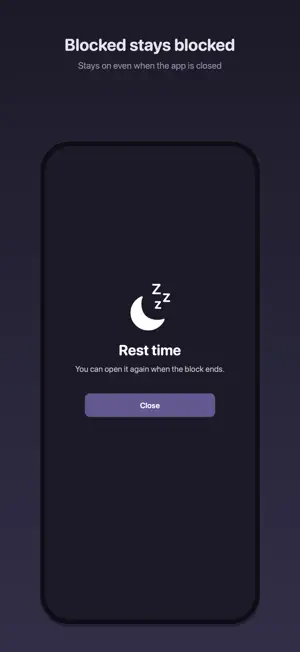
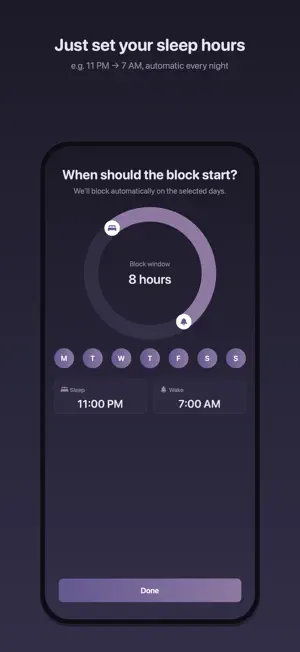
Finding it hard to put your phone down at bedtime? Use Let Me Sleep to reduce late-night app use and take a break when you need to focus. Three ways to block • Scheduled blocking: Choose your hours, days, and apps. Blocking starts at the scheduled time. • Block now: Block selected apps for a set time. • Full lockdown: Block almost all installed apps. Use 30 minutes for free, or up to 4 hours with Premium. Start for free The free tier includes one blocking schedule, one selected app, immediate blocking, and a 30-minute Full lockdown session. Premium is a one-time purchase, with no subscription. It removes the app selection limit, adds category selection, and extends Full lockdown to up to 4 hours. Restore Purchases is supported. Before you start Blocking requires iOS Screen Time permission. Full lockdown blocks apps; it does not lock the device itself. Some system apps and Let Me Sleep remain available. Block now and Full lockdown have no in-app early-stop control. Full lockdown ends at expiry; active scheduled blocking remains in effect. The app does not prevent Screen Time permission changes or app deletion. Your settings stay on your device No login is required. Blocking settings and app selections are stored on the device. No advertising or analytics SDK. Support: [email protected] Privacy policy: https://nmthnama.github.io/let-me-sleep-site/
What’s new
Version 1.1 · Updated October 20, 2026
Full lockdown is here. Block almost all apps for a set time and take a break from your phone. Use it for 30 minutes for free, or up to 4 hours with Premium. • Set your blocking schedule and choose apps during onboarding. • Find Block now, Full lockdown, and Scheduled blocking on the redesigned home screen. • Fixed an issue that prevented requesting Screen Time permission from Settings. • Improved Settings tap areas and purchase and scheduling messages. • Added English translations for the new lockdown screens.
App privacy
The developer, TAEHEE NAM, reported these privacy practices to Apple.
Data Not Collected
The developer does not collect any data from this app.
Alternatives to Let Me Sleep: Bedtime Blocker
Looking for apps like Let Me Sleep: Bedtime Blocker? Here are 6 similar apps on the App Store. The highest rated is 스르륵 (5.0/5), and all 6 are free to download.


| App | Rating | Price | Last updated | Compare |
|---|---|---|---|---|
| Let Me Sleep: Bedtime Blocker | – | Free | October 20, 2026 | |
| Nightshade - Regain your sleep | – | Free | Nov 18, 2025 | Compare |
| 스르륵 | 5.0 / 5 (2) | Free | Aug 7, 2026 | Compare |
| HanshinMedipia | – | Free | Jun 30, 2025 | Compare |
| StepSquad | 5.0 / 5 (1) | Free | Jan 2, 2026 | Compare |
| SHP Plus | 5.0 / 5 (1) | Free | Sep 1, 2025 | Compare |
| 라켓타임 | 5.0 / 5 (1) | Free | Oct 19, 2026 | Compare |