

Verto — File Converter
ALESSANDRO GAUDIO Utilities iPhoneiPadiPod touchMac
Verto — File Converter is a free Utilities app for iPhone and iPad by ALESSANDRO GAUDIO. Requires iOS 17.0. Updated July 30, 2026.
- Price
- Free
- on the App Store
- Size
- 1 MB
- Age 4+
- Updated
- Jul 30
- 2026 · v1.1
Screenshots
About Verto — File Converter
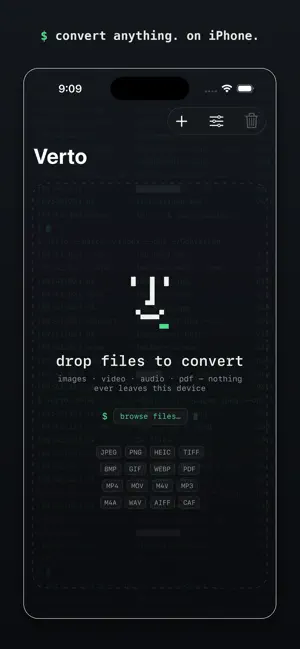
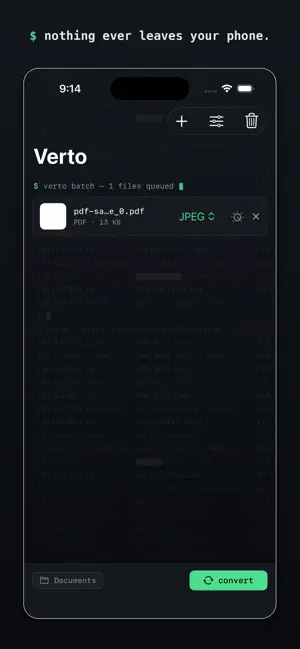
Verto converts and compresses your files in seconds — entirely on your device. Add files, choose a format, press Convert. No uploads, no accounts, no file-size limits, no waiting for a server. Verto uses Apple's own media engines, so conversions are fast, private, and true to the original. IMAGES - Convert between JPEG, PNG, HEIC, TIFF, BMP and GIF (WebP input supported) - Turn any image into a PDF - Compress with an adjustable quality slider, optionally resize - iPhone HEIC photos handled perfectly, EXIF rotation respected - Animated GIFs keep their timing PDF - Export pages as JPEG, PNG or TIFF at the resolution you choose - Shrink heavy PDFs with smart per-page JPEG compression VIDEO - Convert between MP4, MOV and M4V using hardware acceleration - H.264 for compatibility or HEVC for smaller files - Compress with resolution presets, a custom bitrate — or set an exact target file size - Live size estimate before you convert - Extract the soundtrack to M4A, WAV, AIFF or CAF AUDIO - Convert MP3, M4A, WAV, AIFF and CAF to M4A (AAC), WAV, AIFF or CAF PRIVATE BY DESIGN - Batch conversion with live progress - Fully sandboxed — Verto only touches files you give it - No network access. Ever.
What’s new
Version 1.1 · Updated July 30, 2026
A brand-new look — and real editing tools. EDIT BEFORE YOU CONVERT - PDF: rotate pages, export or compress only the pages you choose ("1-3, 7"), auto-trim white margins, per-file resolution - Audio: speed 0.5×–2× with pitch preserved, volume, fade in/out, and trim by timecode — also when extracting a video's soundtrack - Video: trim by timecode, with the size estimate updated live - Images: rotate 90/180/270°, animated GIFs included A NEW FACE - New pixel-face icon and a full redesign: a quiet, terminal-inspired dark interface with live progress in the queue - Smoother drag & drop with a clearer drop target - Same engine underneath: fast, private, entirely on-device
App privacy
The developer, ALESSANDRO GAUDIO, reported these privacy practices to Apple.
Data Not Collected
The developer does not collect any data from this app.
Alternatives to Verto — File Converter
Looking for apps like Verto — File Converter? Here are 6 similar apps on the App Store. The highest rated is Pencil Note (2.4/5), and 5 of the 6 are free to download.
-
 Shiftreel
-
 Smart Converter – Units & Time
-
 Smart File Converter
-
 Konvertly: File Converter
-
 Forva: PDF & File Converter
-
 Pencil Note
2.4
Pencil Note
2.4
| App | Rating | Price | Last updated | Compare |
|---|---|---|---|---|
| Verto — File Converter | – | Free | July 30, 2026 | |
| Shiftreel | – | Free | Aug 12, 2026 | Compare |
| Smart Converter – Units & Time | – | Free | Jan 10, 2026 | Compare |
| Smart File Converter | – | Free | Jun 12, 2026 | Compare |
| Konvertly: File Converter | – | Free | Oct 20, 2026 | Compare |
| Forva: PDF & File Converter | – | Free | Aug 9, 2026 | Compare |
| Pencil Note | 2.4 / 5 (5) | 0.99 USD | Jan 31, 2025 | Compare |