

AnyMarkdown - PDF to Markdown
培 李 Productivity iPhoneiPadiPod touch
AnyMarkdown - PDF to Markdown is a free Productivity app for iPhone and iPad by 培 李. Requires iOS 17.0. Updated October 26, 2026.
- Price
- Free
- on the App Store
- Size
- 102 MB
- Age 4+
- Updated
- Oct 26
- 2026 · v1.5
Screenshots
About AnyMarkdown - PDF to Markdown
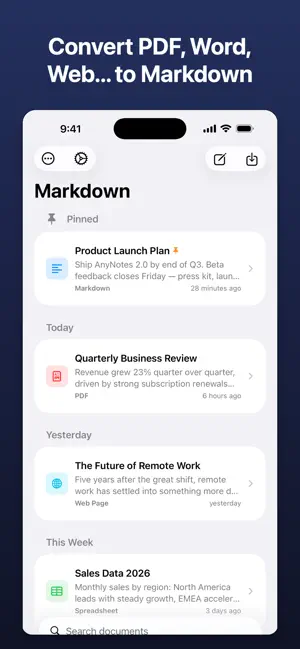
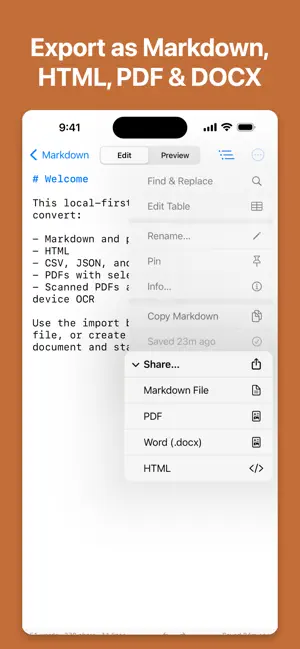
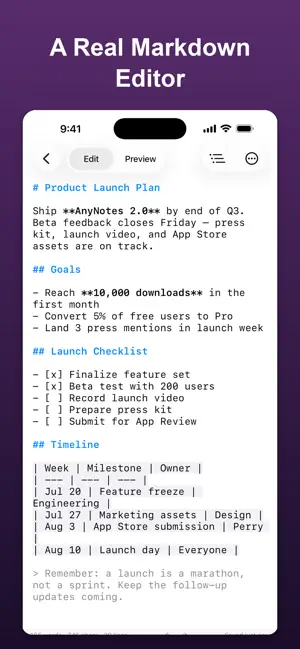
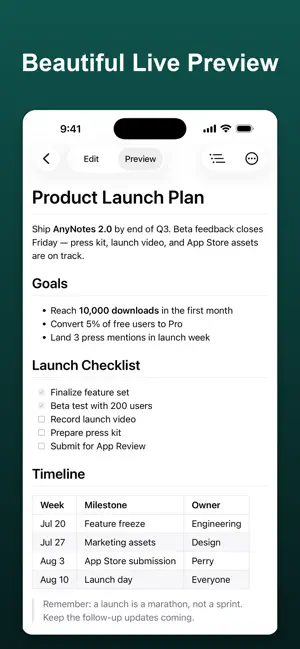
Turn almost any file into clean Markdown — right on your iPhone and iPad, with every conversion running offline. AnyMarkdown converts documents, web pages, and images into well-structured Markdown, then gives you a powerful editor to polish and share the result. Every conversion happens on your device: your files are never uploaded to our servers or to any third party. CONVERT ALMOST ANYTHING • PDF — text extraction with smart headings, plus OCR for scanned pages • Word (docx), EPUB, HTML, RTF • Excel (xlsx) and CSV — turned into Markdown tables • PowerPoint (pptx) — slides become headings and bullets • Images and screenshots — text and tables via OCR • Jupyter notebooks, JSON, XML, and source code files • Web pages — paste a link and get a clean, readable article BUILT FOR MARKDOWN • Full syntax highlighting as you type • Smart lists, task checkboxes, auto-pairing, and a dedicated keyboard toolbar • Visual table editor — no more counting pipes by hand • Document outline for quick navigation • Find & replace • Live preview with adjustable themes ORGANIZE & SHARE • Library with full-text search, pinning, and grouping • iCloud sync keeps your library identical on iPhone and iPad, with an offline copy always kept on device • Send files or links from any app via the share sheet • Export as Markdown, HTML, or PDF • Word count that handles Chinese, Japanese, and Korean correctly PRIVATE BY DESIGN All conversion and OCR run locally on your device — nothing is uploaded for processing. The network is used only when you import a web link, or when your own documents sync through your private iCloud account. No accounts to create, no tracking, no third-party servers. FREE & PRO Try it for free. Upgrade to Pro for unlimited conversions — monthly, yearly, or a one-time lifetime purchase. Whether you are a writer collecting research, a developer keeping notes, or a student turning lecture PDFs into editable notes, AnyMarkdown makes everything Markdown. Terms of Use: https://www.apple.com/legal/internet-services/itunes/dev/stdeula/
What’s new
Version 1.5 · Updated October 26, 2026
Write the way you like: highlight the line you're on, pick your indent width, and see single line breaks in preview exactly as you typed them. NEW • Highlight Current Line — a soft band marks the paragraph you're editing, even when it wraps across several lines. • Indent Width — choose 2 or 4 spaces for Tab and the indent buttons. • Line Breaks as Typed — a single Return now starts a new line in preview, and in your HTML, PDF, and Word exports too. Code blocks stay untouched. IMPROVED • Auto-pairing now closes quotes as well as brackets and backticks, and leaves apostrophes alone in words like "don't". Type the closing character and the cursor simply steps over it. • Prefer to type every character yourself? Auto-pairing can now be turned off in Settings. • The editor and preview samples in Settings update instantly as you change these options. Every conversion still runs entirely on your device.
App privacy
The developer, 培 李, reported these privacy practices to Apple.
Data Not Collected
The developer does not collect any data from this app.
Alternatives to AnyMarkdown - PDF to Markdown
Looking for apps like AnyMarkdown - PDF to Markdown? Here are 6 similar apps on the App Store. The highest rated is PDF to Markdown: PDF Lift (5.0/5), and all 6 are free to download.
-
 PDF to Markdown: PDF Lift
5.0
PDF to Markdown: PDF Lift
5.0
-
 CleanMD: PDF to Markdown
-
 Anything to Markdown Converter
-
 PDF to Markdown: Smart Export
1.0
PDF to Markdown: Smart Export
1.0
-
 Mark'em Down
5.0
Mark'em Down
5.0
-
 Commit Happens
5.0
Commit Happens
5.0
| App | Rating | Price | Last updated | Compare |
|---|---|---|---|---|
| AnyMarkdown - PDF to Markdown | – | Free | October 26, 2026 | |
| PDF to Markdown: PDF Lift | 5.0 / 5 (1) | Free | Oct 28, 2026 | Compare |
| CleanMD: PDF to Markdown | – | Free | Sep 4, 2026 | Compare |
| Anything to Markdown Converter | – | Free | Aug 29, 2026 | Compare |
| PDF to Markdown: Smart Export | 1.0 / 5 (1) | Free | Sep 14, 2026 | Compare |
| Mark'em Down | 5.0 / 5 (1) | Free | Jul 13, 2026 | Compare |
| Commit Happens | 5.0 / 5 (1) | Free | Jul 21, 2026 | Compare |