

Sketch & Paint-Creative Canvas
Arima Jain Graphics & Design iPhoneiPadiPod touch
Sketch & Paint-Creative Canvas is a free Graphics & Design app for iPhone and iPad by Arima Jain. Requires iOS 17.0. Updated October 24, 2026.
- Price
- Free
- on the App Store
- Size
- 14 MB
- Age 4+
- Updated
- Oct 24
- 2026 · v1.4
Screenshots


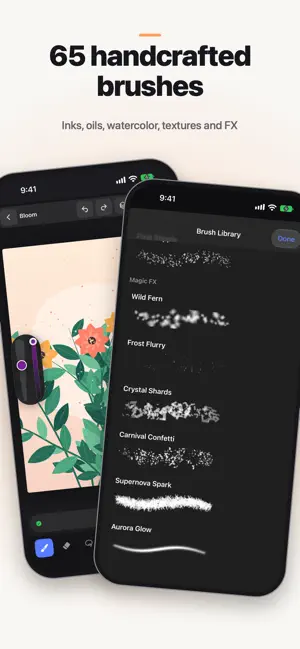

About Sketch & Paint-Creative Canvas
Create without limits on a calm, powerful canvas built for iPad. Creative Canvas is a digital art studio for sketching, painting, and illustration. Start a new canvas, pick expressive brushes, and shape every stroke with size, opacity, and color controls that stay out of your way. Made for real creative work • Sketch, paint, smudge, erase, and fill with precision • Layered artwork with lock, alpha lock, duplicate, and reorder • Brush library for sketching and painting styles • Color Studio with eyedropper and rich color control • Guides, shapes, text, and vector tools for clean layouts • Paper styles, adjustments, zoom, and undo/redo • Export and share or save finished pieces to Photos Whether you’re doodling ideas, building illustrations, practicing calligraphy, or finishing a portrait, Creative Canvas keeps your tools close and your focus on the art. Privacy policy: https://digitalhole.github.io/DHPrivacy.html Standard Apple Terms of Use (EULA): https://www.apple.com/legal/internet-services/itunes/dev/stdeula/
What’s new
Version 1.4 · Updated October 24, 2026
• iOS 27 Ready • Performance improvement • Improved User Experience
App privacy
The developer, Arima Jain, reported these privacy practices to Apple.
Data Used to Track You
The following data may be used to track you across apps and websites owned by other companies:
- Usage Data: Advertising Data
Data Not Linked to You
The following data, which may be collected but is not linked to your identity, may be used for the following purposes:
- Usage Data: Advertising Data
Used for: Third-Party Advertising