

DriveCam: Car Camera Recorder
Daniel Rodriguez Ramirez Navigation iPhoneiPadiPod touch
DriveCam: Car Camera Recorder is a free Navigation app for iPhone and iPad by Daniel Rodriguez Ramirez. Requires iOS 15.0. Updated August 25, 2026.
- Price
- Free
- on the App Store
- Size
- 118 MB
- Age 4+
- Updated
- Aug 25
- 2026 · v1.3.3
Screenshots


About DriveCam: Car Camera Recorder
Turn your phone into a powerful dashcam with DriveCam — the car camera recorder that keeps you protected on every drive without cluttering your photo gallery. WHY DRIVECAM? DriveCam uses your phone's rear camera as a full-screen driving recorder with loop recording, so you always have the latest footage. No dedicated hardware needed — just mount your phone and go. Every video stays private in the app's own storage. Nothing appears in your camera roll. CORE FEATURES: LOOP RECORDING Set your preferred segment length (1, 3, 5, or 10 minutes) and DriveCam handles the rest. When a segment ends, it saves automatically and starts a new one — continuous protection with zero gaps. GPS SPEED OVERLAY See your current speed right on the camera preview. Choose km/h or mph, or turn it off. Speed data is burned into every recording for reference. BATTERY SAVE MODE Auto-dims the screen 5 seconds after recording starts while the camera keeps rolling — saves battery on long drives. Manual battery save also available: screen off, recording on. PRIVATE STORAGE All dash cam videos and photos are saved to an app-private folder. The OS gallery is never touched. No cloud uploads, no accidental shares. Your driving footage stays yours. VIDEO QUALITY Choose from the quality options your device supports. Pick the balance of quality and storage that works for you. STORAGE MANAGEMENT Set a storage limit (500MB to 5GB or unlimited). When the limit is reached, oldest videos are automatically deleted. A visual usage bar shows you exactly how much space remains. IN-APP GALLERY Browse all recordings sorted newest-first. Play, share, or delete videos right inside the app. Includes a built-in video player and pinch-to-zoom photo viewer. DARK MODE Designed with a dark theme to reduce glare while driving at night. SCREEN WAKE The screen stays on while the camera preview is active so you never miss recording a moment. Privacy-focused, battery-efficient, and designed for the road. DriveCam is your smartphone dash cam.
What’s new
Version 1.3.3 · Updated August 25, 2026
Improved performance
App privacy
The developer, Daniel Rodriguez Ramirez, reported these privacy practices to Apple.
Data Not Collected
The developer does not collect any data from this app.
Alternatives to DriveCam: Car Camera Recorder
Looking for apps like DriveCam: Car Camera Recorder? Here are 6 similar apps on the App Store. The highest rated is DashCam: Mobile Drive Recorder (5.0/5), and all 6 are free to download.
-
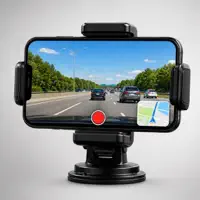 DashCam: Mobile Drive Recorder
5.0
-
 Dash Cam DVR: iCam
4.8
-
 Car Camera Recorder
3.0
-
 DashCam Pro: Dash Cam Recorder
-
 DashCam : Car Camera Recorder
4.2
-
 Car Dash Cam: 4K HDR
| App | Rating | Price | Last updated | Compare |
|---|---|---|---|---|
| DriveCam: Car Camera Recorder | – | Free | August 25, 2026 | |
| DashCam: Mobile Drive Recorder | 5.0 / 5 (6) | Free | Oct 13, 2026 | Compare |
| Dash Cam DVR: iCam | 4.8 / 5 (5) | Free | Jan 27, 2026 | Compare |
| Car Camera Recorder | 3.0 / 5 (3) | Free | Oct 20, 2026 | Compare |
| DashCam Pro: Dash Cam Recorder | – | Free | Oct 22, 2026 | Compare |
| DashCam : Car Camera Recorder | 4.2 / 5 (5) | Free | Dec 26, 2025 | Compare |
| Car Dash Cam: 4K HDR | – | Free | May 3, 2026 | Compare |