

ScanMyPlan
Resendiz Enterprises LLC Graphics & Design iPhoneiPadiPod touch
ScanMyPlan is a free Graphics & Design app for iPhone and iPad by Resendiz Enterprises LLC. Requires iOS 17.6. Updated July 21, 2026.
- Price
- Free
- on the App Store
- Size
- 5 MB
- Age 4+
- Updated
- Jul 21
- 2026 · v1.0
Screenshots
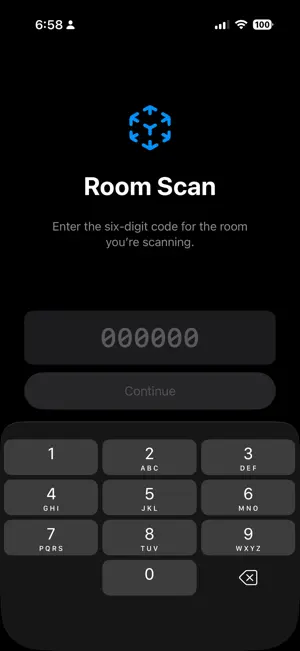


About ScanMyPlan
Scan a room with your phone and send the measurements to your designer. Step 1 Enter the six-digit code your designer gave you. Step 2 Slowly pan across every wall, corner, door and window. Step 3 Tap Done, then Upload. Requires an iPhone with a LiDAR sensor. The app will tell you if yours isn't supported. No account or sign in required. The camera and LiDAR sensor measure the room. No photos or video are recorded. Only the measurements are uploaded.
App privacy
The developer, Resendiz Enterprises LLC, reported these privacy practices to Apple.
Data Not Linked to You
The following data, which may be collected but is not linked to your identity, may be used for the following purposes:
- Surroundings: Environment Scanning
Used for: App Functionality
Alternatives to ScanMyPlan
Looking for apps like ScanMyPlan? Here are 6 similar apps on the App Store. The highest rated is PANO Carousel Collage Panorama (4.6/5), and all 6 are free to download.
-
 Ksplanner
-
 Wallpapers Maker +
4.5
-
 AI Designer - Interior Design
4.5
-
 DreamzAR AI Landscape Design
3.0
-
 PANO Carousel Collage Panorama
4.6
-
 Mockup - UI/UX Design
4.4
| App | Rating | Price | Last updated | Compare |
|---|---|---|---|---|
| ScanMyPlan | – | Free | July 21, 2026 | |
| Ksplanner | – | Free | Sep 12, 2026 | Compare |
| Wallpapers Maker + | 4.5 / 5 (140) | Free | Mar 25, 2026 | Compare |
| AI Designer - Interior Design | 4.5 / 5 (77) | Free | Sep 21, 2026 | Compare |
| DreamzAR AI Landscape Design | 3.0 / 5 (143) | Free | Feb 1, 2026 | Compare |
| PANO Carousel Collage Panorama | 4.6 / 5 (1,275) | Free | Aug 31, 2026 | Compare |
| Mockup - UI/UX Design | 4.4 / 5 (574) | Free | Oct 28, 2026 | Compare |
Compare ScanMyPlan with the top alternatives: ratings, updates, ASO score and keyword gaps →