

Camera Detector-ScanHiddenCams
璐静 王 Utilities iPhoneiPadiPod touch
Camera Detector-ScanHiddenCams is a free Utilities app for iPhone and iPad by 璐静 王. Requires iOS 16.0. Updated September 14, 2026.
- Price
- Free
- on the App Store
- Size
- 7 MB
- Age 17+
- Updated
- Sep 14
- 2026 · v2.1
Screenshots


About Camera Detector-ScanHiddenCams
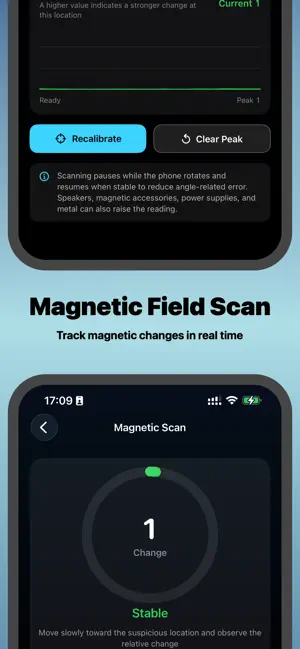
Here's a more concise English version: --- **Camera Detector** is a privacy-assistance tool for accommodation inspections. It organizes on‑site clues via infrared light spots, publicly responding devices on the same Wi‑Fi, nearby Bluetooth signals, and magnetic field changes. **Results do not prove any item is a camera, nor can they confirm all devices. No alerts do not guarantee safety.** Final judgment requires physical inspection and context. --- **Four Inspection Clues** - **Infrared Spots** – Phone cameras may show strong near‑IR as red/purple/white dots. Remote controls, sensors, and reflections can also cause similar spots. Prompts are clues only. - **Wi‑Fi Devices** – Scans for devices responding on the same network. Categorization is based on names/services (e.g., storage, managed, unknown, or similar to surveillance). **Classification does not prove recording or location.** Some devices may not appear. - **Bluetooth Devices** – Shows discoverable devices with relative distance changes. Names are user‑set, distance is affected by obstacles, and not all cameras use Bluetooth. **Not a standalone identifier.** - **Magnetic Field Changes** – Uses phone sensors to show relative magnetic shifts around outlets, appliances, and objects. Magnets, metal, power sources, speakers, and phone movement can raise readings. **Environmental clue only.** --- **Key Places to Physically Check** - Smoke detectors, decorations, or holes facing beds/activity areas - TVs, set‑top boxes, and nearby outlets - Bathroom mirrors and frames - Lamps, alarm clocks, and small unknown items on bedside tables - Vents, corners, and devices in odd locations --- **How to Use** Open the App, select a function, move your phone slowly, observe changes, and verify on‑site. Choose reputable accommodations. If you find a suspicious device, do not remove it—preserve the scene and contact management or police. --- **Important** This App provides clues only and **does not replace professional equipment, manual checks, or official investigations.** Results are not final determinations and offer no safety guarantee. --- **Subscriptions** - **Plans:** Weekly, Seasonal, Yearly - **Access:** Premium features during active subscription - **Auto‑renewal:** Enabled by default; manage via iTunes/Apple ID Settings - **Cancel:** Go to Settings → iTunes & App Store → Apple ID → View Apple ID → Subscriptions → Manage → Cancel --- **Privacy Policy:** https://docs.qq.com/doc/DV1hqdFJGSnJObmFJ **Terms of Service:** https://docs.qq.com/doc/DV0xwRE9QcXVXaU5V
What’s new
Version 2.1 · Updated September 14, 2026
- Optimize the interactive experience - Fix the issue of failed product loading on first load - Fix known issues
App privacy
The developer, 璐静 王, reported these privacy practices to Apple.
Data Used to Track You
The following data may be used to track you across apps and websites owned by other companies:
- Usage Data: Advertising Data
Data Linked to You
The following data, which may be collected and linked to your identity, may be used for the following purposes:
- Usage Data: Advertising Data
Used for: Third-Party Advertising