

ScanLingo: Book OCR Vocabulary
蕴杰 戚 Education iPhoneiPadiPod touch
ScanLingo: Book OCR Vocabulary is a free Education app for iPhone and iPad by 蕴杰 戚. Requires iOS 18.0. Updated September 19, 2026.
- Price
- Free
- on the App Store
- Size
- 72 MB
- Age 4+
- Updated
- Sep 19
- 2026 · v1.2.0
Screenshots
About ScanLingo: Book OCR Vocabulary
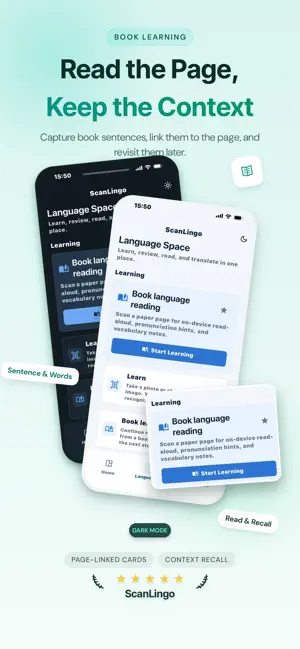
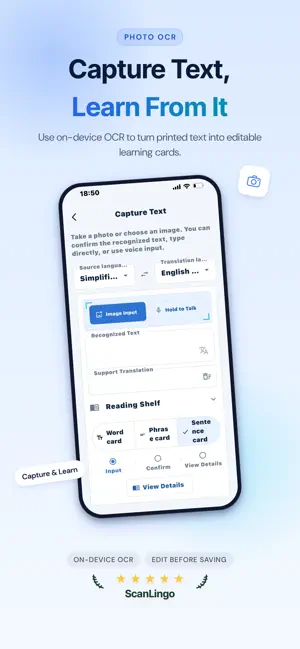
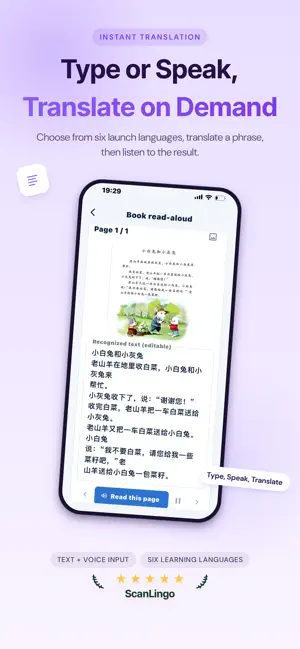
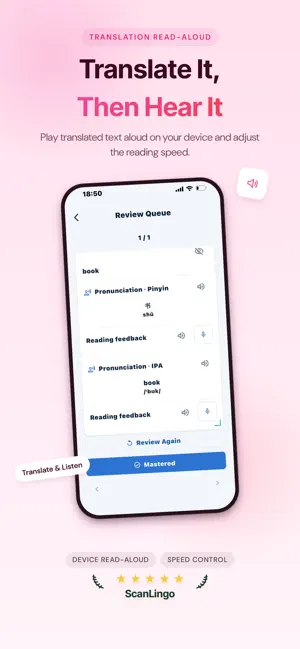
ScanLingo turns the words you meet while reading into cards you can revisit right where they came from. Start from a page you're reading or an object in front of you — and build your vocabulary a little at a time. Snap and Learn Take a photo or pick an image, and ScanLingo recognizes the object right on your device, showing up to 3 candidate words ranked by confidence. Pick the one you want, check or edit the translation and definition, then save it to your vocabulary cards. Learn From the Book Scan a page with on-device OCR, confirm the text, then get the translation and read-aloud and save the sentences you care about. Add title, author, cover, page and notes — every card stays linked to its book and page, so review takes you straight back to the original line. Pronunciation and Follow-Reading Words, phrases and sentences keep their original text, translation, pronunciation hints and source context. Read along, hold to follow-read, and see how you did — steadily moving between what you've mastered and what's due. Key Features • On-device object recognition, up to 3 candidates per image • On-device OCR for printed text • Editable translations and definitions • Pronunciation, read-aloud and follow-reading feedback • Word, phrase and sentence cards • Shelf, page numbers, notes and book binding • Context review built around your original book • No account needed; learning content stays on your device by default ScanLingo supports learning Chinese (Simplified and Traditional), English, Japanese, Korean, French and Portuguese. Actual translation, read-aloud and recognition may vary by device, iOS version and language. Advanced features can be unlocked with an in-app subscription. Terms of Use (EULA): https://www.apple.com/legal/internet-services/itunes/dev/stdeula/
What’s new
Version 1.2.0 · Updated September 19, 2026
• New: pause and resume while the app reads your book aloud • Analyze vocabulary straight from a scanned page • Redesigned book-learning screen with clearer word & phrase breakdown • New: Learn Words from Images — automatic cutout and object recognition, each word bound to its picture • Updated Privacy Policy and Terms of Service
App privacy
The developer, 蕴杰 戚, reported these privacy practices to Apple.
Data Linked to You
The following data, which may be collected and linked to your identity, may be used for the following purposes:
- Purchases: Purchase History
- User Content: Emails or Text Messages
- Identifiers: User ID
- Other Data: Other Data Types
Used for: App Functionality
Alternatives to ScanLingo: Book OCR Vocabulary
Looking for apps like ScanLingo: Book OCR Vocabulary? Here are 6 similar apps on the App Store.
-
 TCF-Canada Speaking Test Coach
-
 ShotBla: Snap to Learn Words
-
 TapNRead
-
 Solo Speak - Speak Japanese
-
 Lexidotori: English Vocab OCR
-
 Listeeny - English Book Reader
| App | Rating | Price | Last updated | Compare |
|---|---|---|---|---|
| ScanLingo: Book OCR Vocabulary | – | Free | September 19, 2026 | |
| TCF-Canada Speaking Test Coach | – | 3.99 USD | Oct 20, 2025 | Compare |
| ShotBla: Snap to Learn Words | – | Free | Aug 18, 2026 | Compare |
| TapNRead | – | Free | Apr 15, 2026 | Compare |
| Solo Speak - Speak Japanese | – | Free | Sep 25, 2026 | Compare |
| Lexidotori: English Vocab OCR | – | Free | Oct 12, 2026 | Compare |
| Listeeny - English Book Reader | – | Free | May 28, 2026 | Compare |