

Password Vault: 2FA & OTP
Hai Vo Utilities iPhoneiPadiPod touch
Password Vault: 2FA & OTP is a free Utilities app for iPhone and iPad by Hai Vo. Requires iOS 15.0. Updated September 24, 2026.
- Price
- Free
- on the App Store
- Size
- 34 MB
- Age 17+
- Updated
- Sep 24
- 2026 · v1.0.4
Screenshots


About Password Vault: 2FA & OTP
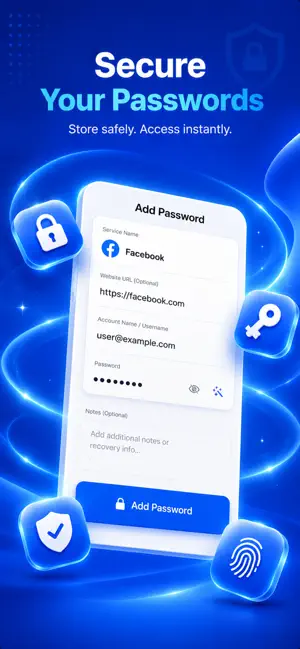
Secure your digital accounts with a simple and reliable authenticator designed for modern two-factor authentication (2FA). Generate secure TOTP verification codes directly on your iPhone and access them whenever you need them — even without an internet connection. Keep your authentication accounts organized and make two-factor security easier to manage every day. EVERYTHING YOU NEED FOR 2FA TOTP Authentication Codes Create time-based one-time passwords (TOTP) for websites, apps, email, social platforms, cloud services, and other accounts that support authenticator-based verification. Fast QR Code Setup Set up a new account by scanning a QR code or entering your setup key manually. Get your verification codes ready in just a few moments. Organized Account Management Keep all your authentication accounts together. Rename entries, update account information, copy verification codes, or delete accounts you no longer use. Face ID, Touch ID & PIN Add an extra layer of privacy to your authenticator. Secure your stored accounts with Face ID, Touch ID, or a custom PIN and automatically lock the app when needed. Authentication Without Internet Your TOTP codes are created locally on your device. No internet connection is required when generating your verification codes. Quick Code Access Find and copy your verification codes quickly when signing in. Designed to make everyday 2FA authentication simple and convenient. Built for Account Security Strengthen your login protection with two-factor authentication, multi-factor authentication (MFA), OTP, and TOTP security codes. WHY USE AUTHENTICATOR? Adding two-factor authentication to your accounts helps provide protection beyond your password. Instead of depending on SMS verification, compatible services can use a temporary code generated by your authenticator. Keep your authentication codes accessible, organized, and protected in one convenient place. TERMS OF USE https://www.apple.com/legal/internet-services/itunes/dev/stdeula/ DISCLAIMER Authenticator: 2FA & OTP is an independent app and is not affiliated with or endorsed by any third-party company or service. All trademarks, logos, icons, images, and brand names are the property of their respective owners and are used for identification purposes only.
What’s new
Version 1.0.4 · Updated September 24, 2026
- update ux/ui
App privacy
The developer, Hai Vo, reported these privacy practices to Apple.
Data Not Linked to You
The following data, which may be collected but is not linked to your identity, may be used for the following purposes:
- Identifiers: Device ID
- Usage Data: Product Interaction
- Diagnostics: Crash Data, Performance Data
Used for: Analytics
Alternatives to Password Vault: 2FA & OTP
Looking for apps like Password Vault: 2FA & OTP? Here are 6 similar apps on the App Store.
-
 MyWords: Password Vault
-
 Password Vault & Manager
-
 Valt - Password Vault
-
 PassGuard: Password Vault
-
 Talk & Text Hub
-
 Snap Convert - AI Converter
| App | Rating | Price | Last updated | Compare |
|---|---|---|---|---|
| Password Vault: 2FA & OTP | – | Free | September 24, 2026 | |
| MyWords: Password Vault | – | Free | Sep 17, 2026 | Compare |
| Password Vault & Manager | – | Free | Jul 23, 2026 | Compare |
| Valt - Password Vault | – | Free | Oct 23, 2026 | Compare |
| PassGuard: Password Vault | – | Free | Oct 11, 2026 | Compare |
| Talk & Text Hub | – | Free | Oct 16, 2026 | Compare |
| Snap Convert - AI Converter | – | Free | Aug 20, 2026 | Compare |