

Stitcher: Full Screen Capture
Nikita Sharin Utilities iPhoneiPadiPod touch
Stitcher: Full Screen Capture is a free Utilities app for iPhone and iPad by Nikita Sharin. Rated 5.0/5 from 4 ratings. Requires iOS 17.0.
- Rating
- 5.0
- 4 ratings
- Price
- Free
- on the App Store
- Size
- 20 MB
- Age 17+
- Updated
- Oct 20
- 2026 · v2.1
Screenshots


About Stitcher: Full Screen Capture
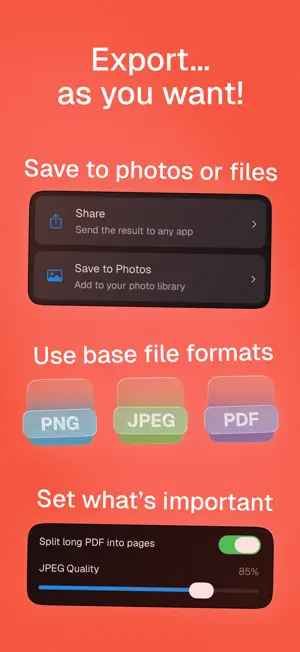
A long chat, article, feed or web page won't fit on one screen – so you take a stack of screenshots. Then you're stuck stitching them by hand: hunting for where one frame meets the next, trimming edges, lining things up. It eats your time, the seam still shows, and the image comes out crooked. Stitcher gets it right in seconds – one clean image with no visible seams, no repeated bars and no scrollbar. THREE WAYS TO MAKE A LONG SCREENSHOT • Import screenshots – pick them in the app or send them straight from Photos with Share, and let the app do the rest • Web Capture – paste a link or share a page from Safari, and Stitcher grabs the whole thing • Scrolling Capture – start a screen recording, scroll through a chat, feed or article, and the app turns the video into one long screenshot. Already have a recording? Send it from Photos WHY YOU CAN'T SEE THE SEAM Stitcher finds exactly where two frames overlap and joins them right there. It auto-aligns the images, removes repeated headers and toolbars, and hides the scrollbar, the Dynamic Island and the home indicator. A REAL EDITOR – NOW FREE • Hide what's private before you share: blur, pixelate or drop a solid box over names, numbers and personal details • Point things out: arrows, a brush and text • Trim what you don't need – at the edges and even from the middle AI THAT DOES THE BORING PART • AI-Censor finds names, phone numbers, emails, card numbers, amounts and faces, and hides them one by one or all at once • Ad Detector finds ads in your stitch and cuts them out PRIVATE BY DEFAULT Stitching, editing, AI-Censor and Ad Detector all run right on your device. Your screenshots are never uploaded, and no account is required. Import and Scrolling Capture don't need the internet at all – works on a plane, works offline. Anonymous usage statistics can be turned off in Settings. FEATURES • Stitch up to 50 images into one picture • Crop the edges and cut out what's in the middle • Automatic scrollbar, Dynamic Island and home indicator removal • Redaction: blur, pixelate, solid box • Arrows, brush and text for emphasis • AI-Censor – automatically finds and hides names, phone numbers, emails, card numbers, amounts and faces • Ad Detector – automatically finds ads and cuts them out • Export to Photos or to PNG, JPEG and PDF files. JPEG quality is adjustable, and a long PDF can be split into pages • Export several projects at once • Project history, auto-delete for old stitches and removal of the originals (optional) • Import screenshots, screen recordings and links from the share sheet • Live Activity – leave the app while a really long stitch is being made TERMS Stitcher Pro is available as a weekly auto-renewable subscription or as a one-time lifetime purchase. Payment is charged to your Apple ID when you confirm the purchase. The subscription renews automatically unless cancelled at least 24 hours before the end of the current period. You can manage or cancel it in your App Store account settings. Terms of Use: https://www.apple.com/legal/internet-services/itunes/dev/stdeula/ Privacy Policy: https://gist.github.com/Owlinc/10556a78b60cb7acdd71b894eebf2bdf Long screenshots. No pain.
What’s new
Version 2.1 · Updated October 20, 2026
Version 2.1 – it ain't much, but it's honest work: • You no longer have to buy Pro for life – grab it for a week, way cheaper • You no longer have to put up with small bugs either – we fixed them all!
App privacy
The developer, Nikita Sharin, reported these privacy practices to Apple.
Data Not Linked to You
The following data, which may be collected but is not linked to your identity, may be used for the following purposes:
- Purchases: Purchase History
- Usage Data: Product Interaction
Used for: Analytics