

ScreenWise - Digital Wellness
Bin He Health & Fitness iPhoneiPadiPod touch
ScreenWise - Digital Wellness is a free Health & Fitness app for iPhone and iPad by Bin He. Requires iOS 17.6. Updated July 25, 2026.
- Price
- Free
- on the App Store
- Size
- 1 MB
- Age 4+
- Updated
- Jul 25
- 2026 · v1.0
Screenshots
About ScreenWise - Digital Wellness
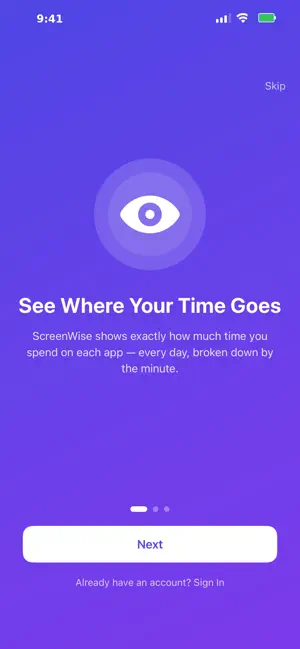
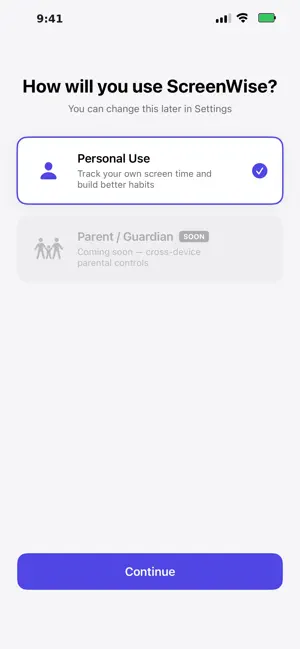
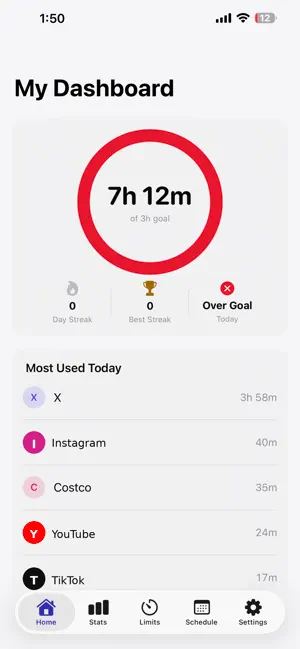
Ever look up from your phone and wonder where the last two hours went? You're not alone — and ScreenWise is here to help. ScreenWise is built for teenagers who want to live more intentionally: spending less time scrolling, and more time on the things — and people — that actually matter. Whether it's sports, studying, hobbies, or just being present, ScreenWise helps you find the balance between your online life and your real one. FOR TEENAGERS - See Your Real Usage — No more guessing. ScreenWise shows exactly how much time you spend on each app, every day and week. The truth might surprise you — in a good way. - Set Your Own Goals — You decide what balance looks like. Set personal screen time targets and track your progress. No one else sets the rules — you do. - Spot Your Patterns — Notice which apps pull you in the most. Once you see the habit, you can change it. - Reclaim Your Time — An hour a day is 365 hours a year. Imagine what you could do with that time: learn something new, get better at a skill, hang out with friends IRL. FOR PARENTS & GUARDIANS - Family Dashboard — Get a clear overview of how everyone in your family is spending their screen time, without micromanaging. - Guide, Don't Just Block — Support your teen in building real habits rather than just hitting a wall of restrictions. ScreenWise opens the conversation. YOUR PRIVACY IS PROTECTED ScreenWise uses Apple's built-in Screen Time framework. All your data stays on your device — it is never sent to us or any third party. What you see is just for you. HOW TO GET STARTED 1. Download ScreenWise and complete the quick setup (takes under 2 minutes). 2. Choose Teen Mode to manage yourself, or Parent Mode to support your family. 3. Grant Screen Time permission when prompted — this is handled entirely by Apple and stays private on your device. 4. Open your dashboard and see your real usage instantly. ScreenWise requires iOS 16 or later. --- Balance isn't about quitting your phone. It's about choosing when to put it down. ScreenWise helps you make that choice — on your own terms.
App privacy
The developer, Bin He, reported these privacy practices to Apple.
Data Not Collected
The developer does not collect any data from this app.
Alternatives to ScreenWise - Digital Wellness
Looking for apps like ScreenWise - Digital Wellness? Here are 6 similar apps on the App Store. The highest rated is SunnyFit - For Home Fitness (4.7/5), and all 6 are free to download.
-
 Digital Wellness Nurse
-
 Attentive - Digital Wellbeing
4.3
-
 Amaha: Mental Health Self-Care
3.7
-
 SunnyFit - For Home Fitness
4.7
-
 Patient Gateway
4.6
-
 BetterMe: Mental Health
4.7
| App | Rating | Price | Last updated | Compare |
|---|---|---|---|---|
| ScreenWise - Digital Wellness | – | Free | July 25, 2026 | |
| Digital Wellness Nurse | – | Free | Mar 12, 2026 | Compare |
| Attentive - Digital Wellbeing | 4.3 / 5 (110) | Free | Sep 24, 2026 | Compare |
| Amaha: Mental Health Self-Care | 3.7 / 5 (70) | Free | Oct 19, 2026 | Compare |
| SunnyFit - For Home Fitness | 4.7 / 5 (2,565) | Free | Oct 23, 2026 | Compare |
| Patient Gateway | 4.6 / 5 (9,317) | Free | Jul 22, 2026 | Compare |
| BetterMe: Mental Health | 4.7 / 5 (16,469) | Free | Oct 15, 2026 | Compare |