

ImageSeal: Invisible Watermark
胜天 何 Utilities iPhoneiPadiPod touch
ImageSeal: Invisible Watermark is a free Utilities app for iPhone and iPad by 胜天 何. Requires iOS 17.0. Updated August 1, 2026.
- Price
- Free
- on the App Store
- Size
- 8 MB
- Age 4+
- Updated
- Aug 1
- 2026 · v2026.08100
Screenshots
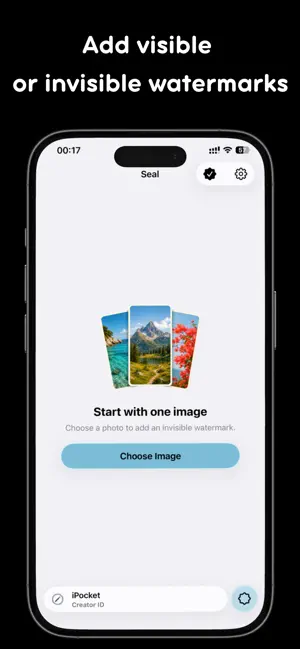
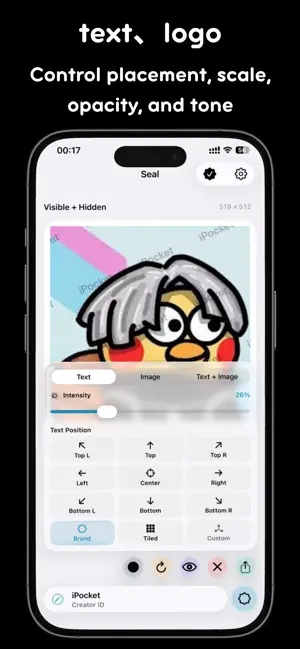
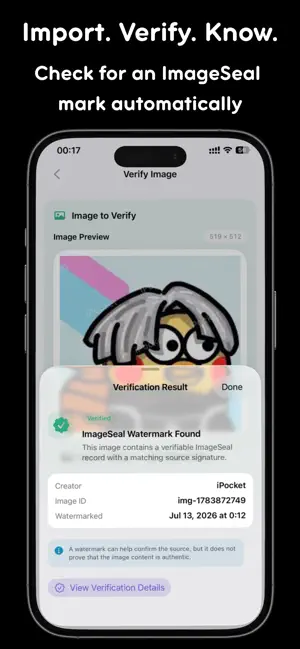
About ImageSeal: Invisible Watermark
ImageSeal is a photo watermarking tool for creators, photographers, designers, and online sellers. Embed a nearly invisible source mark, add visible text or a brand logo, and verify an ImageSeal mark by importing an image from Photos or Files. INVISIBLE WATERMARKS Embed source information while keeping the image looking natural. Use it to mark portfolio work, product photos, design drafts, and client previews. BUILT-IN VERIFICATION Import an image from Photos or Files and verification starts automatically. If the quick scan does not find a mark, you can run a more thorough deep verification and inspect the recovered source record and technical details. TEXT AND LOGO WATERMARKS Add custom text, an image, or a logo. Adjust placement, scale, opacity, tone, and layout. Use a visible watermark on its own or combine it with an invisible mark. BATCH PROCESSING Select multiple images, apply a consistent watermark, and save the completed batch. Spend less time repeating edits and keep branding consistent. PREVIEW AND EXPORT Compare the original and sealed result before exporting. Save finished images to Photos or send them to other apps with the system share sheet. PRIVATE BY DESIGN Watermark creation and verification happen on your device. No account is required, and your images are not uploaded to a server for watermark processing. The free plan includes 10 saves or shares each month, along with core creation and verification features. A one-time ImageSeal Pro purchase permanently unlocks unlimited saves and shares, batch processing, and image/logo watermarks. Purchases are handled securely by Apple. IDEAL FOR - Photographer portfolios and client previews; - Product photos and e-commerce branding; - Artwork, design drafts, and social content; - Internal source marking for shared images; - Quick verification of ImageSeal invisible watermarks. Watermark recovery can vary after cropping, compression, resizing, screenshots, or other edits. ImageSeal assists with content marking and source verification; it is not copyright registration, legal proof, or a guarantee against unauthorized use. Terms of Use: https://www.apple.com/legal/internet-services/itunes/dev/stdeula/
What’s new
Version 2026.08100 · Updated August 1, 2026
1. Added font selection, you can now choose from system fonts 2. Optimized the invisible watermark algorithm 3. Performance improvements and bug fixes
App privacy
The developer, 胜天 何, reported these privacy practices to Apple.
Data Not Collected
The developer does not collect any data from this app.
Alternatives to ImageSeal: Invisible Watermark
Looking for apps like ImageSeal: Invisible Watermark? Here are 6 similar apps on the App Store. The highest rated is When to Post AI - Insta (4.8/5), and all 6 are free to download.
-
 快捷水印-隐形水印与批量处理工具
-
 水印鸭-简单加水印
-
 Flipfile: Swipe Photo Cleaner
-
 PicShield - Blur & Watermark
-
 Batch Watermark Photos
-
 When to Post AI - Insta
4.8
When to Post AI - Insta
4.8
| App | Rating | Price | Last updated | Compare |
|---|---|---|---|---|
| ImageSeal: Invisible Watermark | – | Free | August 1, 2026 | |
| 快捷水印-隐形水印与批量处理工具 | – | Free | Jun 5, 2026 | Compare |
| 水印鸭-简单加水印 | – | Free | Sep 28, 2026 | Compare |
| Flipfile: Swipe Photo Cleaner | – | Free | Oct 21, 2026 | Compare |
| PicShield - Blur & Watermark | – | Free | Aug 12, 2026 | Compare |
| Batch Watermark Photos | – | Free | Oct 22, 2026 | Compare |
| When to Post AI - Insta | 4.8 / 5 (4) | Free | May 4, 2026 | Compare |