

Snippie: Moving Sticker Maker
Alvin Wong Photo & Video iPhoneiPadiPod touch
Snippie: Moving Sticker Maker is a free Photo & Video app for iPhone and iPad by Alvin Wong. Rated 5.0/5 from 3 ratings. Requires iOS 17.0.
- Rating
- 5.0
- 3 ratings
- Price
- Free
- on the App Store
- Size
- 9 MB
- Age 4+
- Updated
- Oct 26
- 2026 · v1.3.1
Screenshots


About Snippie: Moving Sticker Maker
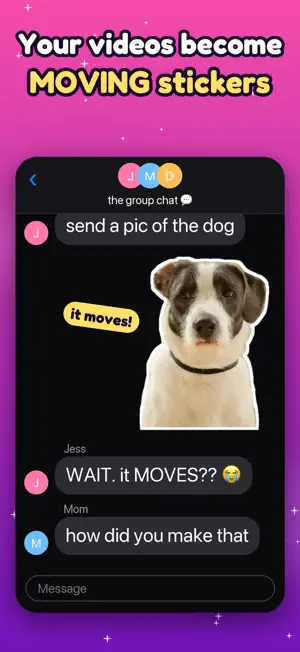
Snippie is an iPhone and iPad app that turns your videos into moving stickers with a transparent background — the "press a person to lift them out" magic you know from iOS, but for video, with a real loop, styling, and files you can share anywhere. Pick a clip, pause on a good frame, then press and hold a person, pet, or object. Snippie lifts it out with a glow, follows it across every frame, and finds a clean loop automatically. Preview it, style it, and share it as an animated sticker. HOW IT WORKS • Pick a video, a Live Photo, or a still photo and scrub to the moment you want • Or share a video from Photos and choose Snippie to start right away • Press and hold the subject — it lifts out with a glow • Snippie tracks it, cleans up the edges, and finds the perfect loop • Style it, then share or save CRISP EDGES, NO HALOS • A second high-resolution pass sharpens hair, fur, and fine edges • Edge colors are cleaned so no background tint bleeds into your sticker • Smooth, flicker-free masks even on fast-moving subjects • Follow mode keeps a roaming subject centered and large • Fix Cutout: erase stray bits or paint back missed parts, on every frame at once MAKE IT YOURS • Sticker outline + drop shadow for that real-sticker look • Backgrounds: transparent, solid color, or a dreamy blurred subject • Meme-style captions in four fonts and four colors, placed top or bottom • Loop it, ping-pong it, or play it in reverse • Speed it up or slow it to a smooth slow-mo • Change a saved sticker's caption, style or background any time SHARE ANYWHERE • Send straight from the Messages app drawer with the Snippie sticker extension • Start a new sticker right from Messages: tap New Sticker in the Snippie drawer • Add them to WhatsApp as your own sticker pack (3 to 30 stickers) • Export as APNG — full transparency, behaves like a real animated sticker • Export as GIF for everything else • Copy a sticker and paste it straight into any chat • Save straight to Photos • Every sticker is auto-saved to your in-app gallery to re-share or delete PRIVATE BY DESIGN Everything runs on your device using Apple's Vision framework. Your videos, photos, and stickers never leave your phone. No account, no cloud, no ads, no tracking — only anonymous usage statistics that help improve the app. SNIPPIE PRO — one-time purchase, yours forever • Remove the "Made with Snippie" watermark • Unlock all backgrounds (colors + blurred subject) • Speed control (slow-mo and speed-up) • Save stickers as Live Photos and add them to your iPhone's own sticker drawer Free to use: free stickers carry a "Made with Snippie" watermark. Snippie Pro is a one-time purchase, no subscription: it removes the watermark and unlocks all backgrounds and speed control. Requires iOS 17 or later.
What’s new
Version 1.3.1 · Updated October 26, 2026
See your sticker move before you make it. • New: Sticker preview. After you press and hold a subject, a quick preview of the moving cutout plays, so you can adjust the trim before you tap Make Sticker. • Pressing on a subject is more forgiving: it now picks the person or thing nearest your finger. • Fix Cutout is now a button above the loop controls, so it no longer covers your sticker. • Live Photo stickers: white caption text no longer turns see-through when you add the sticker in Photos. • If Photos access is off, you can open Settings right from the save message.
App privacy
The developer, Alvin Wong, reported these privacy practices to Apple.
Data Not Linked to You
The following data, which may be collected but is not linked to your identity, may be used for the following purposes:
- Purchases: Purchase History
- Identifiers: Device ID
- Usage Data: Product Interaction
Used for: Analytics