

Cyatal: Digital Clock & Widget
ADSTER TECHNOLOGIES PRIVATE LIMITED Utilities iPhoneiPadiPod touch
Cyatal: Digital Clock & Widget is a free Utilities app for iPhone and iPad by ADSTER TECHNOLOGIES PRIVATE LIMITED. Requires iOS 15.0.
- Price
- Free
- on the App Store
- Size
- 25 MB
- Age 4+
- Updated
- Oct 18
- 2026 · v1.1.0
Screenshots



About Cyatal: Digital Clock & Widget
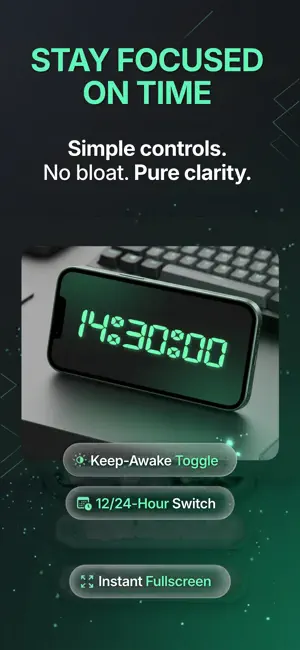
Cyatal Clock turns your device into a stylish retro clock for your desk, nightstand, or charging stand. Start with the animated Flip face, or choose Classic, Dot Matrix, or Seven-Segment LED. Enjoy large, readable digits, an AMOLED-friendly dark display, and custom accent colors that suit your space. Features: - Four clock faces: Classic, Flip, Dot Matrix, and Seven-Segment LED - Smooth digit animations on the Flip face - Clock face previews in Settings - AMOLED-friendly dark clock surface - Custom accent colors across all clock faces - Retro font choices for the Classic face - 12-hour and 24-hour time formats - Optional seconds display - Keep-screen-awake control - Charging-aware screensaver using your selected clock face - Home-screen clock widgets - Reduced-motion and accessibility support Make it yours Preview the clock faces, choose your favorite, and customize its color. Your selection is saved for the next time you open the app. The four clock faces are available in the app and screensaver; home-screen widgets retain their familiar digital style. Built for everyday moments Use Cyatal Clock as a nightstand clock while charging, a desk clock during work, or a home-screen widget for quick time checks. Cyatal Clock keeps the experience focused on showing the time clearly, with simple controls and a clean layout. The app may show ads to support development. Privacy Policy: https://cyatal.com/cyatal-clock/privacy Support: https://cyatal.com/cyatal-clock/support
What’s new
Version 1.1.0 · Updated October 18, 2026
Meet three new clock faces: Flip, Dot Matrix, and Seven-Segment LED. • Flip is now the default, with smooth digit animations. • Preview and choose your favorite face in Settings. • Your selected face also appears in screensaver mode. • Enjoy custom colors, 12/24-hour formats, and optional seconds across all faces. • Improved accessibility and reduced-motion support.
App privacy
The developer, ADSTER TECHNOLOGIES PRIVATE LIMITED, reported these privacy practices to Apple.
Data Used to Track You
The following data may be used to track you across apps and websites owned by other companies:
- Location: Coarse Location
- Identifiers: Device ID
- Usage Data: Product Interaction, Advertising Data
- Diagnostics: Performance Data
Data Linked to You
The following data, which may be collected and linked to your identity, may be used for the following purposes:
- Location: Coarse Location
- Identifiers: Device ID
- Usage Data: Product Interaction, Advertising Data
- Diagnostics: Performance Data
Used for: Third-Party Advertising, Analytics, App Functionality
Data Not Linked to You
The following data, which may be collected but is not linked to your identity, may be used for the following purposes:
- Diagnostics: Crash Data
Used for: Analytics, App Functionality
Alternatives to Cyatal: Digital Clock & Widget
Looking for apps like Cyatal: Digital Clock & Widget? Here are 6 similar apps on the App Store. The highest rated is Flip Clock: Bedside Clock (5.0/5), and all 6 are free to download.
-
 Flip Clock: Bedside Clock
5.0
Flip Clock: Bedside Clock
5.0
-
 AOD Clock - StandBy
-
 MyStuffs Organizer
5.0
MyStuffs Organizer
5.0
-
 Strange Clocks
-
 UTC Swap
-
 Ever Clock - Ambient Display
| App | Rating | Price | Last updated | Compare |
|---|---|---|---|---|
| Cyatal: Digital Clock & Widget | – | Free | October 18, 2026 | |
| Flip Clock: Bedside Clock | 5.0 / 5 (1) | Free | Aug 4, 2026 | Compare |
| AOD Clock - StandBy | – | Free | Oct 1, 2026 | Compare |
| MyStuffs Organizer | 5.0 / 5 (1) | Free | Jun 27, 2026 | Compare |
| Strange Clocks | – | Free | Oct 2, 2026 | Compare |
| UTC Swap | – | Free | Aug 7, 2026 | Compare |
| Ever Clock - Ambient Display | – | Free | Aug 17, 2026 | Compare |