

BigFont Display
Richard Montoya Utilities iPhoneiPadiPod touch
BigFont Display is a free Utilities app for iPhone and iPad by Richard Montoya. Requires iOS 17.0. Updated August 9, 2026.
- Price
- Free
- on the App Store
- Size
- 1 MB
- Age 4+
- Updated
- Aug 9
- 2026 · v1.0.1
Screenshots


About BigFont Display
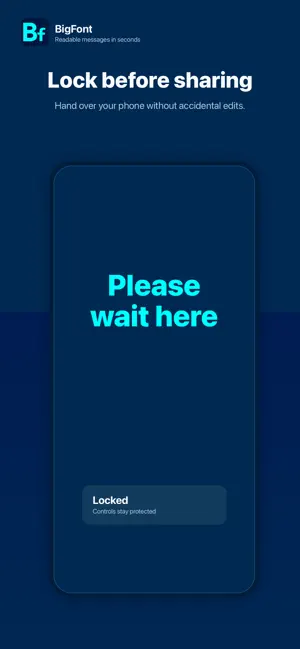
BigFont Display turns your iPhone or iPad into a clear, full-screen message display. Type what you want to say. BigFont makes it large, bright, and easy to read from across a room, in a noisy place, through a window, or when speaking out loud is not practical. Use it for quick notes, public spaces, classrooms, travel, accessibility, events, pickup signs, quiet rooms, or any moment when your screen needs to say something clearly. Features: • Huge full-screen messages • Simple tap controls • Double-tap to edit • Pages for longer messages • Custom fonts, colors, and alignment • Keep screen awake while displaying • Shake to flash for attention • Lock controls before handing over your device • Works on iPhone and iPad • Optional Translation unlock for multi-language display How to use BigFont Display: 1. Open the app. 2. Double-tap to type your message. 3. Tap once to show controls. 4. Adjust size, color, font, pages, or lock. 5. Hold up your screen. Translation Mode is available as a one-time in-app purchase.
What’s new
Version 1.0.1 · Updated August 9, 2026
This update improves Translation purchase and restore reliability, adds smoother language downloads, and includes interface and accessibility refinements.
App privacy
The developer, Richard Montoya, reported these privacy practices to Apple.
Data Not Collected
The developer does not collect any data from this app.
Alternatives to BigFont Display
Looking for apps like BigFont Display? Here are 6 similar apps on the App Store.
-
 Font Size Decrease for Safari
-
 TouchCursor
-
 Battery Protector
-
 Just Show Them
-
 Parked-Timer
-
 Secure Charging Animations
| App | Rating | Price | Last updated | Compare |
|---|---|---|---|---|
| BigFont Display | – | Free | August 9, 2026 | |
| Font Size Decrease for Safari | – | Free | Dec 7, 2025 | Compare |
| TouchCursor | – | Free | Aug 20, 2026 | Compare |
| Battery Protector | – | Free | Sep 16, 2026 | Compare |
| Just Show Them | – | Free | Apr 22, 2026 | Compare |
| Parked-Timer | – | Free | Sep 2, 2026 | Compare |
| Secure Charging Animations | – | Free | Oct 10, 2026 | Compare |
Compare BigFont Display with the top alternatives: ratings, updates, ASO score and keyword gaps →