

WakeBolt: Mission Alarm Clock
Khang Dinh Health & Fitness iPhoneiPadiPod touch
WakeBolt: Mission Alarm Clock is a free Health & Fitness app for iPhone and iPad by Khang Dinh. Requires iOS 26.0. Updated September 9, 2026.
- Price
- Free
- on the App Store
- Size
- 87 MB
- Age 4+
- Updated
- Sep 9
- 2026 · v1.0.4
Screenshots


About WakeBolt: Mission Alarm Clock
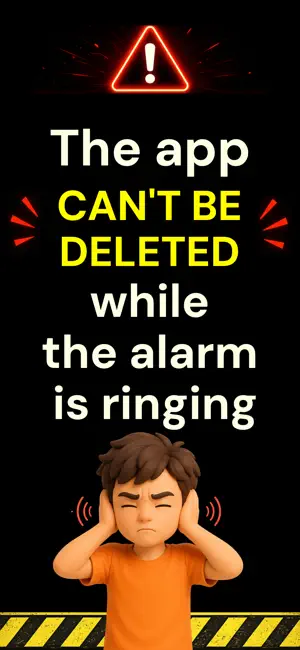
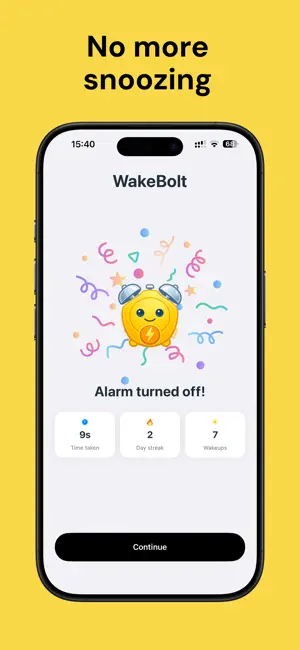
STOP SNOOZING. START TAKING ACTION. WakeBolt is a mission-based alarm clock for heavy sleepers, habitual snoozers, and anyone who starts scrolling before they even get out of bed. When your alarm goes off, there's no ordinary snooze button. Complete the wake-up missions you selected, then the alarm turns off. CHOOSE 1-3 MISSIONS Decide how much effort it should take to finish each alarm. Choose one mission for a quicker wake-up, or stack two or three when you need an extra push. Every selected mission must be completed. Choose challenges that make your brain work, get your body moving, or take you away from bed: • Solve math problems • Shake your phone • Complete push-ups or squats • Find and photograph a household object • Verify drinking water with live front-camera video • Step outside and photograph the sky • Touch grass or a plant and capture proof • Read a wake-up quote aloud • Let WakeBolt choose from your Random Mission pool NEW - GAME CHALLENGE & WAKE ARCADE Wake up with a quick game that gets your brain and reflexes moving. Add Game Challenge to your alarm, choose which Wake Arcade games can appear, and WakeBolt will pick one at random for that alarm session. • Memory Flash - watch a sequence, then repeat it • Color Rush - tap the ink color, not the word • Bolt Flight - guide the WakeBolt character through the gates • Quick Tap - tap the matching icon and avoid decoys • Odd One Out - spot the item that doesn't belong Game Challenge works alongside your other wake-up missions. Stack it with up to two more challenges when you need an extra push. KEEP DISTRACTIONS OUT OF REACH Don't replace snoozing with scrolling. During an active mission, WakeBolt can temporarily block distracting apps and websites. Choose the essential apps and sites you still need; the rest stay unavailable until every mission is complete. CHECK THAT YOU'RE STILL AWAKE Finishing an alarm doesn't always mean staying awake. Schedule an optional Wake-Up Check 1-30 minutes later, then type three short words to confirm that you're still awake and responsive. BUILD AN HONEST MORNING STREAK Track the mornings you actually completed, not just the alarms you set. • See your current and longest wake streak • Review wake-up history and weekly stats • Measure consistency across 7 days, 30 days, or all time • Earn 14 badges for meaningful milestones • Use streak freezes to protect occasional missed mornings STAY ON TOP OF YOUR NEXT ALARM See your next alarm from a Home Screen widget and check your current streak at a glance. Live Activities and Dynamic Island show the countdown while an alarm or mission is active on supported devices. PLAN FOR A BETTER NIGHT Choose your desired sleep duration and WakeBolt calculates a target bedtime from your next alarm. A wind-down reminder lets you know when it's time to get ready for bed. MAKE EACH ALARM YOUR OWN • Create one-time or repeating alarms • Select individual days for each schedule • Add custom alarm labels • Choose from 28 alarm sounds across five styles • Adjust mission difficulty and repetition • Use Light, Dark, or System appearance SUBSCRIPTION REQUIRED WakeBolt is free to download and set up. A WakeBolt Pro subscription is required after onboarding to create alarms and use the app. Monthly and yearly plans are available. A free trial may be offered. Price, billing period, and renewal terms are shown before purchase. Subscriptions renew automatically unless canceled at least 24 hours before the end of the current period. Manage or cancel your subscription in Apple Account Settings. Restore Purchases is available. WakeBolt is made for people who need action, not another gentle reminder. Set your alarm. Finish the mission. Get out of bed. Terms of Use: https://www.apple.com/legal/internet-services/itunes/dev/stdeula/ Support: https://wakebolt.com/support
What’s new
Version 1.0.4 · Updated September 9, 2026
• Bug fixes and reliability improvements to keep mornings running smoothly. • Loving WakeBolt? Leave us a review. We read every one.
App privacy
The developer, Khang Dinh, reported these privacy practices to Apple.
Data Linked to You
The following data, which may be collected and linked to your identity, may be used for the following purposes:
- Identifiers: Device ID
- Usage Data: Product Interaction
Used for: Analytics
Data Not Linked to You
The following data, which may be collected but is not linked to your identity, may be used for the following purposes:
- Purchases: Purchase History
Used for: Analytics, App Functionality
Alternatives to WakeBolt: Mission Alarm Clock
Looking for apps like WakeBolt: Mission Alarm Clock? Here are 6 similar apps on the App Store. The highest rated is WakeUpr: Alarm & Sleep Tracker (5.0/5), and all 6 are free to download.
-
 WakePact: Wake Up on Time
-
 Rise: Mission Alarm
-
 RepAlarm
-
 Wakeyo: Wake Up Alarm Clock
-
 Reveil: Wake Up Alarm Mission
-
 WakeUpr: Alarm & Sleep Tracker
5.0
WakeUpr: Alarm & Sleep Tracker
5.0
| App | Rating | Price | Last updated | Compare |
|---|---|---|---|---|
| WakeBolt: Mission Alarm Clock | – | Free | September 9, 2026 | |
| WakePact: Wake Up on Time | – | Free | Aug 22, 2026 | Compare |
| Rise: Mission Alarm | – | Free | Aug 29, 2026 | Compare |
| RepAlarm | – | Free | Jul 23, 2026 | Compare |
| Wakeyo: Wake Up Alarm Clock | – | Free | Sep 5, 2026 | Compare |
| Reveil: Wake Up Alarm Mission | – | Free | Sep 29, 2026 | Compare |
| WakeUpr: Alarm & Sleep Tracker | 5.0 / 5 (1) | Free | Sep 29, 2026 | Compare |