

Jewelry Try-On AI
TAIGA TEKNOLOJI ANONIM SIRKETI Photo & Video iPhoneiPadiPod touch
Jewelry Try-On AI is a free Photo & Video app for iPhone and iPad by TAIGA TEKNOLOJI ANONIM SIRKETI. Rated 3.0/5 from 2 ratings. Requires iOS 16.4.
- Rating
- 3.0
- 2 ratings
- Price
- Free
- on the App Store
- Size
- 75 MB
- Age 4+
- Updated
- Sep 25
- 2026 · v1.5.4
Screenshots


About Jewelry Try-On AI
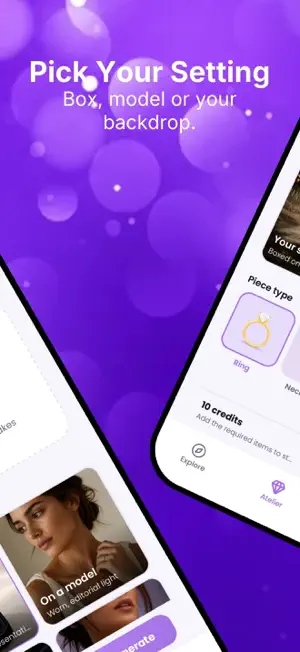
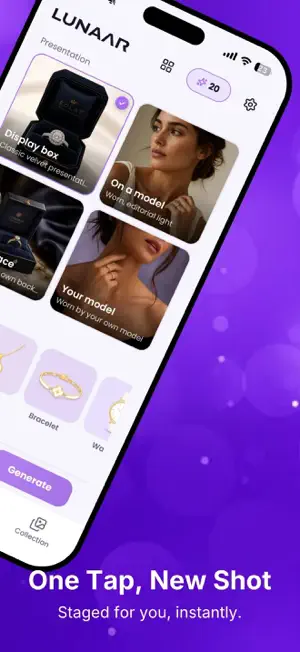
Jewelry Try-On AI turns a simple phone photo of your jewelry into professional, sales-ready imagery. Upload a ring, necklace, bracelet, watch or earrings and see it beautifully staged — inside an elegant display box or worn by a photorealistic model — in seconds. Whether you're a jeweler scaling your catalog, an online seller who needs clean product shots, or a shopper who wants to see a piece worn before buying — Jewelry Try-On AI delivers studio-quality visuals instantly. WHY JEWELRY TRY-ON AI • Studio-quality jewelry shots from a single phone photo • Present pieces in an elegant display box or on a model • Consistent, professional visuals across a whole collection • Sell and share faster — no photographer, no studio • Works on any device WHAT YOU CAN DO • Box Presentation — stage your piece in a classic velvet display • On-Model Shots — see jewelry worn by a photorealistic model • Your Own Scene — use a custom surface or your own model • Multiple Angles — generate clean variations of the same piece PERFECT FOR • Jewelers and jewelry brands • Online sellers & e-commerce stores • Shoppers who want to see a piece worn before buying SUBSCRIPTION & PRICING Jewelry Try-On AI is free to download and includes a limited number of free starter credits. Each AI presentation consumes credits. For more credits, subscribe with an auto-renewing weekly or yearly plan. • Payment is charged to your Apple Account at confirmation of purchase. • You can manage or cancel your subscription anytime in your Apple Account settings. Terms of Use (EULA): https://www.apple.com/legal/internet-services/itunes/dev/stdeula/ Privacy Policy: https://lunaarvision.com/en/yasal-merkez/gizlilik-politikasi
What’s new
Version 1.5.4 · Updated September 25, 2026
• Subscription plans are here — choose weekly or yearly and get fresh credits every period. • Credit packs remain available any time, with or without a subscription. • Smoother credits screen and various fixes.
App privacy
The developer, TAIGA TEKNOLOJI ANONIM SIRKETI, reported these privacy practices to Apple.
Data Used to Track You
The following data may be used to track you across apps and websites owned by other companies:
- Contact Info: Email Address
- Usage Data: Other Usage Data
Data Linked to You
The following data, which may be collected and linked to your identity, may be used for the following purposes:
- Contact Info: Email Address, Name
- User Content: Photos or Videos
Used for: App Functionality
Data Not Linked to You
The following data, which may be collected but is not linked to your identity, may be used for the following purposes:
- Usage Data: Other Usage Data
Used for: Analytics
Alternatives to Jewelry Try-On AI
Looking for apps like Jewelry Try-On AI? Here are 6 similar apps on the App Store. The highest rated is LuxSnap AI (5.0/5), and 5 of the 6 are free to download.
-
 FitAI – Virtual Try-On
-
 LuxSnap AI
5.0
LuxSnap AI
5.0
-
 Editio: AI Image Studio
-
 Twinly - AI Fashion Studio
-
 JewelAI
5.0
JewelAI
5.0
-
 SHYNEL - Jewelry Photo AI
| App | Rating | Price | Last updated | Compare |
|---|---|---|---|---|
| Jewelry Try-On AI | 3.0 / 5 (2 ratings) | Free | September 25, 2026 | |
| FitAI – Virtual Try-On | – | Free | Jun 5, 2026 | Compare |
| LuxSnap AI | 5.0 / 5 (1) | 59.99 USD | Sep 25, 2026 | Compare |
| Editio: AI Image Studio | – | Free | Sep 25, 2026 | Compare |
| Twinly - AI Fashion Studio | – | Free | Aug 10, 2026 | Compare |
| JewelAI | 5.0 / 5 (1) | Free | Jul 1, 2026 | Compare |
| SHYNEL - Jewelry Photo AI | – | Free | Jun 7, 2026 | Compare |
Compare Jewelry Try-On AI with the top alternatives: ratings, updates, ASO score and keyword gaps →