
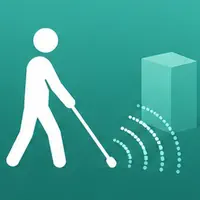
LiDAR Cane
Stingray Digital Utilities iPhoneiPadiPod touch
LiDAR Cane is a free Utilities app for iPhone and iPad by Stingray Digital. Requires iOS 18.0. Updated July 7, 2026.
- Price
- Free
- on the App Store
- Size
- 1 MB
- Age 4+
- Updated
- Jul 7
- 2026 · v0.06
Screenshots


About LiDAR Cane
REQUIRES AN IPHONE WITH A LIDAR SCANNER — iPhone 12 Pro or later Pro and Pro Max models. It will not work on non-Pro iPhones. LiDAR Cane turns your iPhone's LiDAR sensor into touch. Made for blind and low-vision users, it converts the distance to obstacles into haptic feedback you can feel — no screen reading required, though VoiceOver is fully supported throughout. TWO WAYS TO SENSE Cane Mode — hold the phone upright and walk. The nearest obstacle ahead taps in your hand: weak, slow taps when it is far away, building to strong, rapid drumming as it gets close. Silence means the way ahead is open. Double-tap with two fingers at any time to hear the distance spoken aloud. Touch Mode — the whole screen becomes the scene in front of the camera. Move a finger across it and feel the depth under your fingertip, ticking like a Geiger counter: closer surfaces tick faster, harder and higher pitched. Crossing the edge of a table, a doorway or a kerb gives a sharp click under your finger. Sweep around a room and build a picture of it by touch. MADE TO BE TUNED Every part of the feel is adjustable, and every setting plays a preview you can feel as you change it. Choose a preset — Near, Indoor, Outdoor, Far — or tune tap rates, distance ranges, pitch, strength, edge sensitivity and sensor smoothing yourself, then save your own named presets. Pick the voice that speaks distances, by ear, from the voices installed on your phone. BUILT ACCESSIBILITY-FIRST Every control is labelled for VoiceOver and speaks its value in real units — meters, centimeters, taps per second. The screen never sleeps mid-use. Spoken distances work even with the silent switch on. FREE, WITH OPTIONAL TIPS Everything in the app is free, for everyone, forever. If it helps you and you want to say thanks, there are optional tips — buying one only removes the Support button from the home screen. It unlocks nothing, because nothing is locked. PRIVATE BY DESIGN No account, no ads, no analytics. The camera and LiDAR data never leave your phone. SAFETY LiDAR Cane is an awareness aid. It is not a replacement for a white cane, guide dog or other primary mobility aid, and should not be relied on as your only means of detecting obstacles. Terms of Use (EULA): https://www.apple.com/legal/internet-services/itunes/dev/stdeula/
App privacy
The developer, Stingray Digital, reported these privacy practices to Apple.
Data Not Collected
The developer does not collect any data from this app.
Alternatives to LiDAR Cane
Looking for apps like LiDAR Cane? Here are 6 similar apps on the App Store. The highest rated is ToMorse (5.0/5), and all 6 are free to download.


| App | Rating | Price | Last updated | Compare |
|---|---|---|---|---|
| LiDAR Cane | – | Free | July 7, 2026 | |
| AnyStash for Shortcuts | – | Free | Sep 20, 2026 | Compare |
| ToMorse | 5.0 / 5 (1) | Free | Jul 18, 2025 | Compare |
| ICIDO | – | Free | Sep 10, 2026 | Compare |
| Ear Sonar | – | Free | Sep 3, 2026 | Compare |
| smart audio controller | – | Free | Jan 22, 2026 | Compare |
| LiDAR Toolkit | – | Free | Jul 28, 2026 | Compare |
Compare LiDAR Cane with the top alternatives: ratings, updates, ASO score and keyword gaps →