

Mobile Printer: Print Files
Hai Vo Business iPhoneiPadiPod touch
Mobile Printer: Print Files is a free Business app for iPhone and iPad by Hai Vo. Requires iOS 15.0. Updated September 25, 2026.
- Price
- Free
- on the App Store
- Size
- 188 MB
- Age 17+
- Updated
- Sep 25
- 2026 · v1.0.4
Screenshots
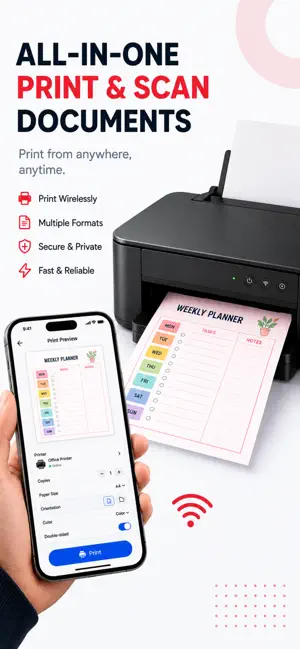


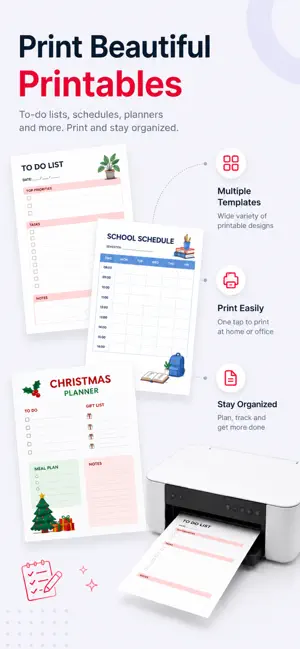
About Mobile Printer: Print Files
Print, scan, and manage your documents from one simple app. Smart Printer Pro & Scan helps you get more done from your iPhone or iPad. Print photos, documents, PDFs, labels, and more. Scan paper documents into clean digital files, create and edit PDFs, and keep your important files organized in one place. No complicated setup. No confusing workflows. Just choose what you need to print, scan, or manage and get it done quickly. SMART PRINTING • Print photos, documents, and PDF files • Print webpages, emails, notes, and saved files • Print labels, stickers, cards, worksheets, and more • Adjust paper size, orientation, copies, and layout • Print multiple photos on a single page DOCUMENT SCANNER • Scan documents with your iPhone or iPad camera • Automatically detect document edges • Crop, rotate, and enhance scanned pages • Create clean digital scans • Save scans as PDF or image files • Share scanned documents easily PDF TOOLS • Convert photos and documents to PDF • Edit and manage PDF pages • Delete and reorder pages • Compress PDF files • Organize and share your PDF documents FILE MANAGER • Import documents, photos, scans, and PDFs • Preview and organize your files • Rename and manage documents • Quickly prepare files for printing or sharing CREATIVE PRINTING • Create and print stickers • Print labels, cards, notes, and templates • Prepare printable content for home, school, office, and everyday projects WHY SMART PRINTER™? Printing, scanning, PDF tools, and file management in one convenient workspace. Whether you need to print an important document, digitize paperwork, create a PDF, or prepare something to print, Smart Printer™ helps you get it done from your iPhone or iPad. Compatibility may vary depending on printer model, network connection, and supported printing features. DISCLAIMER Product names, logos, printer brands, and trademarks are used for identification purposes only. This app is an independent third-party application and is not affiliated with, endorsed by, or sponsored by any printer manufacturer or brand.
What’s new
Version 1.0.4 · Updated September 25, 2026
- update ux/ui
App privacy
The developer, Hai Vo, reported these privacy practices to Apple.
Data Not Linked to You
The following data, which may be collected but is not linked to your identity, may be used for the following purposes:
- Identifiers: User ID, Device ID
- Usage Data: Product Interaction, Advertising Data
- Diagnostics: Crash Data
- Contacts: Contacts
- User Content: Photos or Videos, Other User Content
Used for: Third-Party Advertising, Analytics, App Functionality
Alternatives to Mobile Printer: Print Files
Looking for apps like Mobile Printer: Print Files? Here are 6 similar apps on the App Store. The highest rated is Contacts Printer (5.0/5), and all 6 are free to download.
-
 AI Meeting Printer App
-
 Contacts Backup App & Restore
-
 Resonate – Worship Companion
-
 EpicDraft
-
 Contacts Printer
5.0
-
 Printer: Print & Scan Photos
| App | Rating | Price | Last updated | Compare |
|---|---|---|---|---|
| Mobile Printer: Print Files | – | Free | September 25, 2026 | |
| AI Meeting Printer App | – | Free | Jul 27, 2026 | Compare |
| Contacts Backup App & Restore | – | Free | Sep 21, 2026 | Compare |
| Resonate – Worship Companion | – | Free | Mar 24, 2026 | Compare |
| EpicDraft | – | Free | Oct 20, 2026 | Compare |
| Contacts Printer | 5.0 / 5 (1) | Free | Apr 5, 2026 | Compare |
| Printer: Print & Scan Photos | – | Free | Oct 9, 2026 | Compare |