

VideoToLive: Live Wallpaper
铭榕 王 Photo & Video iPhoneiPadiPod touch
VideoToLive: Live Wallpaper is a free Photo & Video app for iPhone and iPad by 铭榕 王. Rated 3.9/5 from 7 ratings. Requires iOS 17.0. Updated October 25, 2026.
- Rating
- 3.9
- 7 ratings
- Price
- Free
- on the App Store
- Size
- 6 MB
- Age 4+
- Updated
- Oct 25
- 2026 · v2.0.2
Screenshots
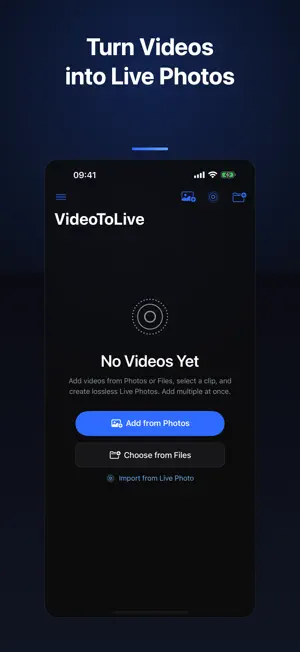
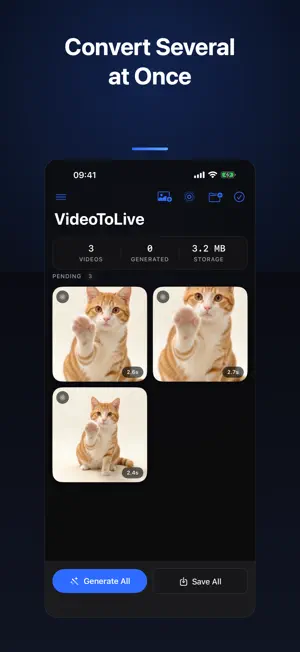


About VideoToLive: Live Wallpaper
Did you know your iPhone Lock Screen can move? Turn any video in your library into a Live Photo and watch it come alive every time you pick up your phone. No 5-second limit. No watermark. No ads. No account. And it never touches the internet. HOW IT WORKS 1. Pick a video from your library, or send one in from any app's share sheet. 2. Choose the moment you want — drag the timeline, pick the cover frame. 3. Save to Photos, then set it as your Live wallpaper. WHAT YOU CAN DO - Video to Live Photo: build a standards-compliant Live Photo (paired still + video) that works as a Lock Screen wallpaper. - Any length you want: keep a 1-second moment or a 30-second clip. We don't force a 5-second cap. - Speed control: slow a moment down to 0.25x, or speed it up to 4x. - Loop back and forth: play forward then reverse for a seamless boomerang. - Export as GIF or video: turn a finished Live Photo into an animated GIF or a shareable video file. - Convert straight from your library: pick an existing Live Photo and export it as a video, skipping the editor. - Batch queue: line up several videos and convert them in one pass. - Share Extension: send videos in from Photos, Files, or any other app. - Keeps the original capture date, so saved Live Photos land in the right place in your library. ORIGINAL QUALITY (one-time unlock, no subscription) - Original resolution, lossless — your video is preserved as-is, with no re-encoding. - Full HDR and wide color kept intact. - Precise trimming down to a tenth of a second. - Pick any frame in the clip as the static cover. - Smart cover: automatically finds the sharpest, best-framed shot for you. - Re-edit an existing Live Photo: change its length, swap the cover, export again. - Wallpaper framing: crop to your screen ratio so nothing important gets cut off on the Lock Screen. - GIF and video export at original resolution instead of the standard-resolution free tier. One purchase, yours forever. No subscription, no recurring charge. TRULY OFFLINE, TRULY PRIVATE Every conversion runs on your iPhone's own hardware. This app has no networking code in it at all — nothing is uploaded, nothing is collected, and your videos never leave your device. Works the same in airplane mode. No account. No ads. No tracking. No watermark. Requires iOS 17 or later. Live wallpapers need iPhone 6s or newer.
Ratings & reviews
3.9
7 ratings
What’s new
Version 2.0.2 · Updated October 25, 2026
Bug fixes and performance improvements.
App privacy
The developer, 铭榕 王, reported these privacy practices to Apple.
Data Not Collected
The developer does not collect any data from this app.
Alternatives to VideoToLive: Live Wallpaper
Looking for apps like VideoToLive: Live Wallpaper? Here are 6 similar apps on the App Store. The highest rated is To Live - Video To Live Photo (5.0/5), and all 6 are free to download.
-
 To Live - Video To Live Photo
5.0
To Live - Video To Live Photo
5.0
-
 Live Photo - Video to Live
4.4
Live Photo - Video to Live
4.4
-
 Video to Live Photo - V2LP
5.0
Video to Live Photo - V2LP
5.0
-
 Video to GIF: Vifto
5.0
Video to GIF: Vifto
5.0
-
 Prismark Pro Camera
5.0
Prismark Pro Camera
5.0
-
 MakeLive: live photo converter
3.7
MakeLive: live photo converter
3.7
| App | Rating | Price | Last updated | Compare |
|---|---|---|---|---|
| VideoToLive: Live Wallpaper | 3.9 / 5 (7 ratings) | Free | October 25, 2026 | |
| To Live - Video To Live Photo | 5.0 / 5 (1) | Free | Oct 26, 2026 | Compare |
| Live Photo - Video to Live | 4.4 / 5 (16) | Free | Oct 1, 2026 | Compare |
| Video to Live Photo - V2LP | 5.0 / 5 (1) | Free | Oct 17, 2026 | Compare |
| Video to GIF: Vifto | 5.0 / 5 (1) | Free | Jul 13, 2026 | Compare |
| Prismark Pro Camera | 5.0 / 5 (3) | Free | Sep 28, 2026 | Compare |
| MakeLive: live photo converter | 3.7 / 5 (3) | Free | Sep 10, 2026 | Compare |