

Luma Night Clock
serkan birinci Utilities iPhoneiPadiPod touch
Luma Night Clock is a free Utilities app for iPhone and iPad by serkan birinci. Requires iOS 15.1. Updated August 12, 2026.
- Price
- Free
- on the App Store
- Size
- 28 MB
- Age 4+
- Updated
- Aug 12
- 2026 · v1.1.0
Screenshots
Save to Pinterest


About Luma Night Clock
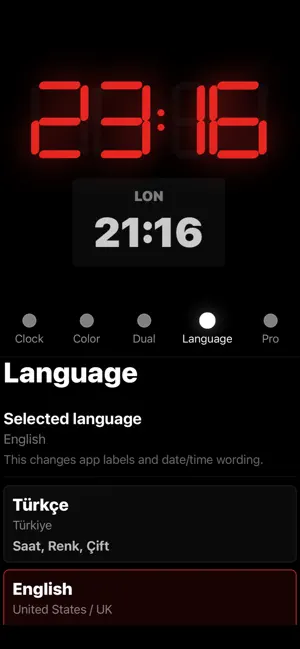
Two cities. Two time zones. One clear screen. Luma Pro’s signature Dual Clock feature lets you see the time in your current location and your home city at the same time. Whether you are traveling abroad, working across time zones, or staying connected with family, both times remain clearly visible on one screen. Select your preferred city and check both local and home time at a glance. Adjust the clock brightness with a simple swipe to create the perfect level of light for your room. Choose a bright, easy-to-read display or dim it for comfortable nighttime use. Use Luma Night Clock whether your iPhone is plugged in or running on battery—no charging connection is required. Rotate your iPhone between portrait and landscape, and the clock automatically adjusts to fit the screen. Upgrade to Luma Pro with a one-time purchase to unlock Dual Clock and unlimited clock colors. Always-on OLED burn-in protection gently shifts the clock’s position over time to help reduce screen retention. This protection works automatically and remains active at all times.
App privacy
The developer, serkan birinci, reported these privacy practices to Apple.
Data Not Collected
The developer does not collect any data from this app.
Alternatives to Luma Night Clock
Looking for apps like Luma Night Clock? Here are 6 similar apps on the App Store.
-
 City Chime: News Alarm Clock
-
 Desktop Time - Clock Widget
-
 When Will I
-
 BinaryClockWatch
-
 Mirror Timer
-
 AllyClock
| App | Rating | Price | Last updated | Compare |
|---|---|---|---|---|
| Luma Night Clock | – | Free | August 12, 2026 | |
| City Chime: News Alarm Clock | – | Free | Nov 11, 2026 | Compare |
| Desktop Time - Clock Widget | – | Free | Nov 13, 2026 | Compare |
| When Will I | – | Free | Apr 21, 2024 | Compare |
| BinaryClockWatch | – | Free | Sep 25, 2026 | Compare |
| Mirror Timer | – | Free | Aug 26, 2026 | Compare |
| AllyClock | – | Free | Jul 15, 2026 | Compare |
Compare Luma Night Clock with the top alternatives: ratings, updates, ASO score and keyword gaps →